

Summary
List projects on a resume in a dedicated Projects section when they are key proof of your skills, or inside Experience or Education when they belong to a job or degree. Each entry needs a project name, your role, dates, the tools used, and two to three result-focused bullets. For team work, state the team size and your specific part. Order projects by relevance to the job, not by date.
To list projects on a resume, give each one a name, your role, dates, the tools you used, and two or three bullets that show results. Put them in a dedicated Projects section when they are central proof of your skills, or under a job or degree when they belong there.
Most guides stop at that. This one adds a placement rule for each project type, wording for team projects, and a link checklist, so your projects on a resume read as evidence rather than filler.
When do projects on a resume actually help?
Projects help when they prove a skill the job asks for and your work history does not already prove it. That makes them most valuable for students, recent graduates, career changers, and anyone returning to work. For experienced candidates, keep only projects that show a skill or scale beyond your day job.
Projects fill gaps. Employers increasingly want proof of skills, not just credentials. NACE reports that 70% of employers use skills-based hiring, and its 2026 spring update notes that employers want candidates to give examples of their skills rather than simply list them.
A project is one of the clearest examples you can offer. Add a projects section if:
- You have little paid experience in the field and are writing a resume with no experience.
- You are switching fields and built something in the new one. Our career change resume guide covers the wider strategy.
- You are returning after a break and used projects to keep skills current.
- A side project shows a tool or result your current job does not.
Be realistic about competition, though. In NACE's 2025 Student Survey, 88.1% of students engaged in projects, internships, or volunteer work that built career skills. Having projects is common. Describing them well is what sets you apart.
Where should projects on a resume go?
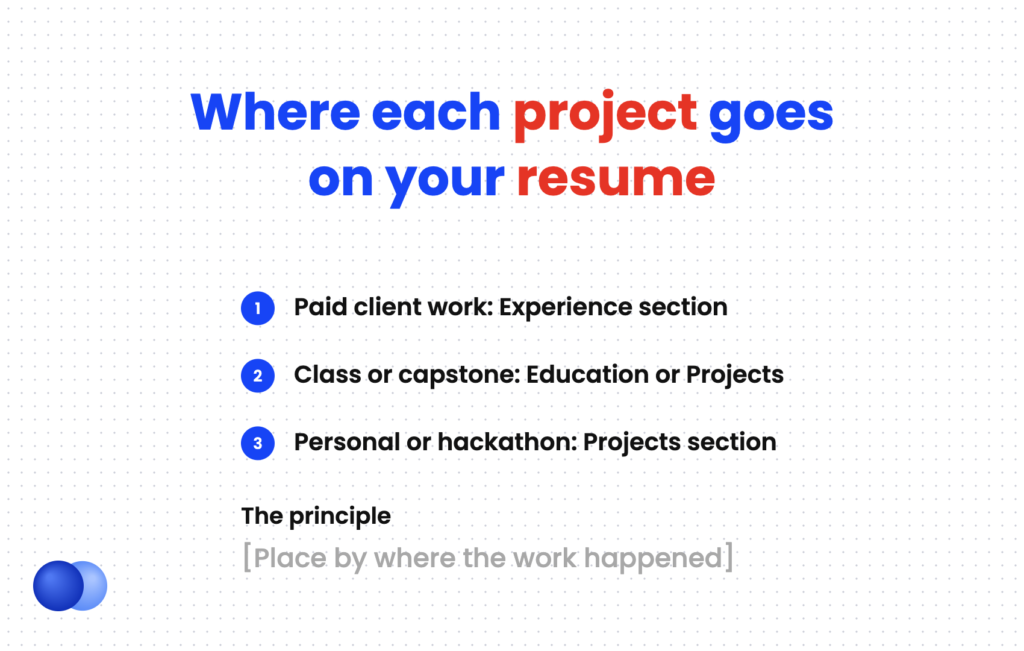
Place each project by where it happened. Paid client or contract projects go in Experience. Projects done inside a job go under that job. Class, capstone, and thesis projects can sit under Education or in a Projects section. Personal, hackathon, and open-source work goes in a dedicated Projects section placed by relevance.
The placement question confuses people because the answer depends on the project type. Use this table as your decision rule.
| Project type | Where it goes | Heading to use |
|---|---|---|
| Paid freelance or client work | Experience section | Your role, e.g. "Freelance Web Developer" |
| Project inside a job | Bullets under that job | No separate heading |
| Class or capstone project | Education or Projects | "Academic Projects" or "Projects" |
| Personal, hackathon, open-source | Projects section | "Projects" or "Technical Projects" |
| Several projects for one field | Projects section above Experience | "Relevant Projects" |
Paid work counts as experience, even when it was short. See our guides on freelance resumes and how to list contract work on a resume for that layout.
Section order matters too. MIT's career office encourages flexible headings, such as a "relevant experience" section followed by "additional experience". If your projects are stronger than your jobs, put the Projects section above Experience. Recruiters scan section headers first, as The Ladders' eye-tracking study found, so your strongest proof should come early.
What should each project entry include?
Each project entry needs five parts: a clear project name, your role, the month and year or date range, the tools or methods used, and two to three bullets showing what you did and what happened. Add a link only if it works and shows finished, readable work.
A consistent structure makes every entry fast to scan. Use this order:
- Project name. Descriptive, not a code name. "Budget Tracking Web App" beats "Project Atlas."
- Your role. Developer, lead analyst, designer, or solo builder.
- Dates. Month and year. For ongoing work, use "Present."
- Tools or methods. Name the specific software, languages, or methods.
- Two to three bullets. Action, method, and result in each.
Budget Tracking Web App | Solo Developer | Jan 2026 – Mar 2026
React, Node.js, PostgreSQL | github.com/yourname/budget-app
- Built a full-stack app that categorizes bank transactions and flags monthly overspending
- Wrote 40 unit tests with Jest and set up automated testing on every commit
- Shipped to 25 beta users from a campus finance club and fixed 12 reported bugs within two weeks
The tools line pulls double duty. It shows skills to a recruiter and places exact keywords where an ATS can find them. Match the tool names to the job posting's wording. Our resume keywords guide explains how.
How do you write project bullets that prove skills?
Start each bullet with a strong action verb, name the tool or method, and end with a result, scope, or outcome. MIT calls this Project, Action, Result. Use real numbers where you have them, such as users, data size, or time saved. Never invent metrics to fill a line.
MIT's career office recommends a simple formula: action verb, subject, then the end result. It also warns against opening with "responsibilities included." Harvard's guide adds that strong bullets are specific and fact-based, quantified where possible.
Weak: "Worked on a data analysis project for class."
Strong: "Analyzed 3 years of city bike-share data in Python to identify the 10 busiest stations and presented rebalancing recommendations to the class."
If you lack a clean number, show scope instead. Mention the dataset size, team size, number of users, or length of the project. Pick verbs that match the skill, and borrow from our list of 500 powerful action verbs if yours repeat.
Order by relevance, not date
Inside a Projects section, put the most job-relevant project first, even if it is older. Most sections use reverse chronological order, but a project's job is to prove fit. Keep three strong entries rather than six thin ones, and swap projects between applications.
How do you show your role in a team project?
State the team size in the entry and write bullets only about work you personally did. Use "I" logic without the pronoun: "Built," "Designed," "Led." When a result came from the team, say so, then describe your share. This keeps your claims honest and easy to defend in an interview.
Team projects are where resumes get vague. "We built an app" tells a recruiter nothing about you.
The fix is simple. Put the team size in the header, then describe your part. This also shows teamwork, which nearly 80% of employers look for on college students' resumes, according to NACE.
Senior Capstone: Hospital Supply Forecasting Tool | Team of 4, Data Lead | Aug 2025 – May 2026
Python, pandas, scikit-learn, Tableau
- Built the demand forecasting model for 200+ supply items, the core feature of the team's tool
- Cleaned 18 months of inventory records supplied by a partner hospital
- Presented findings with the team to the hospital's operations staff at the final review
Be ready to discuss every bullet in detail. Interviewers often ask, "What exactly did you do on this project?" Your resume should already answer that.
Should you include links to GitHub or a portfolio?
Include a link when it shows finished, readable work that supports the entry. Use a short, clean URL written out in plain text so it survives PDF and ATS parsing. Remove links to private repos, broken demos, or unfinished code. One portfolio link in your header can replace several project links.
A link lets a hiring manager check your projects on a resume in seconds. A broken link undercuts it. Our guide on where a GitHub link belongs on a resume covers the placement rules.
Before adding one, test it in a private browser window. Check that the repo has a clear README, the demo loads, and nothing private is exposed. Write the URL out, such as "github.com/yourname/budget-app," instead of hiding it under anchor text. Plain text survives copy-paste and parsing.
If you have several projects online, add one portfolio or GitHub link to your resume header and skip per-project links. A standalone portfolio site answers a different question than the resume does, which is why a portfolio does not replace a resume.
What mistakes weaken a projects section?
The biggest mistakes are listing every project you have done, describing tasks instead of results, hiding your role in team work, and putting paid work in Projects instead of Experience. Tutorial clones with no changes also add little. A short, tailored section with clear outcomes outperforms a long list.
Treat the section like prime real estate. Each entry should earn its lines.
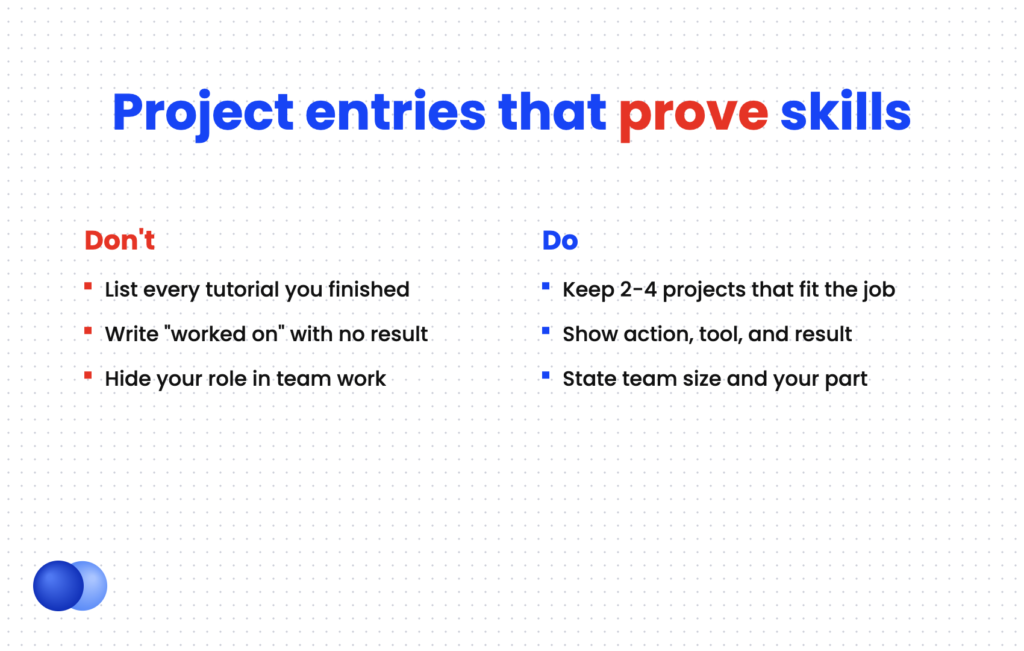
Keep two to four projects that match the posting do: Name the exact tools the job description lists do: State team size and your specific role do: Put paid client work in Experience
List every class assignment or tutorial you finished dont: Write "worked on" or "helped with" without a result dont: Link to broken demos or empty repositories dont: Invent metrics to make a bullet look stronger
Coursework and projects often overlap for students. If a class did not produce a standout deliverable, a single coursework line works better. See our sibling guide on how to list relevant coursework on a resume. Lab work with a faculty lead fits better as research experience on a resume.
Once your entries are drafted, Rezoom's AI resume builder can help you tailor project bullets to each job description.

Frequently asked questions
Should I put personal projects on my resume?
Yes, if they show skills the job asks for. Personal projects are especially useful for students, career changers, and self-taught candidates who lack formal experience in the field.
How many projects should I list on a resume?
List two to four. Choose the ones most relevant to the posting, and swap them for different applications.
Where do projects go on a resume?
Paid projects go in Experience. Class and capstone projects can go under Education or a Projects section. Personal projects go in a dedicated Projects section, placed above Experience if they are your strongest proof.
Can I list unfinished projects on my resume?
Yes, if meaningful work is done. Use "Present" as the end date and describe what is working now, not what you plan to build.
Should I list school projects if I have work experience?
Usually not. Once a job proves the same skills, drop academic projects. Keep a school project only if it shows a skill your jobs do not.
Do projects count as experience on a resume?
Paid client or contract projects count as experience. Unpaid personal and academic projects belong in a Projects section, but they still show skills employers screen for.



Comments