

Summary
To put GitHub on a resume, add your profile URL to the header next to your email and LinkedIn, written as plain text like github.com/yourname. Link individual repositories only inside a Projects entry when that repo proves a skill the job asks for. Before you add the link, pin your best repos, write a profile README, and remove anything unfinished or sensitive. If your profile is empty or inactive, leave it off.
To put GitHub on a resume, write your profile URL in the header, next to your email and LinkedIn, as plain text: github.com/yourname. Then link one or two specific repositories inside your Projects section, but only when each repo proves a skill the job lists.
That is the short answer to how to put GitHub on a resume. The harder question is whether your profile helps you at all. A link invites a click, and the click lands on whatever you left public.
This guide covers placement, copy-ready formats for different situations, a 10-minute profile check, and a clear rule for when to leave GitHub off.
Should you put GitHub on a resume at all?
Put GitHub on a resume when your profile shows finished, readable work related to the job, such as pinned repos with clear READMEs. Skip it if the profile is empty, holds only forks or tutorial code, or has been inactive for a long stretch. A weak profile can do more harm than no link.
Recruiters do not need a GitHub link to consider you. They need proof of skills. NACE's Job Outlook 2026 found that 70% of employers use skills-based hiring, up from 65% the year before. A good profile is one of the fastest ways to show that proof.
The platform is also where most developers already are. GitHub's Octoverse 2025 report counts more than 180 million developers on the site, with over 36 million joining in the past year. A hiring manager for a technical role will know exactly what to look for.
Use this decision rule before adding the link.
| Your situation | Add GitHub? | Where |
|---|---|---|
| Software, data, DevOps, or ML role with 2+ solid public repos | Yes | Header, plus repo links in Projects |
| Student or bootcamp grad with class or personal projects | Yes, if repos are finished | Header and Projects |
| Career changer with new technical projects | Yes | Projects section first, header too |
| Most work is in private company repos | Usually yes, with a short README | Header only |
| Profile holds forks, tutorials, or one old commit | No, until you fix it | Leave off |
| Non-technical role where code is irrelevant | No | Leave off |
Penn's career office puts it simply: for some industries you may want to add your GitHub or personal website to show relevant projects. The key word is relevant.
How do you put GitHub on a resume, and where does it go?
Your GitHub profile URL goes in the resume header, on the same line as your email, phone, and LinkedIn. Links to individual repositories go inside Projects entries, next to the project name or tools line. Avoid a separate "Links" section unless you have three or more professional URLs to list.
The header is the default spot for GitHub on a resume. When people ask how to put GitHub on a resume, this is the answer that covers most cases. It sits where recruiters already look for contact details, and it keeps the link out of your bullet points. Our resume header guide covers the full contact line.
Repository links belong in a Projects entry. That way, each link sits right beside the claim it supports. See our guide on how to list projects on a resume for the full entry structure.
Use one or two spots, not five. Listing the same profile in the header, summary, skills, and experience sections wastes space and looks padded.
Jordan Lee
Austin, TX | (512) 555-0147 | [email protected]
linkedin.com/in/jordanlee | github.com/jordanlee
Notice what is missing: the "https://www." prefix. Drop it. The short form reads cleanly, still works when typed, and survives copy-paste and parsing. For the mechanics of making it clickable in Word, Google Docs, or a PDF, see our sibling guide on how to add a hyperlink to a resume.
How do you format GitHub links for projects and experience?
Put the repo URL on the same line as the project name or tools, written in short form such as github.com/yourname/repo-name. Name the repo clearly, describe what it does in the bullets, and never link to company code you are not authorized to share. One link per project is enough.
A repo link works best when the bullets already tell the story. The link is the receipt, not the pitch.
Transit Delay Tracker | Solo Developer | Feb 2026 – Present
Python, FastAPI, PostgreSQL, Docker | github.com/jordanlee/transit-tracker
- Built an API that pulls city transit feeds every 60 seconds and stores 2M+ arrival records
- Wrote a test suite with pytest and set up GitHub Actions to run it on every pull request
- Deployed a public dashboard that flags routes running more than 5 minutes late
Open-source contributions work too. Link to the merged pull request or the project, and describe your specific change.
Open-Source Contributor, [Project Name] | Jan 2026 – Apr 2026
github.com/org/project/pulls?q=author:jordanlee
- Fixed a date-parsing bug affecting non-US locales; change merged into the main branch
- Added 14 unit tests covering timezone edge cases
For experience entries, only link when the work is public, such as an open-source tool your employer released. Most company code is private, and linking to it is not an option. Describe that work in words instead, and let your work experience bullets carry it.
What should your GitHub profile show before you link it?
Before you put GitHub on a resume, pin up to six of your best repositories, add a profile README that says who you are and what to look at first, write a clear README for each pinned repo, and remove secrets or keys from your code history.
A recruiter who clicks will spend most of their time on your profile page. Make that page do the work. Here is a 10-minute check.
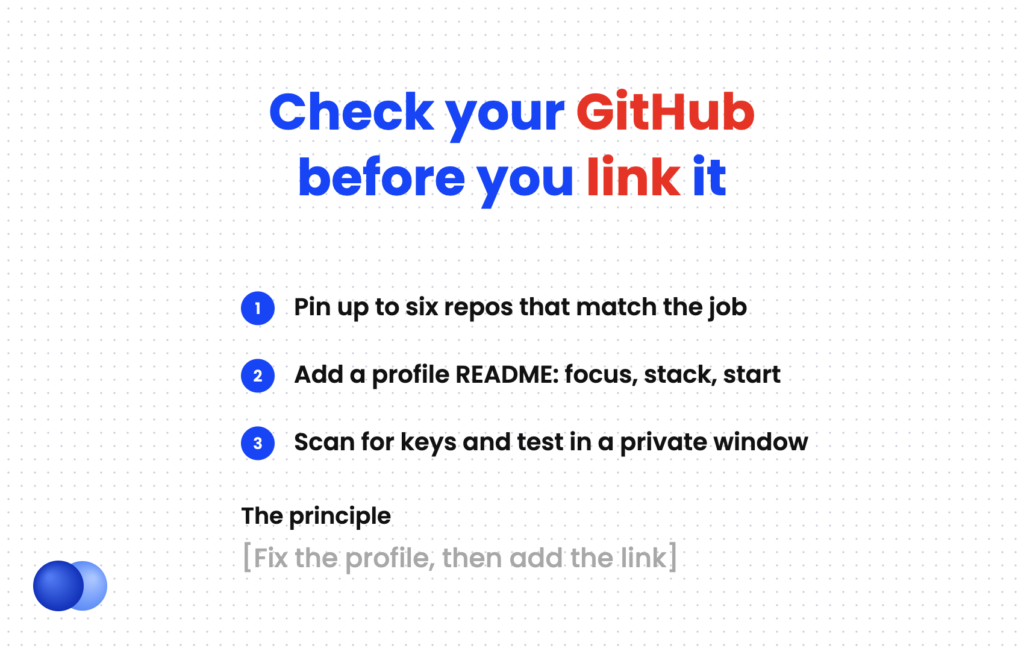
- Pin your best work. GitHub lets you pin up to six repositories and gists combined. Choose the ones that match the job, not your oldest or most-starred.
- Add a profile README. Create a public repository with a name that matches your GitHub username and a README.md file. Use three or four lines: your focus, your main stack, and which repo to open first.
- Write repo READMEs. Each pinned repo needs a one-line purpose, a screenshot or demo link, and setup steps.
- Check for secrets. GitHub's secret scanning runs automatically for free on public repositories and checks your entire Git history. Act on any alerts before you apply.
- Test the link. Open it in a private browser window to see what a stranger sees.
UNC's computer science department sums up the priority well: it is better to have a couple of well-done projects than a bunch of unfinished ones.
Show private work without exposing it
If most of your coding happens in private company repos, your contribution graph may look empty. GitHub has a setting that shows private activity anonymously. People without access see the number of contributions per day, but not specific details. Turn it on, then say in your profile README that your professional work is private.
What mistakes make GitHub on a resume backfire?
The most common mistakes are linking an empty or forks-only profile, using long URLs with tracking text, pinning tutorial clones, leaving broken demo links, and exposing API keys. Listing GitHub in several sections of the resume also wastes space. Fix the profile first, then add the link.
A link is an invitation to judge your work. Only extend it when the work is ready.
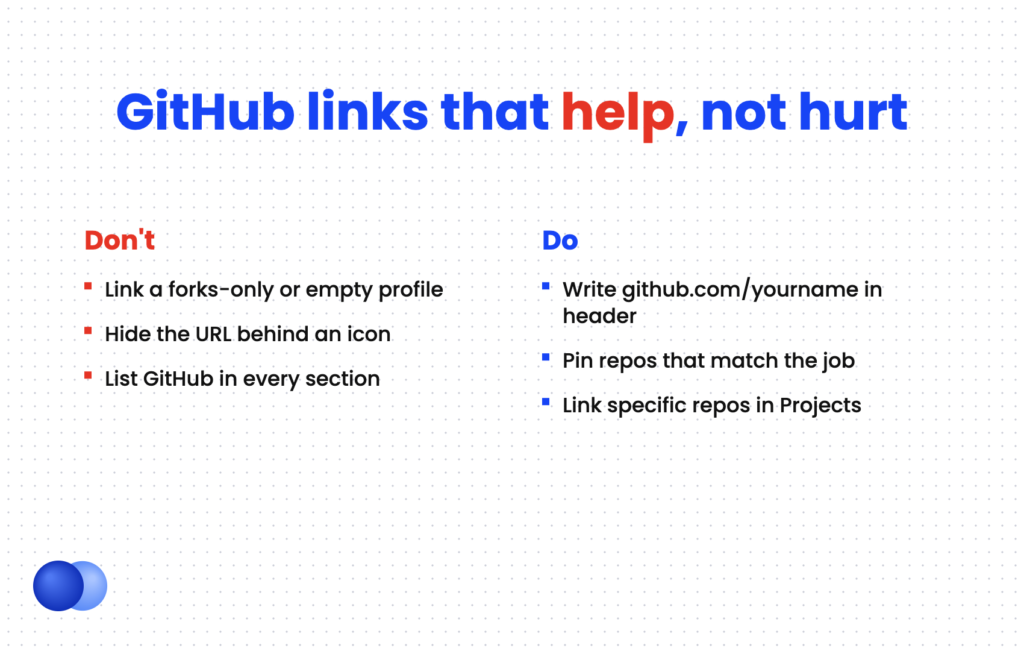
Write the short URL, like github.com/yourname do: Pin repos that match the job's stack do: Add a README to every pinned repo do: Link specific repos inside Projects entries
Link a profile with only forks or one "initial commit" dont: Hide the URL behind an icon with no visible text dont: Leave API keys, passwords, or .env files in public repos dont: List GitHub in the header, summary, and skills all at once
Also, keep the username professional. If yours is an old gamer handle, GitHub lets you rename your account. Do it before you send any applications, so every resume carries the same final URL.
How do you mention GitHub in your summary or skills?
Mention GitHub by name in your skills section only if the job lists Git or GitHub workflows, such as pull requests, code review, or GitHub Actions. In a summary, reference a specific result rather than the platform. The profile link itself belongs in the header, not repeated in these sections.
"GitHub" as a skill is different from "my GitHub profile." Many job posts ask for Git, pull request workflows, or CI with GitHub Actions. Those are tools, so list them in your skills line when the posting mentions them. Our resume keywords guide explains how to mirror the exact wording.
Skills: Python, TypeScript, React, PostgreSQL, Git, GitHub Actions, Docker
Summary: Backend developer who builds data-heavy APIs; maintainer of an open-source transit feed parser used by three city agencies.
For more on how to frame technical work up top, see our software engineer resume objective examples. When your draft is ready, run it through Rezoom's ATS resume checker to confirm your links and keywords parse cleanly.

Frequently asked questions
Should I put GitHub on my resume if it has no projects?
No. An empty or inactive profile gives the recruiter nothing to evaluate. Build one or two finished projects with READMEs first, then add the link.
Where do I put GitHub on my resume?
Put your profile URL in the header with your email, phone, and LinkedIn. Put individual repo links inside Projects entries, next to the project name or tools line.
Should I write the full URL or just the word GitHub?
Write the visible short URL, such as github.com/yourname. A bare word or icon disappears if the resume is printed or the link does not carry over.
Do recruiters actually look at GitHub?
For technical roles, many do, especially for students and career changers with little work history. They usually look at your pinned repos and READMEs rather than reading every line of code.
Can I put GitHub on a resume for a non-coding job?
Only if the job involves code, data, or technical writing that your repos show. For most non-technical roles, a GitHub link adds nothing and takes space from stronger content.
Should I link to private repositories?
No. A private repo shows a 404 page to anyone without access. Describe private work in words and link only to public repos.



Comments