

Summary
iCIMS is recruiting software that employers configure and run themselves. When you apply, the career portal parses your resume to prefill your profile, then asks screening, EEO and job-specific questions. Recruiters search the profiles and can use iCIMS AI to rank candidates on skills and experience, while iCIMS says recruiters stay in control. For status updates, iCIMS tells candidates to contact the hiring company directly.
Here is how iCIMS works for an applicant: the career portal parses your resume to prefill your profile, you answer the employer's screening questions, and recruiters search, rank and review the profiles. iCIMS builds the software, but each employer sets its own questions, stages and rules.
That split explains most of the confusion around iCIMS. The company itself does not review your file or decide anything. In its own words, if you want an update, "please contact that company directly."
This guide separates what iCIMS documents from what testers report and what is simply general ATS practice. For the basics of applicant tracking systems, see our explainer on how ATS software works.
How iCIMS works for job seekers
iCIMS sells its ATS to large employers. Its product page describes "automated candidate comparison, ranking, and job matching" and cites customers that hire tens of thousands of people a year.
For a job seeker, how iCIMS works comes down to three moving parts:
- The career portal, where you create a login and submit an iCIMS application.
- The candidate profile, built from your resume and form answers.
- The recruiter workspace, where staff search, filter, rank and move candidates.
Use of this kind of software is widespread. A Harvard Business School and Accenture study found that 75% of US employers surveyed used recruiting management or applicant tracking systems.
What happens during an iCIMS application?
You sign in with an email and password or a social account, upload your resume, and let the system prefill your profile. Then you answer screening questions, enter EEO information and complete job-specific questions before you submit. Your dashboard lists past submissions and lets you continue or withdraw them.
The iCIMS candidate guide lays out the steps. You enter your name and email and create a login and password, or sign in with a Google, LinkedIn, Microsoft or Facebook account. You can upload a resume from your device, Google Drive, Dropbox or OneDrive.
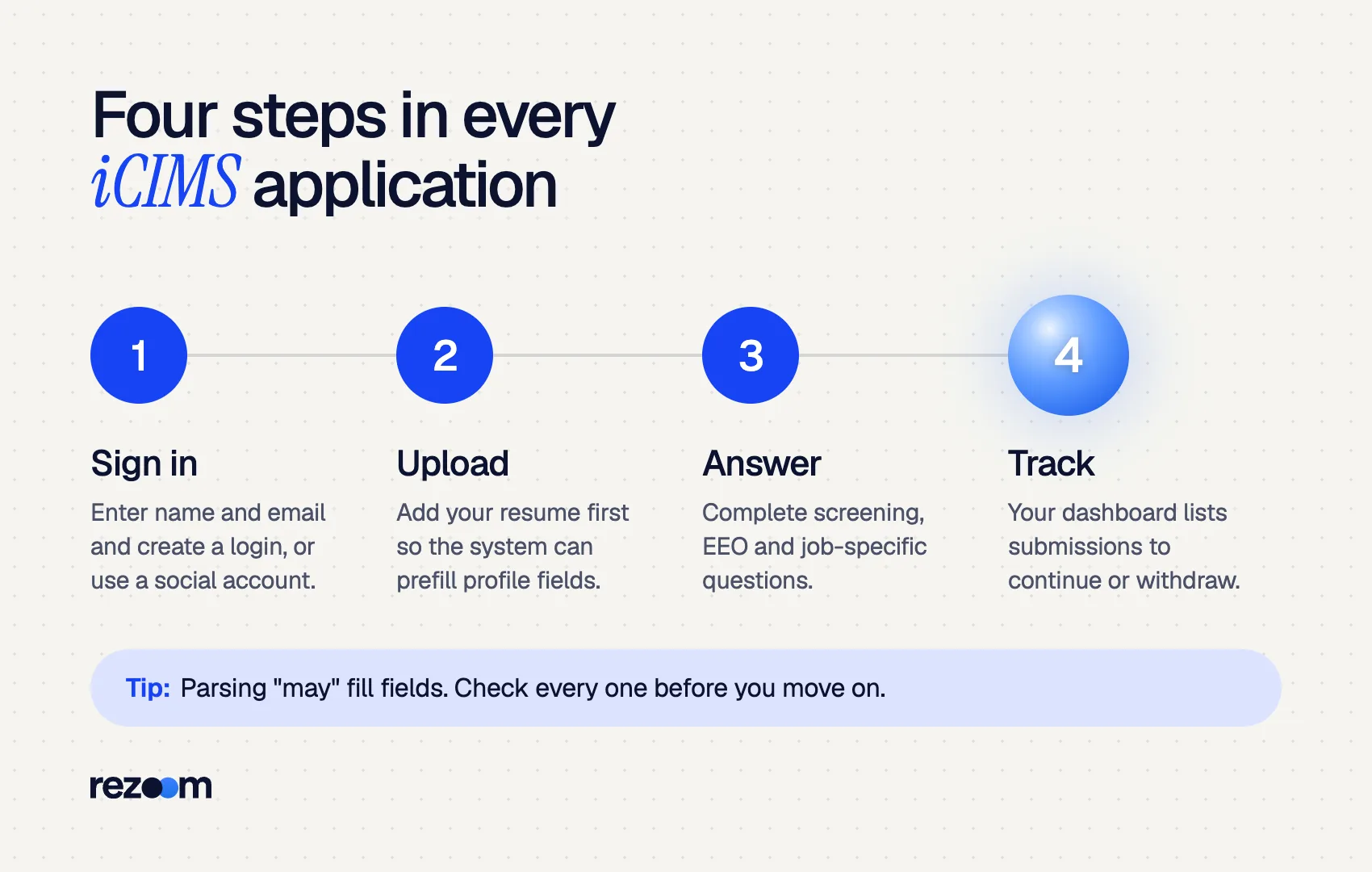
Then comes parsing. The guide says: "When uploading a resume, the system may populate some profile fields with the information from that resume." It also advises you to upload the resume before filling in other fields, to get the most from that feature.
On later pages, you "answer any screening questions, enter EEO information, and answer any job-specific questions before officially submitting your application." After that, the dashboard shows a summary of past submissions, with options to continue or withdraw.
Some employers add their own rules on top. The City of Guelph, for example, tells applicants that the resume and cover letter must be uploaded as one document in its iCIMS portal. Read each employer's instructions, because the portal can differ from one company to the next.
First name: Jordan | Last name: Lee
Email: [email protected] | Phone: (404) 555-0173
Most recent job title: Operations Supervisor
Most recent employer: Southline Distribution | Start date: 03/2022
Highest education: B.S., Supply Chain Management, Georgia State University
The word "may" in the iCIMS guide is the key. Parsing helps, but it does not always fill every field, so review each one before you continue.
How does iCIMS read your resume?
iCIMS extracts text from your resume to build a searchable profile and keeps the original file so recruiters see it as you designed it. Jobscan reports that iCIMS generates a skills list from the full text of the resume, so skills mentioned in bullets count, not only those in a Skills section.
Jobscan, which tests ATS behavior, reports two details worth knowing. First, iCIMS keeps a visual copy: "Whatever your resume looks like when you upload it, that's what the recruiter sees." Second, the system builds a skills list from the full text of your resume.
That means you are writing for two readers at once. The parsed profile feeds search and filters. The original file is what a recruiter reads after clicking your name.
iCIMS's developer documentation lists a wide range of file types it can attempt to extract text from, including PDF, DOC, DOCX, RTF and TXT, as well as image formats. Do not read that as permission to send an image. Extraction from a picture is less reliable than from real text, and the docs only describe an attempt.
The safest file is a text-based DOCX or PDF. Today's guide on whether an ATS can read a PDF covers how to check yours.
Does iCIMS rank or reject an iCIMS application automatically?
iCIMS offers AI that ranks candidates on skills and experience, shown as a Role Fit ranking per job. iCIMS frames this as decision support and says recruiters stay in control. Most early cuts come from the employer's screening questions and from a recruiter's review, not from a hidden auto-reject score.
iCIMS markets AI that can "rank candidates based on skills and experience". Jobscan quotes iCIMS documentation on the resulting Role Fit ranking: "A high Role Fit ranking indicates that a candidate has experiences and skills that match the requirements of the job."
The same iCIMS AI page says "Recruiters stay firmly in control", reviewing recommendations and guiding outcomes. iCIMS has also announced a TRUSTe Responsible AI certification from TrustArc.
Here is how the main claims stack up:
| Claim about iCIMS | Evidence | What to do |
|---|---|---|
| Portal parses your resume to prefill fields | iCIMS candidate guide | Upload first, then check every field |
| Recruiters see your original file | Jobscan testing | Keep the design clean and readable |
| AI can rank candidates per job | iCIMS product page, Jobscan | Mirror the posting's key skills honestly |
| Screening questions come before submit | iCIMS candidate guide | Answer carefully; they can filter you out |
| iCIMS rejects low scores on its own | Not documented | Treat "auto-reject" claims with caution |
The bigger filter is usually the employer's own setup. In the Harvard Business School study, 88% of employers agreed that qualified high-skills candidates are vetted out because they do not match the exact criteria in the job description. Our post on the ATS rejection myth explains where real rejections come from.
Why is my iCIMS application status not changing?
iCIMS does not manage your status; the employer does. Recruiters update stages in their own time, and some never update the candidate view. iCIMS tells candidates to contact the hiring company for updates. Check your dashboard, then follow up with the recruiter after one to two weeks.
A status that sits still for weeks is normal. The employer controls what you see and when it changes. iCIMS support will not have your answer, which is why it points candidates to the company.
Our guide to application status meanings explains common labels, and how to follow up on a job application gives timing and wording.
Subject: Operations Supervisor application, Jordan Lee
Hi Ms. Patel, I applied for the Operations Supervisor role (req. 24-118) on September 12 through your careers site. I remain very interested and would welcome an update on next steps.
How do you format a resume for an iCIMS application?
Use a one-column, text-based DOCX or PDF with standard headings and contact details in the body. Mention key skills in your bullets, since iCIMS builds a skills list from the full text. Mirror the posting's terms, answer screening questions carefully, and check every parsed field before submitting.
General ATS formatting rules apply. Our ATS resume format guide covers layout, and the ATS-friendly resume template gives you a safe starting point. Pick terms from the posting with our guide to resume keywords.
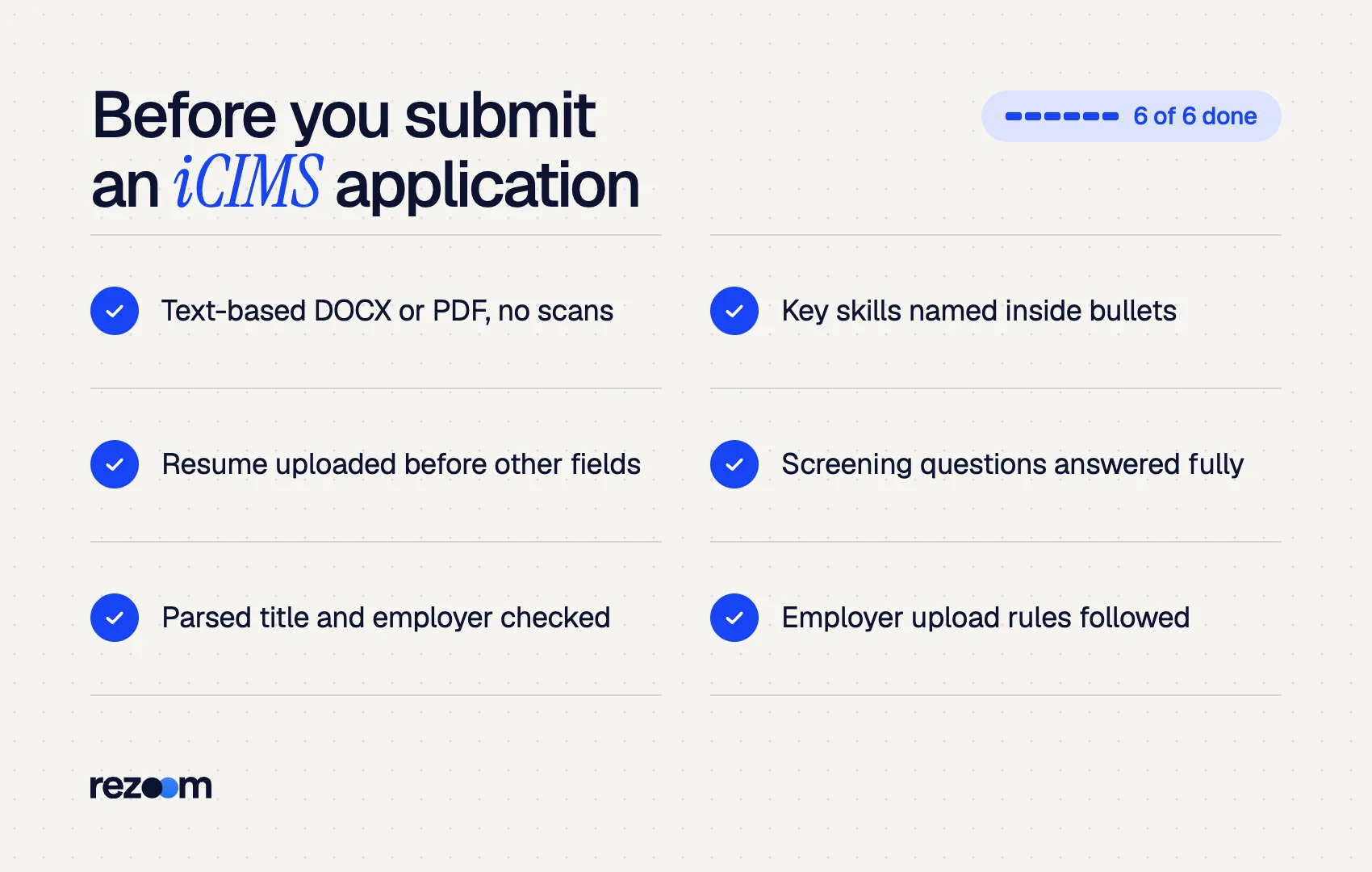
Upload your resume before you fill in any other profile field do: Use standard headings: Experience, Education, Skills do: Name tools and skills inside your bullets, not only in a list do: Follow the employer's upload rules, such as one combined file
Upload a scan or an image of your resume dont: Put contact details in a header graphic or text box dont: Rush the screening questions at the end of the form
Reuse your iCIMS profile carefully
Many iCIMS portals let you keep a profile with one employer and apply again later. Before each new iCIMS application, replace the stored resume with the version tailored to that role, and re-check the parsed job title and employer fields.
Before you submit, run your file through the Rezoom ATS resume checker to catch parsing problems and missing keywords. To compare systems, see how Lever ATS works and how Workday parses resumes.

Frequently asked questions
Does iCIMS automatically reject applicants?
iCIMS does not document an automatic rejection based on a resume score. Employers can set screening questions that filter candidates, and iCIMS AI can rank candidates, but iCIMS says recruiters stay in control.
Can I call iCIMS about my application?
iCIMS tells candidates to contact the hiring company directly for updates. iCIMS builds the software but does not make hiring decisions for its customers.
Does iCIMS accept PDF resumes?
Yes. iCIMS developer documentation lists PDF, DOC and DOCX among the file types it extracts text from. Use a text-based PDF, not a scan.
What is Role Fit in iCIMS?
Role Fit is iCIMS's AI ranking of how well a candidate's experience and skills match a specific job. It is calculated per job, so you can rank differently for two roles.
Why does iCIMS ask me to re-enter my resume details?
Parsing may not fill every field. The iCIMS guide says the system "may populate some profile fields," so you correct or complete the rest by hand.
Can I withdraw an iCIMS application?
Yes. The candidate dashboard lists your past submissions and lets you continue or withdraw an application.



Comments