
Summary
When you choose Autofill with Resume, Workday copies text from your file into the application form, mainly contact details, work history and education. Workday's own documentation says parsing does not auto-fill Skills or Languages, works best on resumes without images, and gives results that vary with format and word order. So the parsed form, not your file, is what recruiters search. Upload a simple one-column resume, then check every field by hand before you submit.
Workday parses resumes by reading the text of the file you upload and copying it into the fields of the online application. When Workday parses resumes well, your name, contact details, job history and education appear pre-filled on the form. When it struggles, you get merged jobs, wrong dates or empty fields.
That form matters more than the file. Recruiters filter and read the structured profile, so a parsing mistake you do not fix travels with your application.
This guide sticks to what Workday and employers that use it actually document, and marks clearly where advice is general practice rather than a Workday rule. For the bigger picture on applicant tracking systems, start with how ATS software works.
How Workday parses resumes, step by step
When you click Apply on a Workday job, you choose Autofill with Resume or Apply Manually. With autofill, Workday reads your uploaded file and pre-fills pages such as My Information and My Experience. You then review and correct each section, answer application questions and voluntary disclosures, and submit.
Most Workday career sites follow the same flow. The external applicant guide from South Orange County Community College District shows it clearly:
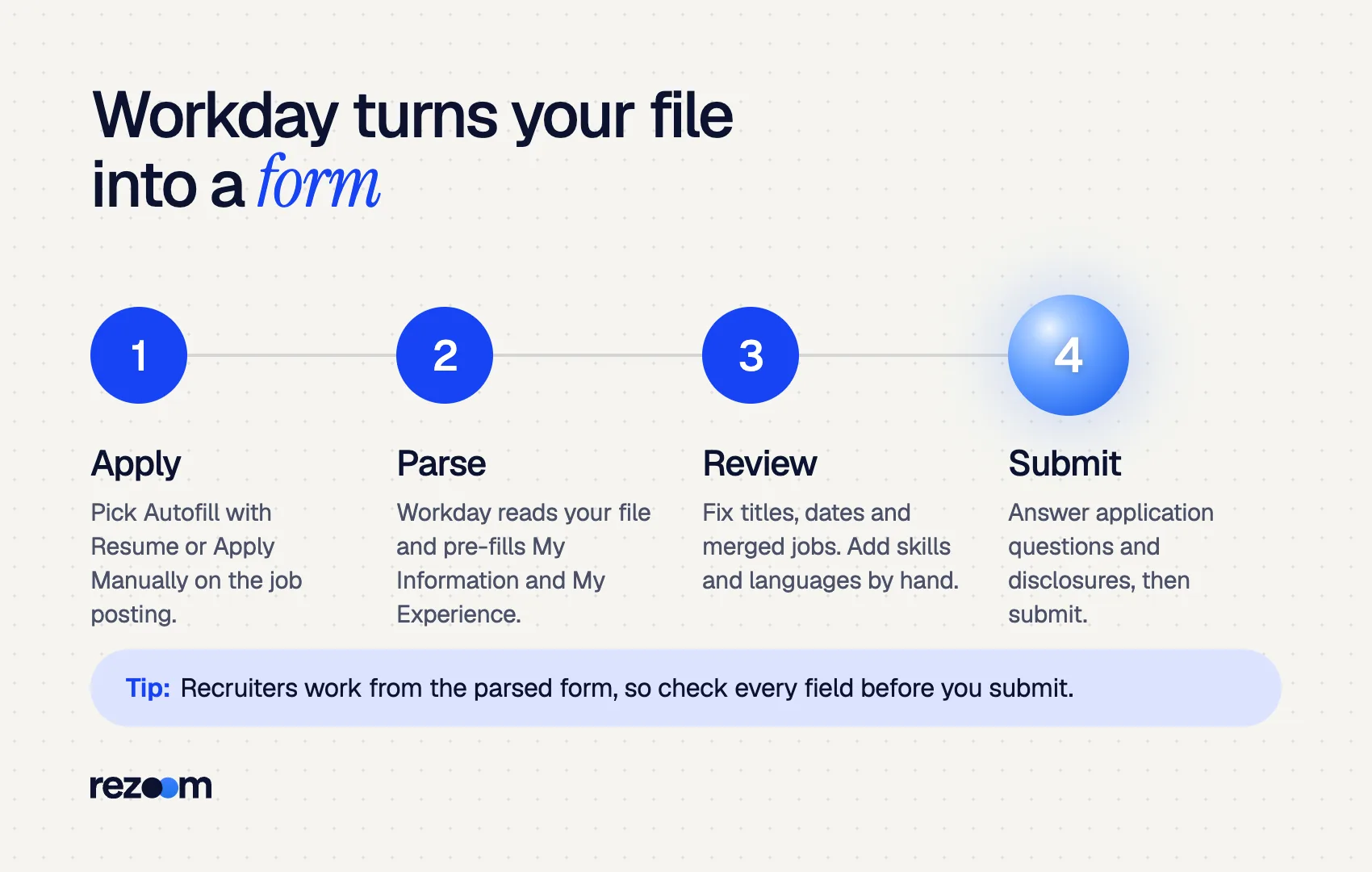
- Click Apply on the posting.
- Choose Autofill with Resume or Apply Manually.
- Create an account or sign in.
- Work through My Information and My Experience, where parsed data lands.
- Answer Application Questions and Voluntary Disclosures, then submit.
Workday's administrator guide describes the core function simply: resume parsing "populates fields from a resume". Employers decide where it appears. The same guide notes that a company can hide resume parsing for external candidates on some job application templates, which is why a few Workday sites never offer autofill at all.
You will see this flow often. Workday's 2026 annual report says it serves more than 11,500 organizations and more than 65% of the Fortune 500.
What fields does Workday autofill from a resume?
Workday's documentation says parsing populates application fields from your resume, and employer guides show it filling contact details, work experience and education. Workday states it does not auto-fill fields an employer has hidden, or the Languages and Skills fields. Those you must enter by hand.
This is the detail most guides miss. According to Workday's admin guide, Workday "doesn't auto-fill" Languages or Skills, nor any field the employer configured as hidden.
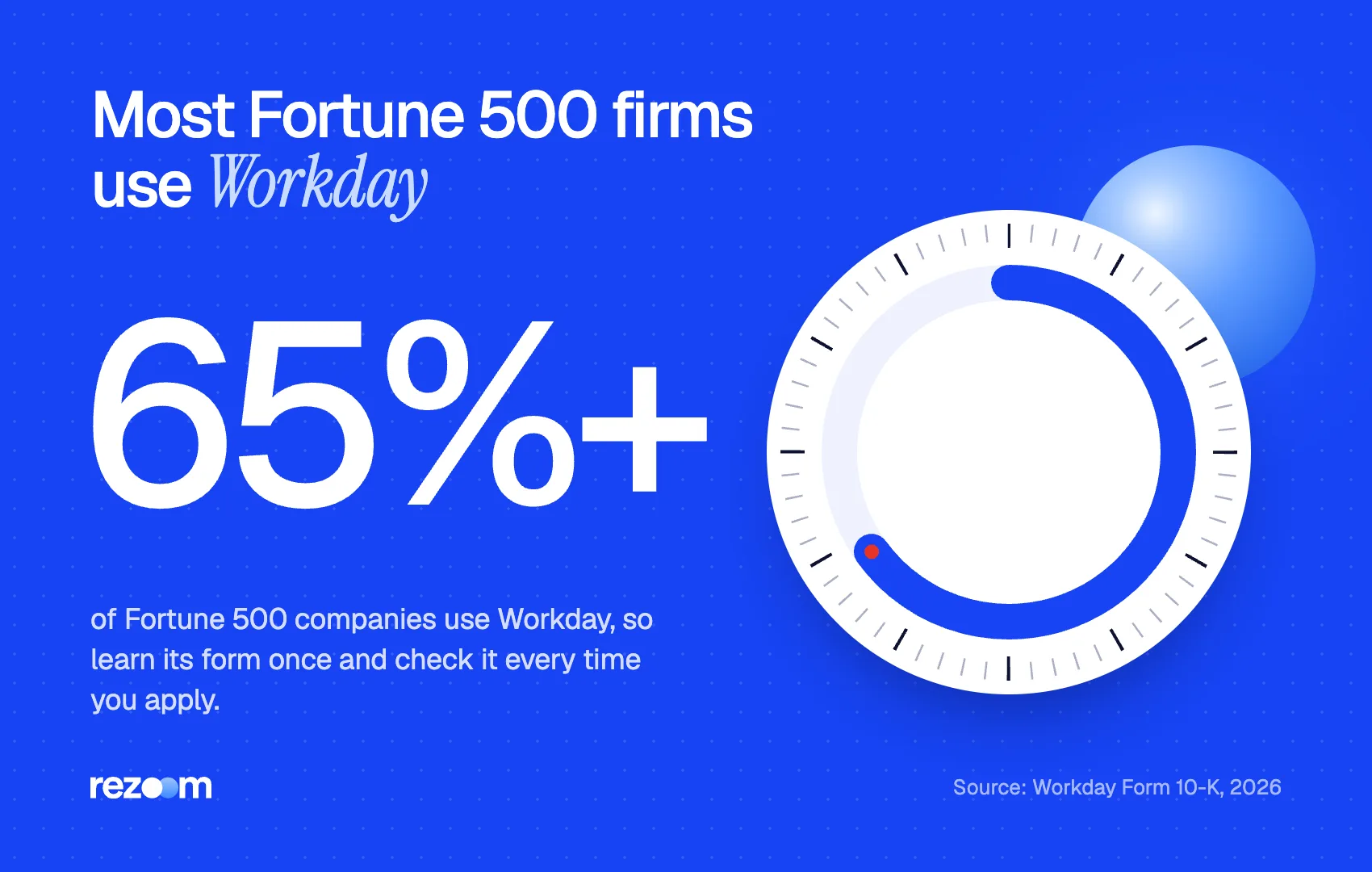
So a strong skills section on your file does not guarantee a filled Skills field on the form. Type your key skills into that field yourself, using the exact terms from the job posting. With more than 65% of the Fortune 500 on Workday, that habit pays off across many applications.
| Part of the application | What Workday parsing does | Source |
|---|---|---|
| Contact details, work history, education | Pre-filled from your resume when autofill is on | Workday admin guide; employer job aids |
| Skills | Not auto-filled; add them by hand | Workday admin guide |
| Languages | Not auto-filled; add them by hand | Workday admin guide |
| Fields the employer hid | Not auto-filled | Workday admin guide |
| Application questions, disclosures | Never parsed; you answer them directly | SOCCCD job aid |
Employers can also be strict about blanks. The SOCCCD guide warns applicants: "Do NOT type 'See Resume' or leave any fields blank", and treats such applications as incomplete. That is one employer's rule, but it shows how much weight the form carries.
Why does Workday get my resume wrong?
Workday says parsing results "can vary based on resume format and order of words," and that it works best on resumes without images or image-based styles. Columns, text boxes, graphics and unusual date or heading order are the usual suspects. Workday does not publish its parser's internal rules.
Workday's own wording is the most reliable guide here. Its documentation says "Resume parsing results can vary based on resume format and order of words" and recommends resumes "that don't have images or image-based styles."
Beyond that, Workday does not publish exactly how Workday parses resumes internally. Claims online about exact reading order or accuracy rates are not sourced to Workday, so treat them with care.
What is well established across ATS parsers is general practice:
- Columns and text boxes can pull sidebar text into the wrong section. See our test of two-column resumes in an ATS.
- Text in images, icons and skill bars cannot be read as text at all.
- Inconsistent word order, such as dates before the title in one job and after it in the next, makes field mapping harder.
- Contact details in a header may be skipped by some parsers, so keep them in the main body.
Logistics Coordinator
Midwest Freight Co. | Columbus, OH | 03/2022 – Present
- Scheduled 120+ weekly shipments across 14 carriers with 98% on-time delivery
- Cut detention fees 18% by rebuilding the dock appointment calendar
Keep that order (title, employer, location, dates) the same for every role. Consistency helps the parser and the recruiter.
Should you upload a PDF or Word file to Workday?
Workday does not name one required format in its parsing guidance; it asks for resumes without images or image-based styles. Employer guides such as CSU Pueblo's say PDF files are typically easier to upload and preserve formatting. A text-based PDF or DOCX both work. A scanned PDF does not.
Employers using Workday give practical advice. CSU Pueblo's applicant guide says "PDF files are typically easier to upload and help preserve formatting" and suggests uploading documents as PDF.
The real test is whether your file holds selectable text. A PDF exported from Word or Google Docs does. A PDF made from a photo or a scan does not. Our guide on whether an ATS can read a PDF shows how to check. If the posting asks for a specific format, follow it.
Use one column with standard headings such as Experience, Education and Skills do: Keep title, employer, location and dates in the same order for every job do: Type your skills into the Skills field by hand do: Upload a text-based PDF or DOCX unless the posting asks for something else
Put contact details only in the page header or a text box dont: Use icons, skill bars or a photo dont: Type "See resume" in a required field dont: Submit without opening every parsed section
What happens to your Workday resume after you apply?
Your parsed profile goes into the employer's Workday Recruiting system, where recruiters review applications. Many employers also use HiredScore, Workday's AI tool that grades candidates against job requirements with stated reasoning. Workday does not publish the grading criteria, and employers configure how they use it.
Once submitted, the parsed profile and your attached file sit in the employer's Workday tenant. What happens next depends on how the employer set things up.
Workday sells HiredScore AI for Recruiting, which it describes as "AI-driven candidate grading." Workday's 2026 datasheet says it evaluates every lead against job requirements and surfaces candidates "with clear reasoning." Workday does not publish the specific criteria or how much weight any field carries.
What that means for you is practical, not mysterious. If the requirements say "forklift certification" or "SQL," make sure those words appear on the form and in your experience, in the posting's wording. Our resume keywords guide shows how to match terms without stuffing.
Keep a Workday-ready copy of your resume
Save a plain, one-column version of your resume just for Workday applications. Many large employers use Workday, so you will reuse it often. Some Workday sites also let you reuse a previous application, which saves time but can carry old mistakes forward, so recheck each page every time.
How do you check your resume before Workday parses it?
Because results depend on how Workday parses resumes, test first. Before uploading, copy all text from your file into a plain text editor. If the order is jumbled or words are missing, Workday will likely struggle too. After uploading, read every autofilled field, fix dates and titles, and add skills by hand before you submit.
Employers that run Workday tell people to verify the parsed result. One employer's Workday training guide puts it bluntly: "please review the information in detail to ensure it loaded correctly", then use Edit to correct anything that did not.
Run this check in two passes.
Before upload:
- Paste your resume into Notepad or TextEdit. Every line should read in a sensible order.
- Confirm your name, email and phone appear in the body text.
- Make sure section headings are plain words, as covered in the ATS resume format guide.
After upload:
- Open each job in My Experience. Check title, company, dates and description.
- Split any two jobs that merged into one entry.
- Add skills and languages manually.
- Answer every required question without "See resume."
Parsed (wrong): Job Title: Logistics Coordinator Warehouse Associate | Dates: 06/2019 – Present
Fixed entry 1: Job Title: Logistics Coordinator | Company: Midwest Freight Co. | 03/2022 – Present
Fixed entry 2: Job Title: Warehouse Associate | Company: Buckeye Supply | 06/2019 – 02/2022
To catch layout problems before any Workday upload, run your file through the Rezoom ATS resume checker. It flags columns, missing sections and keyword gaps against the job description.
Frequently asked questions
Does Workday read PDF resumes?
Yes. Workday career sites accept PDF uploads, and employer guides such as CSU Pueblo's recommend PDF to preserve formatting. Use a text-based PDF, not a scan.
Why do I have to retype my resume in Workday?
Parsing only pre-fills some fields, and results vary with format and word order. Workday's docs say Skills and Languages are not auto-filled, so you add those yourself.
Can I skip the resume upload on Workday?
Usually. Most Workday sites offer Apply Manually next to Autofill with Resume. Some employers still require a resume attachment for the role.
Does Workday reject resumes automatically?
Workday does not publish an automatic resume rejection rule. Employers configure their own process, and some use HiredScore to grade candidates against job requirements.
Does Workday use AI to screen resumes?
Workday offers HiredScore AI for Recruiting, which grades candidates against job requirements with stated reasoning. Whether a given employer uses it is their choice.
What is the best resume format for Workday?
A one-column, reverse-chronological resume with standard headings and no images. Workday says parsing works best on resumes without images or image-based styles.


Comments