Preferred Full Name Display Name Is Invalid: Causes and Fixes
Seeing preferred full name display name is invalid on a job application? Learn the common causes, the quick fixes and what to type in the field instead.

On this pageWhat does preferred full name display name is invalid mean?
- What does preferred full name display name is invalid mean?
- Why does the preferred name field reject your entry?
- How do you fix the error step by step?
- What should you type in the preferred name field instead?
- When should you contact the employer or recruiter?
- Does your preferred name have to match your legal name and resume?
- FAQ
- Sources
The error means the preferred name field rejected a character, a format or a length. The usual causes are emoji, numbers, symbols such as slashes or brackets, extra spaces, hidden characters from copy and paste, or a script the form does not accept. Retype the name by hand in plain letters, clear autofill, then save. If it still fails, leave the field blank or contact the recruiter.
The preferred full name display name is invalid error means the job form did not accept what you typed. Most of the time a symbol, emoji, number, extra space or hidden character is the cause. Retype the name by hand in plain letters and it usually saves.
The full message often reads "Preferred Full Name / Display Name is invalid. Please review the requirements shown in the field." We could not tie that exact wording to one named hiring system, so this guide covers the rules most applicant tracking systems share.
Quick answers by situation
| Error cause | Fix | Example entry |
|---|---|---|
| Nickname in quotes or brackets | Remove the marks; type the nickname alone | Bobby Lee |
| Emoji or symbol in the name | Delete it; use letters only | Maya Chen |
| Slash, number or "@" in the field | Use letters, spaces, hyphens only | Jo Ann Ruiz |
| Extra space before or after | Clear the field and retype | Sam Carter |
| Pasted text with hidden characters | Type the name by hand | Priya Nair |
| Name in a script the form blocks | Use the Latin spelling you use at work | Wei Zhang |
What does preferred full name display name is invalid mean?
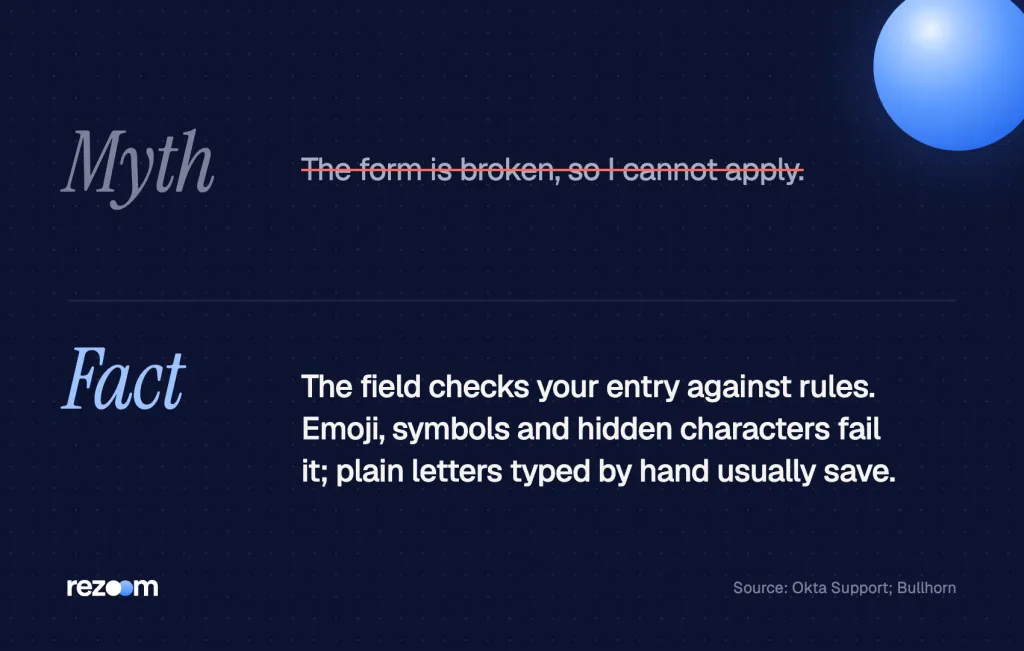
It is a validation error. The field checks your entry against rules before it saves, and something failed. The rules are often listed in small text under the field. Common limits cover letters allowed, symbols banned, length and leading spaces. The error is about format, not about whether your name is real.
A form field is a small gate. Before your entry reaches the hiring team, the system checks it. If one character breaks a rule, the gate stays shut and the red message appears.
Hiring systems set these rules so the name stores cleanly. Bullhorn, a staffing platform, says its fields have limits "to ensure data is stored and processed correctly." So the error is a data rule, not a judgment on you.
Why the field matters at all
Many employers now let you give the name you go by. Greenhouse lets employers add a preferred first name field to the application and use that name in emails and on your profile. If you are new to the idea, our guide on what a preferred name on a job application means explains how the field is used.
Why does the preferred name field reject your entry?
Most rejections come from one of five things: a symbol or emoji, a number, extra or hidden spaces, a nickname wrapped in quotes or brackets, or a script the form does not support. Autofill and copy and paste add many of these by mistake. Length limits and a field left with only spaces also trigger it.
Bullhorn lists the pattern plainly. Names may hold letters, hyphens and apostrophes, but slashes are not allowed. Other systems are stricter, so a safe entry uses letters, single spaces and a hyphen at most.
Emoji, symbols and numbers
Emoji break more than forms. Okta found that a Workday import failed when a first name held "emojis, mathematical symbols, and/or foreign characters." So a heart or a star after your name can stop a save. Numbers, "@", "#", slashes and underscores fail for the same reason.
Quotes, brackets and nicknames
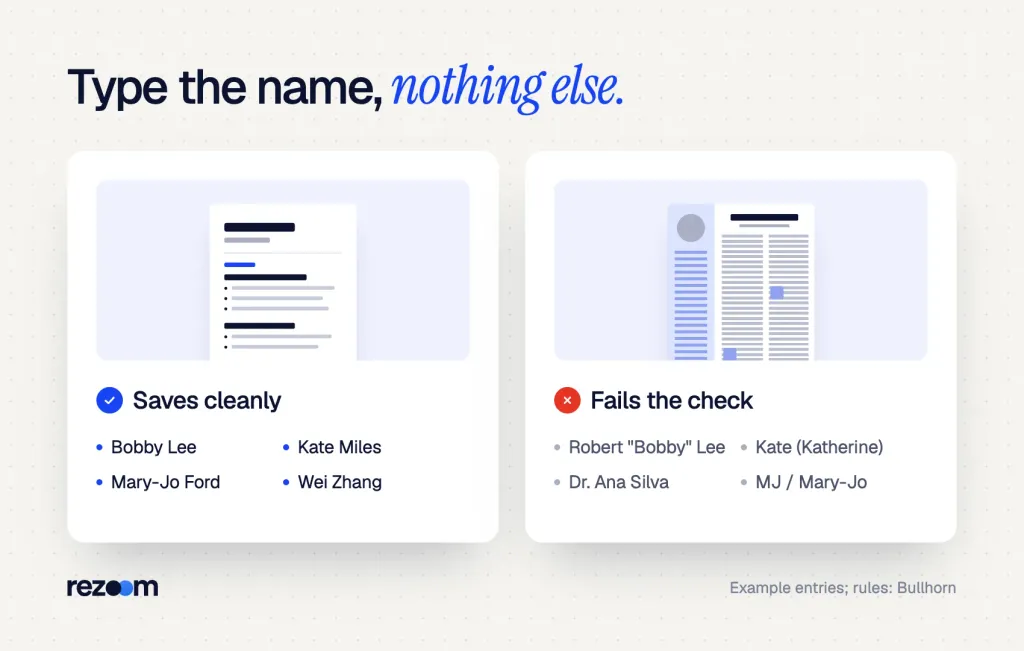
Many people type Robert "Bobby" Lee or Robert (Bobby) Lee, which reads fine on paper. But the field wants the name itself, so the quote marks or brackets get flagged. Type Bobby Lee instead.
Spaces, hidden characters and autofill
- Leading or trailing spaces: a space before or after the name can fail the check, and you cannot see it.
- Only spaces: a field with a space but no letters counts as invalid, not empty.
- Hidden characters: text copied from a document or web page can carry marks like the zero-width space, Unicode U+200B, which shows no space on screen.
- Autofill: the browser may paste your full legal name, a title like "Dr." or an old nickname into the wrong box.
Script and length rules
Some systems only accept certain alphabets. UBC's Workday guide says preferred names "can only include English or French characters." Length can matter too. Washington State University warned that preferred names over 8 letters may have lost letters when moved from an older system into Workday.
How do you fix the error step by step?
Clear the field fully, type the name by hand with letters and single spaces, and read the hint text under the field. Turn off autofill for that box, then save. If it still fails, try a shorter form of the name, another browser, or leave the optional field blank and finish the application.
Most fixes take under a minute. Work through these in order and stop when the form saves.
- Clear the fieldSelect all the text in the box and delete it, so no hidden space or character stays behind.
- Type it by handType your preferred first and last name with plain letters and one space. Do not paste.
- Read the hintLook under or beside the field for the rules on length and allowed characters, and follow them.
- Strip the extrasRemove quotes, brackets, emoji, titles, numbers and periods. Keep one hyphen only if your name has one.
- Try a clean sessionIf it still fails, open a private window or another browser so autofill and old data stay out.
If the field is optional
Check for a red star or the word "required." If the preferred name field is optional, you can leave it blank, submit the application and add the name later in your candidate profile or by email.
If you must copy your name, paste it into a plain text app such as Notepad first. Then copy it again from there. That step drops most hidden formatting before it reaches the form.
What should you type in the preferred name field instead?
Type the first and last name you want the recruiter to use, in plain letters, with no extras. Use your nickname alone, not in quotes. Keep hyphens only when they are part of your name. If the form blocks your script, use the Latin spelling you already use at work or school.
The goal is a name a recruiter can read aloud and a system can store. So keep it close to how you sign your emails.
| You tried | Why it failed | Type this instead |
|---|---|---|
| Robert "Bobby" Lee | Quote marks | Bobby Lee |
| Katherine (Kate) Miles | Brackets | Kate Miles |
| Dr. Ana Silva | Title and period | Ana Silva |
| Maya Chen + a flower emoji | Emoji | Maya Chen |
| J.R. Owens | Periods | JR Owens |
| Mary-Jo / MJ Ford | Slash and two names | MJ Ford |
Examples by situation
Legal name field: Robert Lee Preferred name field: Bobby Lee Not: Robert "Bobby" Lee
Legal name field: Zhang Wei (as on your ID) Preferred name field: Wei Zhang Tip: use the same spelling on your resume and email
Some forms have a second box with a similar job. If you also see a "known as" box, our guide to the known as field shows how it differs from a preferred name.
Preferred name on job application forms means the name you go by. See what to type for a nickname, middle name or chosen name, and where your legal name goes.
Free ATS score, the text the software extracts and your missing keywords. No sign-up.
When should you contact the employer or recruiter?
Contact them when the field is required and still fails after you retype it, or when the form will not take your name at all. Send a short, polite message with the job title and the exact error. Ask them to note your preferred name. Do not change your legal name to get past the error.
Many people stall at this point and drop the application. But a clean message solves it in most cases, and the recruiter learns your name early.
A message you can send
Hi [RECRUITER NAME],
I am applying for the [JOB TITLE] role ([JOB ID]).
The form shows "Preferred Full Name / Display Name is invalid" when I enter [PREFERRED NAME].
I submitted with my legal name, [LEGAL NAME]. Could you note that I go by [PREFERRED NAME]?
Thank you, [YOUR NAME] | [PHONE]
What to say if they push back
- "Just use your legal name." Agree for the form, then ask that emails and interviews use your preferred name.
- "The system won't allow it." Ask if a note on your profile can carry the name instead.
- "Why does it matter?" Say it is the name you answer to at work, and leave it there.
Recruiter: "Your form says Robert, but your email says Bobby. Which is it?"
"Robert is my legal name. I go by Bobby at work, so please use Bobby."
Recruiter: "Our system only shows the legal name."
"That is fine for paperwork. Could you add a note so the team calls me Bobby?"
Take a screenshot of the error with the date shown. If the form times out or you lose the draft, you can show the recruiter exactly what happened. Then you won't need to explain it twice.
Does your preferred name have to match your legal name and resume?
No, it can differ from your legal name. But keep your resume, email and preferred name field the same. The legal name field must match your ID, because background checks and tax forms use it. Use the preferred name on your resume and in interviews, and the legal name where the form asks for it.
The two fields do different jobs. Greenhouse says it plainly.
Any documents or processes of legal significance, like a background check, will use the candidate's legal name.
Greenhouse Support, 2026
HiringThing works the same way. Its preferred name becomes the main display name, while the legal first name stays on record for reference.
Keep the name the same everywhere
If your resume says Bobby Lee and your form says Robert, a parser may store two people. Our guide on how Workday parses resumes shows how the name at the top of your resume fills the form. Before you apply, run your file through the Rezoom ATS resume checker to see what name it pulls.
How Workday parses resumes, from Workday's own docs: which fields autofill, why Skills stay blank, and how to fix the form before you submit.
The resume header itself follows the same rule. Our guide to putting a preferred name on a resume shows header formats that parse cleanly.
Do
- Put your preferred name at the top of your resume.
- Use your full legal name in the legal name field.
- Use the same spelling in your email signature.
- Tell the recruiter early if the form drops your name.
Don’t
- Add quotes, brackets or emoji to any name field.
- Type a nickname into the legal name field.
- Use a different name on each application.
- Give up on a job because one optional field fails.
Example: an office job application
An admin's name goes on emails, calendars and front-desk signs, so getting it right matters from day one. Our administrative resume examples show where a preferred name sits in the header. This administrative assistant resume example uses a clean, one-line name an ATS can read.
Administrative assistant resume example
A clean header with one plain name that matches the application form.
Your cover letter should sign off with the same name. See our administrative cover letter examples for a sign-off that matches the resume header.
Administrative assistant cover letter example
A letter whose sign-off uses the same name as the resume and the form.
Final check before you submit
Before you submit the application
Free ATS score and your missing keywords. No sign-up.
Frequently asked questions
Why does it say preferred full name display name is invalid?
The field found a character or format it does not allow. Emoji, symbols, numbers, quotes, brackets, extra spaces and hidden characters from copy and paste are the usual causes.
Can I leave the preferred name field blank?
Yes, if the field is optional. Leave it blank, submit, and tell the recruiter the name you go by in a short email.
Can I use a nickname as my preferred name?
Yes. Type the nickname and your last name, such as Bobby Lee, with no quotes or brackets around it.
Does the preferred name replace my legal name?
No. The preferred name is for display and emails. Background checks and other legal steps still use your legal name.
Why does my name with accents or another alphabet fail?
Some systems only accept a set of characters. UBC's Workday guide, for one, allows only English or French characters, so use the Latin spelling you use at work.
Should my resume show my preferred or legal name?
Use your preferred name on the resume, and keep it the same as the preferred name on the form. Put your legal name only where the form asks for it.
Sources
We opened and read each page below. The small numbers in the text point here. Pages that carry no publication date show n.d.
- Bullhornn.d.
Name fields allow letters, hyphens and apostrophes but block slashes, so data is stored and processed correctly
- Greenhouse Support2026
Employers can add a preferred first name field to applications, while legal processes such as background checks use the legal name
- Okta Supportn.d.
A Workday import fails when a first name holds emojis, mathematical symbols or foreign characters
- University of British Columbia2024
Preferred names in UBC Workday can only include English or French characters
- Washington State University2021
Workday shows the preferred name instead of the legal name, and preferred names over 8 letters may have lost letters in the move from a legacy system
- HiringThing2025
The optional preferred name becomes the main display name while the legal first name stays on record
- Wikipedian.d.
The zero-width space is Unicode character U+200B and does not display a visible space
Mohammad has spent more than ten years designing consumer products and leads product at Rezoom, deciding what gets built and what gets left out. His guides cover the whole job search, from resume sections and cover letters to interview answers and career moves.
Goodi, M. (2026, October 30). Preferred Full Name Display Name Is Invalid: Causes and Fixes. Rezoom. https://rezoom.io/preferred-full-name-display-name-is-invalid/