iCIMS Application Status: How to Check It and What Each One Means
Check your iCIMS application status on the employer's career site, learn what Under Review and other labels mean, why it stalls, and when to follow up.

On this pageHow do you check your iCIMS application status?
- How do you check your iCIMS application status?
- What does each iCIMS application status mean?
- Why does my iCIMS application status still say Under Review?
- How long does an iCIMS status usually stay the same?
- When and how should you follow up on your iCIMS application?
- What should you do while your iCIMS application status is pending?
- FAQ
- Sources
To check your iCIMS application status, log back in to the employer's own career site and open the candidate dashboard, which lists your past job submittals. Each employer writes its own labels, and any stage without a custom label shows as "Under Review." So a status that never moves is common and rarely a verdict. Follow up with a recruiter about a week or two after you apply.
You check your iCIMS application status on the employer's own career site: log back in, open the dashboard and find the job under past submittals. But read the label with care, because every employer sets its own wording.
iCIMS is the hiring software behind many company job sites, including hospitals. If you want to know how it reads your resume, start with our guide on how iCIMS works. This page covers what happens after you click Submit.
Quick answers by situation
| Your situation | What to do | Example line |
|---|---|---|
| You can't find where to check | Log back in on the employer's careers page, then open the dashboard | "Log back in" sits at the top right of most iCIMS career sites |
| It has said "Under Review" for weeks | Treat it as no news, not a no, and follow up once | "I applied on May 2 and wanted to confirm my file is complete." |
| It changed to "Further Consideration" or similar | Get ready for a phone screen this week | "Thanks for moving me forward. I'm free Tuesday or Thursday." |
| The job vanished from your dashboard | Ask the recruiter if the job closed or reopened | "Is the Medical Assistant role still open?" |
| You took another offer | Withdraw in the portal and send a short note | "I've accepted another role and want to free up your time." |
How do you check your iCIMS application status?
Go to the career site of the company you applied to, not to iCIMS itself. Click "Log back in" at the top right, sign in with the same email or account you used to apply, then open your Dashboard. The past job submittals list shows each job, its current status and options to continue or withdraw.
There is no single iCIMS login that shows every job you applied to. Each employer runs its own portal, and your account lives there.
Find the right career site
Many iCIMS portals use an address like careers-company.icims.com. For example, Lurie Children's Hospital of Chicago runs its job site at careers-luriechildrens.icims.com7. If you lost the link, search your inbox for the confirmation email, then open the link inside it.
Log in and open your dashboard
The iCIMS candidate guide says you select "Log Back In!" in the upper right corner2 of the portal. Then you pick Dashboard, which gives a summary of your past job submissions. If the job allows it, the same area shows "Continue Application" and "Withdraw."
- Open the employer's careers pageUse the link in your confirmation email or search "company name careers" and look for an icims.com address.
- Click Log back inUse the same email, social login or Microsoft account you used when you applied.
- Open the DashboardFind the job under past job submittals and read its status.
- Check for open tasksFinish any "Continue Application" step, such as an assessment or a missing form.
- Note the dateWrite down the status and the date, so you know when to follow up.
HonorHealth, an Arizona health system, tells applicants they can check status by logging in and reviewing the candidate dashboard6. It also warns that automatic emails, such as application confirmations, can land in spam. So check your spam folder and add the employer's domain to your contacts.
Each iCIMS portal ties your file to the email you used. If you apply with two emails, you get two profiles and only one shows the job. Pick one address and use it on every career site.
What does each iCIMS application status mean?
Each employer writes its own iCIMS application status labels, so the same stage can read differently at two companies. Common labels include Application Received, Under Review, Further Consideration, Interview Scheduled, Offer and Hired. A status the employer never labeled shows as "Under Review." Rejection labels often stay hidden until a recruiter sends a notice.
iCIMS lets each employer decide what candidates see. Its admin guide says admins can set the candidate-facing status on a per-status and per-site basis1. That means your iCIMS application status is a label the employer chose, not a fixed code from iCIMS.
Labels you may see, and what they usually signal
The table uses labels from real iCIMS guides we opened. Auburn University's guide maps its recruiter stages to candidate dashboard labels3 such as Under Review, Further Consideration, Offer and Hired. Your employer may use other words for the same step.
| Label you see | What it usually signals | Your next move |
|---|---|---|
| Application Received | The system has your file; no person has acted yet | Confirm your contact details and wait |
| Under Review | The default label for any stage without custom wording | Follow up once after a week or two |
| Further Consideration | A reviewer moved you past the first screen | Prepare for a phone screen |
| Interview Scheduled | A recruiter set up an interview | Confirm the time and prepare |
| Offer or Offer Extended | The employer chose you and sent terms | Read the offer and reply in writing |
| Hired or Onboarding | You accepted and paperwork has started | Finish the onboarding tasks |
| Withdrawn | You pulled your application in the portal | Nothing, unless you change your mind |
Where the "not selected" labels go
Larimer County's iCIMS guide lists rejection steps such as Qualified but not selected and Interviewed but not selected4. But your dashboard may still show "Under Review" for those stages if the employer gave them no candidate label. For a broader list across systems, read our guide to application status meanings.
Job application status meanings explained: what In Process, Application Received and Closed mean in Workday, iCIMS, ADP and SuccessFactors, and what to do.
Why does my iCIMS application status still say Under Review?
Your iCIMS application status may stay on Under Review because iCIMS shows that label for every stage the employer never renamed. So a resume screen, a hiring manager review and even a quiet rejection can all look the same to you. Also, recruiters choose whether to send a rejection email, and some never do.
Most guides skip this fact, but the iCIMS admin guide states it plainly.
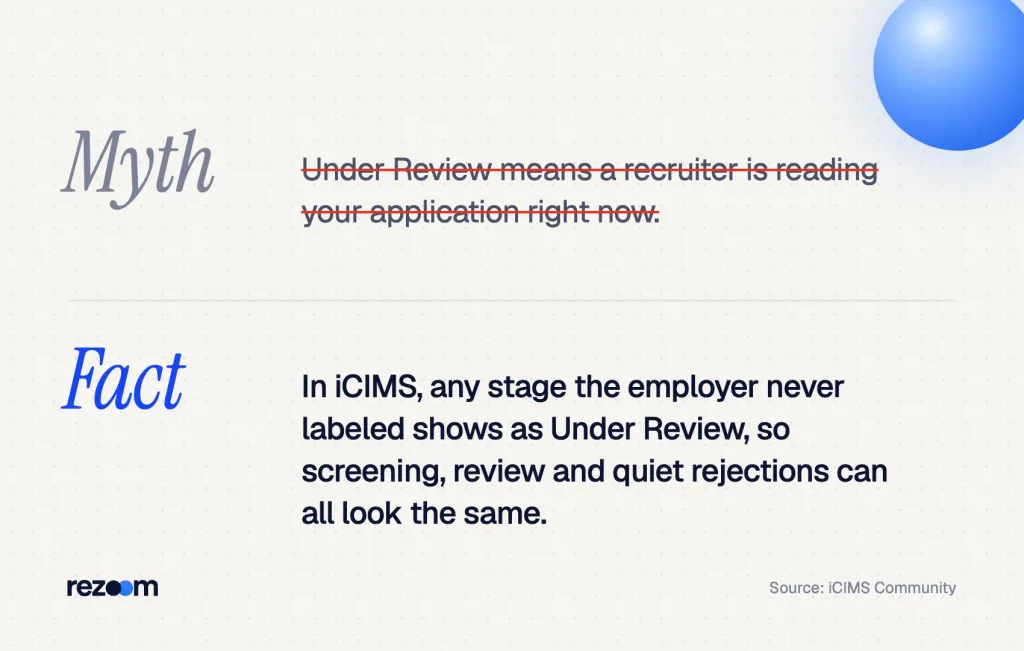
Recruiting Workflow bins and statuses without a configured label will display as "Under Review" to the candidate.
iCIMS Community, Configuring Candidate Facing Status Information
Three common reasons the label never moves
- Unlabeled stages: The employer renamed only a few stages, so most steps read "Under Review."
- Optional rejection emails: At Emory, a recruiter sends a "not selected" email only if they check the box to send an email notice5.
- Phone-first policies: Larimer County sends no email for "Interviewed but not selected," because best practice there is to call anyone who interviewed.
Some stages do email you: the Larimer guide says a minimum-qualifications decline sends an automatic email the recruiter can't edit. So if you got that email, the dashboard label may lag behind it. Our guide to ATS rejection email meaning explains how to read those notes.
What the status can't tell you
The label can't tell you where you rank or if the job is on hold. A direct email or call from a person is a far stronger signal than any dashboard label.
How long does an iCIMS status usually stay the same?
There is no fixed iCIMS timeline, because each employer moves at its own pace. SHRM's 2025 benchmarks put the average time to fill a job at about a month and a half. So an iCIMS application status can sit on one label for weeks, and two to three weeks of silence is normal.
SHRM's 2025 recruiting benchmarks found that the time to fill jobs continues to be about a month and a half8. So your file can sit in one stage while the team screens others, sets up interviews or waits on budget approval.
A realistic timeline for a medical assistant applicant
Say Sam Carter applies for a medical assistant job on an iCIMS site. Here is a typical pattern, not a promise.
- Day 1: A confirmation email arrives and the dashboard reads "Under Review."
- Days 2 to 14: Nothing changes while a recruiter screens the pool.
- Week 2 or 3: Sam gets a phone screen, or the label stays put.
- Weeks 3 to 6: Interviews, then an offer, background checks and onboarding tasks.
If the label hasn't moved after two weeks, Sam sends one short follow-up and keeps applying.
Free ATS score, the text the software extracts and your missing keywords. No sign-up.
When and how should you follow up on your iCIMS application?
Follow up about one to two weeks after you apply, once, by email to the recruiter or the HR contact on the posting. Give the job title, the requisition number and the date you applied. Restate one fit fact, ask if they need anything else, and then wait another week before a second, final note.
CareerBuilder advises you to wait about a week after completing your application10 before you follow up. An older Accountemps survey of senior managers points the same way. In it, 71% said candidates should follow up within two weeks11 of sending a resume (2011 data).
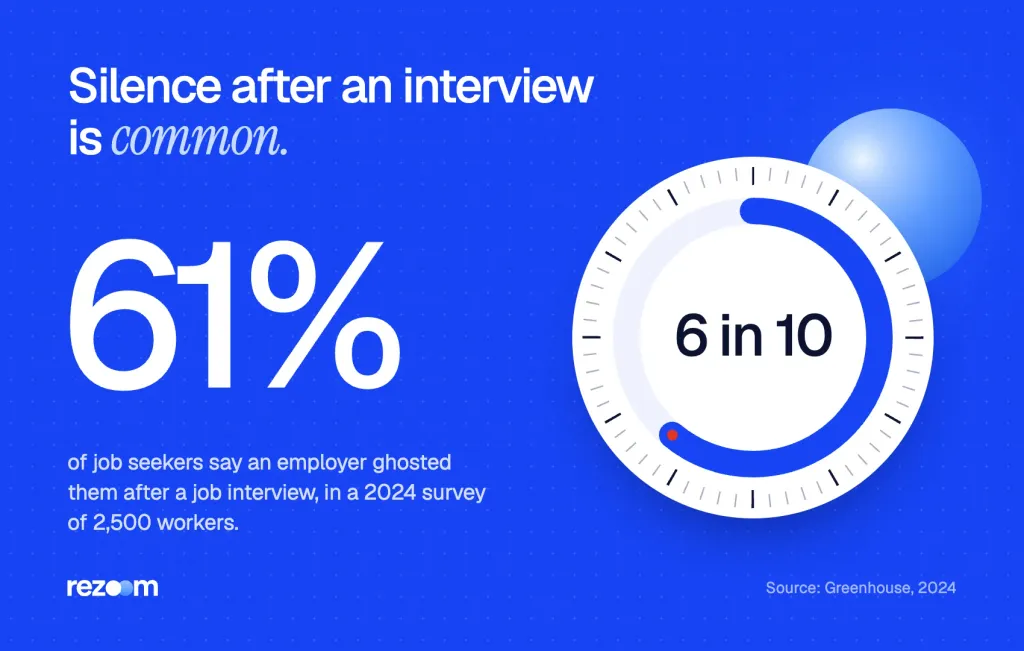
Silence is common even later in the process. Greenhouse found that 61% of job seekers were ghosted after a job interview9 in its 2024 survey of 2,500 workers. So a polite nudge is normal, not pushy.
Find the right person to contact
- Posting contact: Some postings name a recruiter or an HR email at the bottom.
- Interview emails: Reply to the scheduling email if you have one.
- LinkedIn: Search "recruiter" plus the company name and the city.
Follow-up email template
Subject: [JOB TITLE], requisition [REQ NUMBER], application from [DATE]
Hi [RECRUITER NAME],
I applied for the [JOB TITLE] role at [LOCATION] on [DATE], and my portal still shows [STATUS].
I wanted to confirm my application is complete and share one quick fit fact: [ONE CREDENTIAL OR RESULT].
If you need anything else from me, I can send it today. Thank you for your time.
[YOUR NAME], [PHONE]
Sample email from a medical assistant
Subject: Medical Assistant, Req 2481, applied May 2 Hi Ms. Lopez, I applied for the Medical Assistant role at your Mesa clinic on May 2, and my portal still says Under Review. I hold a CMA credential and room about 30 patients a day in a busy family practice. I can start in two weeks. If you need my license number or references, I'll send them today. Thank you, Sam Carter, (555) 014-2290
Short phone script
"Hi, my name is Sam Carter. I applied for the Medical Assistant opening, requisition 2481, on May 2." "My portal still shows Under Review, so I want to make sure my file is complete." "Is there a recruiter I should follow up with, or a good time to check back?"
What to say if they push back
If a recruiter gives a short reply, keep your answer calm.
- "We'll reach out if there's a fit." Thank them and ask when the team expects to decide.
- "The status is accurate." Ask if the job is still open, since the label may not show that.
- "Please don't call." Apologize once, then use email only.
Recruiter: "Your status is accurate. We're still reviewing applications."
"Thank you. Do you have a rough date when the team plans to start phone screens?"
Recruiter: "Probably in the next two weeks."
"Great, then I'll check back after that if I haven't heard. I'm still very interested."
Do
- Follow up once after one to two weeks, by email.
- Include the job title, requisition number and date you applied.
- Add one fit fact the recruiter can use.
- Keep applying elsewhere while you wait.
Don’t
- Email every day or call several departments.
- Reapply to the same job to bump your status.
- Read "Under Review" as a rejection.
- Complain about the portal in your note.
ATS rejection email meaning, decoded: what an instant vs weeks-later rejection email signals, what template phrases mean, and when to reapply or follow up.
What should you do while your iCIMS application status is pending?
Use the wait to improve your odds on the next application. Check that your resume reads cleanly in an ATS, tailor it to the next posting, and line up a matching cover letter. Then set job alerts on the same career site, so you see new openings at that employer first.
While you wait, first run your resume through an ATS resume checker to see which keywords from the posting you missed. Then tailor the next version before you apply again.
Tune your resume for healthcare jobs
Clinics and hospitals look for credentials, clinical tasks and patient volume. Browse our healthcare resume examples to see how other roles show licenses and results. If you are in Sam's shoes, start from our medical assistant resume example, which puts the CMA credential and vitals, EHR and phlebotomy skills near the top.
Medical assistant resume example
See how a medical assistant resume shows credentials, patient volume and clinical skills.
Add a cover letter that matches
Our healthcare cover letter examples show short letters for clinical and support roles. Use the same header and facts as your resume, so both read as one file.
Medical assistant cover letter example
A short letter that pairs with the resume above and leads with the credential.
Withdraw if your plans change
If you accept another job, withdraw in the dashboard so the recruiter can move on. Then send one short note.
Hi Ms. Lopez, I've accepted another position, so I've withdrawn my Medical Assistant application. Thank you for your time, and I hope to apply again in the future. Sam Carter
Large health systems often post the same role for several clinics. If your status stalls, check the site for the same title at a nearby location. Then apply to that requisition too, but only if you would truly take the job there.
Before you follow up or reapply
Before you follow up on your iCIMS application
Applying through other systems too? Workday works differently, as our guide on how Workday parses resumes explains.
Free ATS score and your missing keywords. No sign-up.
Frequently asked questions
How do I check my iCIMS application status?
Go to the employer's own career site, click "Log back in" at the top right and sign in with the account you used to apply. Then open the Dashboard and find the job under past job submittals.
Is there one iCIMS login for all my applications?
No. Each employer runs its own iCIMS career site, so your account and status live on that company's portal. Use the link in your confirmation email to find it.
What does "Under Review" mean in iCIMS?
It often means the employer never gave your current stage a custom label. iCIMS shows "Under Review" by default for any unlabeled stage, so it can cover screening, review or even a quiet rejection.
Does iCIMS email you when you are rejected?
Sometimes. Some stages send an automatic decline, but many recruiters choose whether to send a notice, and some call instead. So no email does not mean you are still in the running.
How long should I wait before following up?
Wait about one to two weeks after you apply, then send one short email to the recruiter. If you hear nothing, send one final note a week later and move on.
Can I withdraw an iCIMS application?
Yes, if the employer allows it. Open the Dashboard, find the job under past job submittals and choose "Withdraw," then send the recruiter a short note.
Sources
We opened and read each page below. The small numbers in the text point here. Pages that carry no publication date show n.d.
- iCIMS Communityn.d.
Employers set candidate-facing statuses per status and per site, and unlabeled stages display as Under Review
- iCIMS Communityn.d.
Candidates log back in at the top right and use the Dashboard and past job submittals to continue or withdraw
- Auburn University Human Resourcesn.d.
Recruiter stages map to candidate dashboard labels such as Under Review, Further Consideration, Offer and Hired
- Larimer Countyn.d.
Minimum-qualification declines send an automatic email, while interviewed but not selected candidates get no email
- Emory University Human Resourcesn.d.
Recruiters send a not selected email only when they check the box to send a notice
- HonorHealthn.d.
Applicants check status on the candidate dashboard, and confirmation emails can land in spam
- Lurie Children's Hospital of Chicagon.d.
The hospital runs its career site on an icims.com address
- SHRM2025
The average time to fill a job continues to be about a month and a half
- Greenhouse2024
61% of job seekers were ghosted after a job interview in a survey of 2,500 workers
- CareerBuildern.d.
Wait about a week after completing an application before you follow up
- HR Reporter (Accountemps survey)2011
71% of senior managers said candidates should follow up within two weeks of sending a resume
Mohammad has spent more than ten years designing consumer products and leads product at Rezoom, deciding what gets built and what gets left out. His guides cover the whole job search, from resume sections and cover letters to interview answers and career moves.
Goodi, M. (2026, October 29). iCIMS Application Status: How to Check It and What Each One Means. Rezoom. https://rezoom.io/icims-application-status/