

Summary
The computer skills to put on a resume are the specific tools the job posting names, listed by program name and backed by a task you completed with them. Digital skills now appear in about 92% of US job postings, so "computer literate" no longer sets anyone apart. Group your tools by category in the skills section, describe your level through what you built or automated, and prove the most important two or three in your experience bullets.
The best computer skills for resume use are the exact programs the job posting names, such as Excel, Salesforce or QuickBooks. List them by name, group them by category, and prove the most important ones with a bullet that shows what you did with the tool.
Generic labels no longer work because almost every job now expects some technology use. A National Skills Coalition analysis of 43 million postings found that 92% of jobs require digital skills. When every applicant claims computer skills, only specifics separate you.
This guide covers which computer skills to include, how to describe your level honestly, where each one belongs, and examples for common jobs.
What counts as computer skills on a resume?
Computer skills are your abilities with software, hardware and digital tools: office suites, email and calendars, collaboration platforms, industry software such as CRMs or accounting programs, data tools, design apps, AI assistants and, for technical roles, programming languages. On a resume, they are hard skills, so name the exact tool rather than a category.
Computer skills sit inside the broader group of hard skills. They are teachable, testable and tied to a specific tool. That makes them different from soft skills like communication, which you prove through behavior.
Most computer skills fall into a few groups:
- Productivity software: Microsoft 365 (Word, Excel, PowerPoint, Outlook), Google Workspace.
- Collaboration tools: Teams, Slack, Zoom, Asana, Trello, Jira.
- Industry software: Salesforce, HubSpot, QuickBooks, Epic, SAP, Adobe Creative Cloud.
- Data and analysis: advanced Excel, SQL, Tableau, Power BI.
- AI tools: Microsoft Copilot, ChatGPT, Gemini, used for drafting, research or analysis.
- Technical skills: programming languages, cloud platforms, networking and IT support.
The last group overlaps with engineering and IT roles. If that is your field, our guide to technical skills for your resume goes deeper. For the full range of teachable skills by industry, see hard skills examples for resume.
Which computer skills do employers want right now?
Employers want the specific tools their teams already use, which the job posting usually names. Across roles, the most common requests are spreadsheet skills, office and email software, collaboration platforms and industry systems like CRMs. AI tool fluency is rising fast: Microsoft's 2024 Work Trend Index found 66% of leaders would not hire someone without AI skills.
The single best source is the posting itself. Highlight every program it mentions, then compare that list against what you can honestly use.
A few broader signals help you prioritize:
- Basic digital skills are assumed. The Bureau of Labor Statistics notes that for administrative assistants, high school graduates comfortable with word processing and spreadsheet programs typically qualify for entry-level jobs. Comfort with those tools is the floor, not a selling point.
- Digital skills pay. The same National Skills Coalition report found workers in jobs requiring even one digital skill earn an average of 23% more than those in jobs requiring none.
- AI skills now influence hiring. In Microsoft and LinkedIn's survey of 31,000 people across 31 markets, 66% of leaders said they would not hire someone without AI skills, and 71% said they would hire a less experienced candidate with AI skills over a more experienced one without them.
If AI tools are part of your workflow, name the tool and the task it handles, so the claim sounds credible.
How do you describe your level of computer skills?
Describe your level through tasks, not labels. "Advanced Excel" means little; "Excel (PivotTables, XLOOKUP, macros)" tells a recruiter exactly what you can do. Use words like proficient or advanced only when the features listed back them up, and cite certifications such as Microsoft Office Specialist when you have them.
Proficiency words are where most resumes go vague. "Advanced" means something different to every reader. Features and outcomes are concrete.
Use this table as a decision rule for which label your evidence supports.
| Level | What you can actually do | How to write it |
|---|---|---|
| Basic | Open, edit and share files; follow existing templates | Usually leave it off; it is assumed |
| Working / Intermediate | Build documents and sheets from scratch, use common formulas and charts, manage shared files | Name the tool plus 2–3 features: "Excel (formulas, charts, conditional formatting)" |
| Advanced | Automate tasks, model data, build tools others use | Name advanced features and prove them in a bullet: "Excel (PivotTables, Power Query, VBA macros)" |
| Certified | Passed a proctored exam | Add the credential: "Microsoft Office Specialist: Excel Expert (Microsoft 365 Apps)" |
Be careful with inflated levels. A 2025 TestGorilla survey of more than 1,000 US and UK hiring decision-makers found 76% use skills tests in hiring. If you write "advanced," expect someone to check.
Borrow the posting’s exact tool names
If the posting says "Microsoft Dynamics 365" or "Google Sheets," use those exact words, not a near synonym. Applicant tracking systems and recruiters both scan for the literal term. Our guide to resume keywords shows how to pull these terms from a posting in a few minutes.
Where should computer skills go on your resume?
Put computer skills in three places. List the tools by category in your skills section, name one or two key tools in your summary if they matter for the role, and prove your most important computer skills inside experience bullets with a result. The skills section gets you matched; the bullets get you believed.
Each section has a different job.
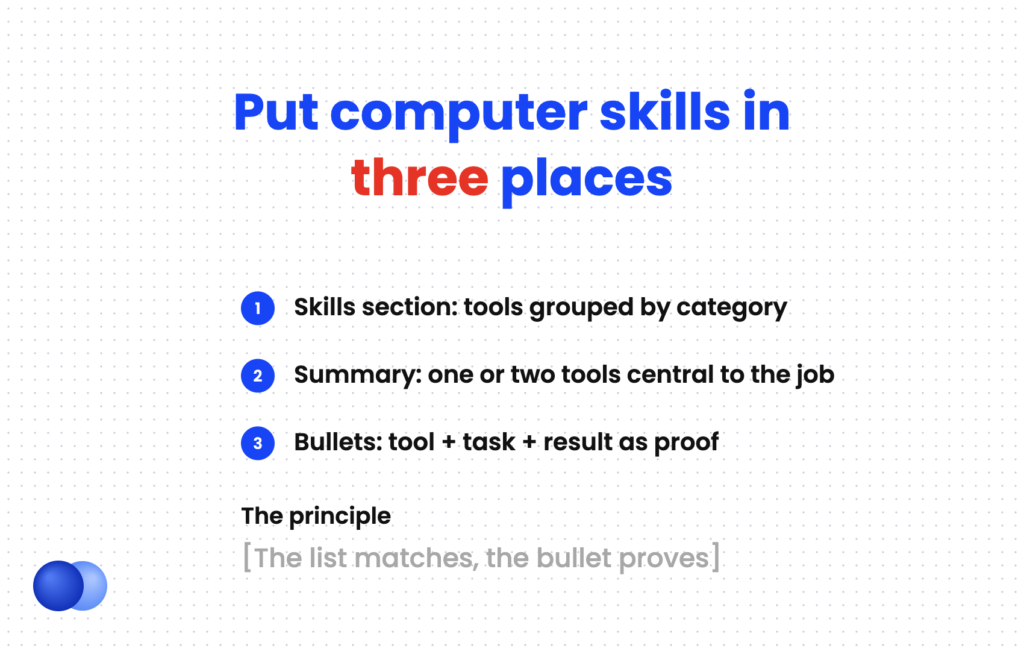
- Skills section. Group tools by category on separate lines. This keeps the list scannable and keyword-rich.
- Summary. Mention a tool only when it is central to the job, such as "Salesforce administrator" or "QuickBooks bookkeeper."
- Experience bullets. Show the tool in action. Start with a strong verb, name the software and end with a result. Our guide on how to write resume bullet points covers the structure.
Computer Skills
Productivity: Microsoft 365 (Excel: PivotTables, XLOOKUP; Word; PowerPoint; Outlook), Google Workspace
Collaboration: Microsoft Teams, Slack, Asana, Zoom
Business systems: NetSuite, Salesforce, DocuSign
AI tools: Microsoft Copilot, ChatGPT (drafting, summarizing meeting notes)
Certifications: Microsoft Office Specialist: Excel Associate (Microsoft 365 Apps)
Certifications can sit in the skills section or in a separate section. Use the official credential name and the year you earned it.
How do you prove computer skills in your experience section?
Prove computer skills with bullets that name the tool, the task and the result. Write "Built an Excel tracker with XLOOKUP that cut weekly reporting from 4 hours to 1" instead of "Proficient in Excel." The result can be time saved, errors reduced, volume handled or people trained on the tool.
A skills list tells a recruiter you have used a tool. A bullet tells them what happened when you did. That second signal is what moves you to an interview.
Strong computer skills bullets usually show one of four outcomes: time saved, errors reduced, volume handled or adoption by others.
Built a Power BI dashboard tracking 12 sales KPIs, replacing 3 manual weekly reports for regional managers
Automated invoice entry in QuickBooks Online with bank rules, cutting month-end close from 6 days to 4
Migrated a 40-person team from shared drives to SharePoint and trained staff in 5 short sessions
Used Microsoft Copilot in Outlook and Word to draft client follow-ups, handling 30% more inquiries per week
Managed 2,500+ patient records in Epic with zero documentation errors flagged in 2 quarterly audits
No exact numbers? Use scale instead: how many users, files, records or locations. See how to quantify your resume for estimating figures honestly.
Computer skills examples by job
The right computer skills depend on the job. Administrative roles need Microsoft 365 and scheduling tools, marketers need analytics and CMS platforms, accountants need accounting software and advanced Excel, healthcare workers need EHR systems, and sales reps need a CRM. Match your list to the posting and drop tools the role never uses.
Use this list as a starting point, then confirm against the posting.
- Administrative assistant: Microsoft 365, Outlook calendar management, Teams, DocuSign, Zoom.
- Accountant or bookkeeper: QuickBooks, Excel (PivotTables, lookups), NetSuite or SAP, Bill.com.
- Marketing coordinator: Google Analytics 4, HubSpot, Canva, WordPress, Meta Business Suite.
- Sales representative: Salesforce, HubSpot CRM, LinkedIn Sales Navigator, Gong.
- Nurse or medical assistant: Epic or Cerner EHR, electronic prescribing, telehealth platforms.
- Data analyst: SQL, Excel, Tableau or Power BI, Python.
- Customer service agent: Zendesk, Salesforce Service Cloud, live chat tools, typing speed.
If Office apps are the core of your list, our step-by-step guide on how to list Microsoft Office skills on a resume covers formatting for each program.
What computer skills should you leave off?
Leave off skills every employer assumes, such as email, internet browsing, typing basics and "computer literate." Also drop outdated or irrelevant software, tools you cannot use without help, and long unsorted lists. Every line should either match the posting or prove a capability a recruiter would pay for.
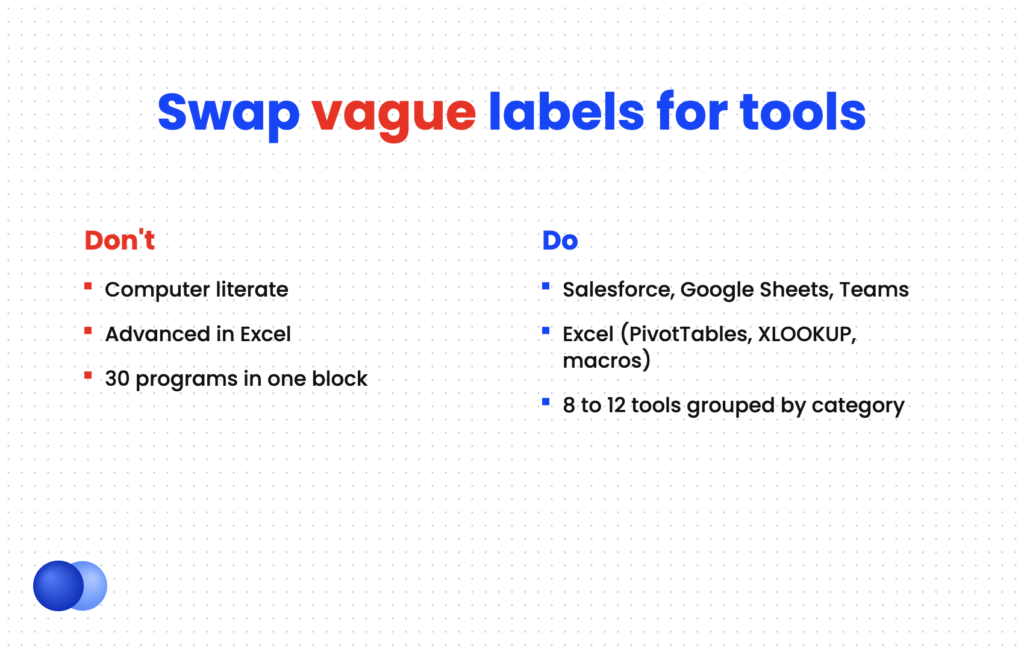
Name exact tools, like "Salesforce" or "Google Sheets"
Write "computer literate" or "proficient with computers" do: List advanced features you actually use, such as macros dont: Call yourself "advanced" in a tool you only open occasionally do: Group tools by category on separate lines dont: Paste 30 programs in one long comma-separated block do: Update old names, such as Microsoft 365 instead of MS Office 2010 dont: List Windows, email or internet browsing as skills
A tight list of eight to twelve relevant tools beats a long inventory. For help deciding which skills earn space, see the best skills to put on a resume.
When your draft is ready, the Rezoom AI resume builder can match your computer skills to a specific posting and turn tool names into result-driven bullets.

Frequently asked questions
What are basic computer skills for a resume?
Basic computer skills include email, word processing, spreadsheets, file management and video calls. Most employers assume them, so list them by tool name only when the posting asks for them.
How do I list computer skills on a resume?
Create a skills section with tools grouped by category, such as productivity, collaboration and industry software. Then prove your most important ones in experience bullets with a result.
Should I say "proficient in Microsoft Office" on my resume?
Not on its own. Name the specific apps and features instead, such as "Excel (PivotTables, XLOOKUP)," which tells recruiters what you can actually do.
How many computer skills should I put on my resume?
Aim for roughly eight to twelve relevant tools, grouped by category. Prioritize the ones named in the posting.
Should I include AI tools as computer skills?
Yes, if you use them for real work. Name the tool and the task, like "Microsoft Copilot for drafting reports," rather than a vague "AI skills" label.
Is typing speed worth listing?
Only for roles where it matters, such as data entry, transcription or customer support. Include a tested number, like "Typing: 70 WPM."



Comments