

Summary
To list Microsoft Office skills on a resume, name each app separately, add the specific features you use, and prove your strongest one in an experience bullet with a result. "Proficient in Microsoft Office" tells a recruiter nothing, because basic Word and Outlook use is assumed. Use "Microsoft 365" when the posting does, include Copilot only if you use it for real work, and add a Microsoft Office Specialist certification if you have one.
Here is how to list Microsoft Office skills on a resume: name each app separately, attach two or three features you actually use, and prove the most important one in an experience bullet. "Excel (PivotTables, XLOOKUP, Power Query)" says far more than "proficient in MS Office."
Basic Office use is the baseline now. The Bureau of Labor Statistics notes that for administrative assistants, high school graduates comfortable with word processing and spreadsheet programs typically qualify for entry-level roles. So your resume needs to show what you do beyond the basics.
This guide covers the right naming, three listing formats, how to signal your level, and examples you can copy.
Should you write Microsoft Office or Microsoft 365?
Use whichever name the job posting uses. Microsoft renamed its Office app and Office.com to Microsoft 365 starting in November 2022, so many newer postings say "Microsoft 365." Older or traditional employers may still write "MS Office." When unsure, write "Microsoft 365 (Word, Excel, PowerPoint, Outlook)" and name the apps.
The naming changed recently. Microsoft rebranded Office as Microsoft 365, with Office.com moving to Microsoft365.com in November 2022 and app updates following in January 2023.
Recruiters still understand both names. Applicant tracking systems, however, match literal keywords. Mirroring the posting's exact phrase is the safest choice. Our guide to resume keywords explains how to pull those terms from a listing.
Either way, never stop at the suite name. The app and the feature are what carry meaning.
Which Microsoft Office skills should you list?
List the apps and features the job actually uses. Excel matters most for finance, operations and analytics roles; Outlook and Teams for administrative work; PowerPoint for sales, marketing and consulting; Word for legal and writing roles; and Access, SharePoint or Power BI for data-heavy jobs. Skip apps the role never touches.
The best Microsoft Office skills for your resume depend on the role. Start with the posting, then match it to the features below.
| App | Basic (usually leave off) | Intermediate | Advanced |
|---|---|---|---|
| Excel | Data entry, simple sums | Formulas, charts, conditional formatting, sorting and filtering | PivotTables, XLOOKUP, Power Query, VBA macros, financial models |
| Word | Typing, basic formatting | Styles, tables, templates, track changes | Mail merge, long-document formatting, tables of contents, forms |
| PowerPoint | Editing existing slides | Building decks from scratch, master slides | Custom templates, animations, data-linked charts |
| Outlook | Calendar management, rules, shared mailboxes | Managing executive calendars, automation with rules and Quick Steps | |
| Teams / SharePoint | Joining meetings | Channels, file sharing, scheduling | Site setup, permissions, document libraries |
| Access | Viewing records | Queries, forms | Relational database design, reports |
Copilot is a newer addition. Microsoft says Copilot is integrated into Word, Excel, PowerPoint, Outlook and Teams. If you use it to draft documents, summarize meetings or analyze data, list it with the task.
A quick way to choose: highlight every Office app and feature named in the posting. Then add only the ones you could demonstrate in a live test tomorrow. Anything else stays off, however familiar the name feels.
Role also shapes depth. A financial analyst should list Excel features in detail, while a marketing coordinator may only need PowerPoint and Teams. An executive assistant usually leads with Outlook calendar management, because that is the daily work the hiring manager is picturing.
How do you list Microsoft Office skills on a resume?
Use one of three formats. In the skills section, write each app with features in parentheses. In experience bullets, name the app, the task and the result. In certifications, list the exact Microsoft Office Specialist credential name. Most strong resumes use all three, with the skills line for keywords and bullets for proof.
Format 1: Skills section line. Name the suite once, then each app with features.
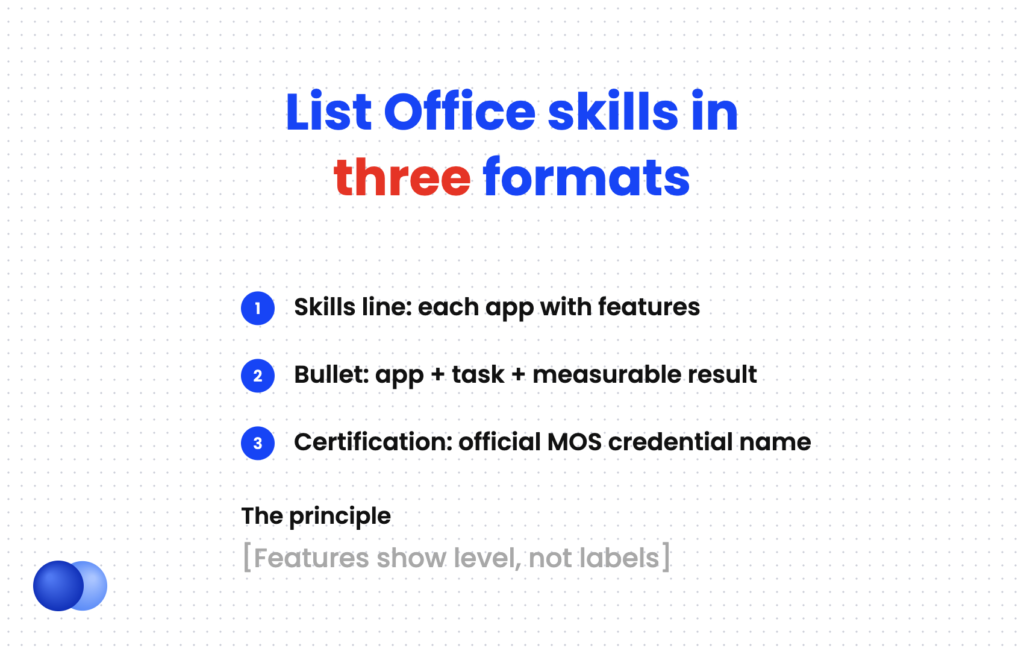
Format 2: Experience bullet. Verb + app + task + result. This is where you prove your level.
Format 3: Certification. Use the official credential name, issuer and year.
Skills Microsoft 365: Excel (PivotTables, XLOOKUP, Power Query, macros), Word (mail merge, templates), PowerPoint (custom templates), Outlook (calendar management, rules), Teams, SharePoint AI tools: Microsoft Copilot in Excel and Word
Certifications Microsoft Office Specialist: Excel Expert (Microsoft 365 Apps), Microsoft, 2025
Keep the line scannable. If Office is only one part of your toolkit, group it with other software under a broader heading. Our guide to computer skills for your resume shows how to organize mixed tool lists.
How do you show your level of Microsoft Office skills?
Show your level with features and results instead of labels. A recruiter cannot verify "advanced Excel," but "built VBA macros that cut reporting time 50%" proves it. Use words like advanced or expert only when the features listed support them, and add a Microsoft Office Specialist certification for independent proof.
Labels are where most resumes stretch. Many employers now check. A 2025 TestGorilla survey of more than 1,000 US and UK hiring decision-makers found 76% use skills tests in hiring. If you claim "expert," expect an Excel test.
A certification settles the question. Microsoft's MOS credentials come in two main levels:
- Associate. The Excel Associate exam (MO-210) covers worksheets, cell ranges, tables, formulas and functions, and charts.
- Expert. The Excel Expert exam (MO-211) adds advanced formulas and macros, advanced charts and tables, and workbook settings.
Microsoft recommends about 150 hours of instruction and hands-on practice for each. List the credential under certifications using its official name. Our guide to resume certifications covers placement.
Use the feature as your proficiency label
If you are unsure whether you are "intermediate" or "advanced," skip the label. Write the most demanding feature you can use without looking it up, such as "Excel (PivotTables, XLOOKUP)." Recruiters read features as level, and you avoid overclaiming in an interview.
How do you prove Microsoft Office skills in your experience section?
Prove Microsoft Office skills with bullets that name the app, describe what you built or managed, and show a result. Good outcomes include hours saved, errors reduced, reports automated, files organized, or people trained. One strong Excel bullet does more for credibility than a full line of Office apps in your skills section.
This is the step most guides skip. Your skills line gets you past keyword filters. Your bullets convince the person reading.
Built an Excel inventory model with XLOOKUP and PivotTables, cutting stock discrepancies 35% across 4 warehouses
Automated weekly sales reporting with Power Query and VBA macros, saving the team 6 hours per week
Created a Word mail merge for 1,200 donor letters, finishing a 3-day task in one afternoon
Designed a PowerPoint template adopted by 25 account managers for all client pitches
Managed Outlook calendars for 3 executives, scheduling 40+ meetings weekly with no double bookings
Used Microsoft Copilot in Teams to summarize client calls, cutting note-taking time per meeting in half
Numbers make these bullets stronger, but scale works too: rows of data, number of users, or documents produced. See how to quantify your resume for honest ways to estimate.
What mistakes should you avoid when listing Microsoft Office skills?
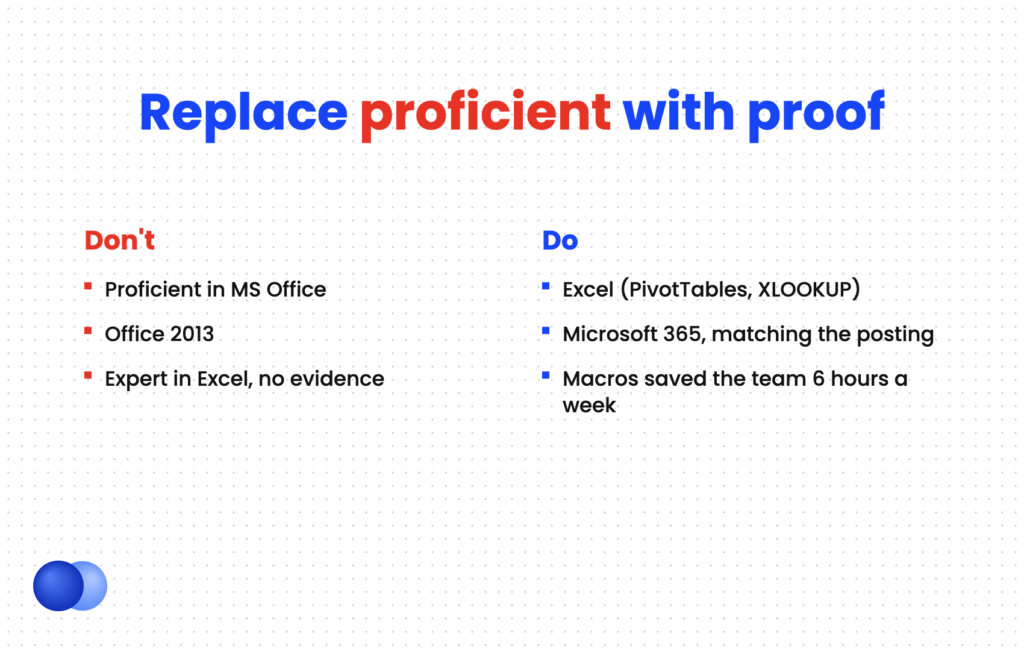
Avoid vague phrases like "proficient in MS Office," listing basic Word or Outlook use for professional roles, outdated version numbers, and inflated levels you cannot defend. Also avoid mismatched names: if the posting says Microsoft 365, use that. Every Office skill you list should either match the posting or prove a capability.
Name each app with features, like "Excel (PivotTables, XLOOKUP)"
Write "proficient in Microsoft Office" with nothing else do: Match the posting's term, such as Microsoft 365 dont: List version numbers like "Office 2013" do: Back up advanced claims with a bullet or certification dont: Claim "expert" in Excel if you have never used a PivotTable do: Include Copilot when you use it for real tasks dont: List basic email or typing for a professional role
Before you apply, the Rezoom ATS resume checker can confirm your Office keywords match the posting's wording. For more on positioning skills overall, see how to highlight skills on your resume.

Frequently asked questions
Should I put Microsoft Office on my resume?
Yes, if the job uses it and you can do more than the basics. Name the specific apps and features rather than the suite alone.
How do I describe Excel skills on a resume?
List the features you use, such as PivotTables, XLOOKUP or macros, and add one bullet showing a result. That signals your level better than "advanced."
Is "proficient in Microsoft Office" a good resume phrase?
No. It is too vague to prove anything. Replace it with app names, features and a measurable example.
Where do Microsoft Office skills go on a resume?
List them in your skills section for keyword matching, prove them in experience bullets, and add any MOS certification in a certifications section.
Is a Microsoft Office Specialist certification worth it?
It helps for administrative, finance and data-heavy roles where employers test Office skills. It gives independent proof of the level you claim.
Should I list Google Workspace alongside Microsoft Office?
Yes, if the posting mentions it or you use both. Put them on the same productivity line, such as "Microsoft 365 (Excel, Word), Google Workspace (Sheets, Docs)."



Comments