

Summary
The best Excel skills for a resume are the specific functions and tools a job uses, such as XLOOKUP, pivot tables, conditional formatting, Power Query and macros. Instead of writing "proficient in Excel," name your level, list three to six concrete features, and prove them with a bullet that shows a result like hours saved or errors reduced. Expect an Excel test for analyst, finance and operations roles, so only claim what you can do live.
The Excel skills for resume use that actually help are specific: name the functions and tools you know, such as XLOOKUP, pivot tables or Power Query, and show what you built with them. "Proficient in Excel" is on nearly every resume and proves nothing. "Built a pivot-table dashboard that cut monthly reporting from 6 hours to 1" gets attention.
Spreadsheet ability is close to universal in job requirements. An analysis of 43 million job postings by the National Skills Coalition and the Federal Reserve Bank of Atlanta found 92% of jobs require digital skills, and jobs needing even one digital skill paid about 23% more.
This guide shows how to define your level, which functions to name, and how to prove it on the page.
What Excel skills do employers look for?
Employers look for data entry and cleanup, formulas and functions, lookups, pivot tables, charts, conditional formatting and data validation. Analyst and finance roles add Power Query, Power Pivot, dashboards and macros. The exact list depends on the role, so read the posting and name the specific features it mentions rather than writing "Excel" alone.
Excel shows up across fields, from accounting to logistics. O*NET, the US Labor Department's occupation database, flags Microsoft Excel as an in-demand "hot technology" for accountants and auditors.
The skills employers ask for fall into a few families:
- Data handling: entry, sorting, filtering, removing duplicates, text-to-columns
- Formulas: SUMIFS, COUNTIFS, IF and nested logic, IFERROR, date functions
- Lookups: XLOOKUP, VLOOKUP, INDEX/MATCH
- Summaries: pivot tables, pivot charts, slicers
- Presentation: charts, conditional formatting, dashboards
- Automation and modeling: Power Query, Power Pivot, macros and VBA, Goal Seek, Solver
Excel is one part of a wider toolkit. For Word, Outlook and PowerPoint, see our guide on how to list Microsoft Office skills on a resume. For a broader view, see computer skills for your resume.
What are the levels of Excel skills, and which one are you?
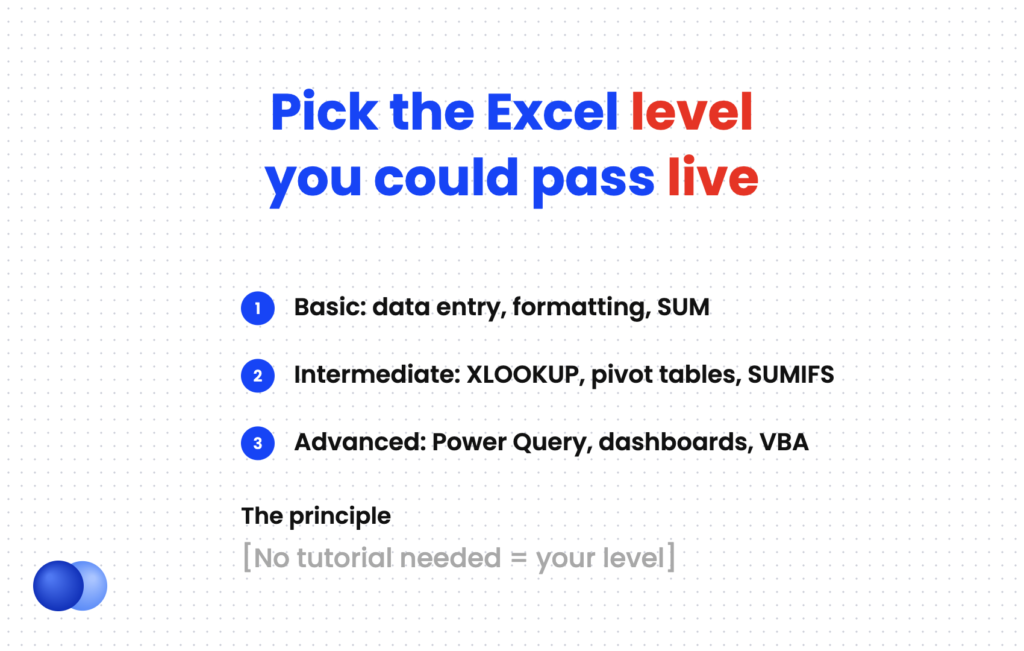
Most people fall into basic, intermediate, advanced or expert. Basic covers data entry, formatting and simple sums. Intermediate adds lookups, pivot tables and conditional formatting. Advanced adds Power Query, dynamic arrays and dashboards. Expert adds VBA, data models and complex financial models. Pick the level where you could complete every task without searching for help.
Labels like "advanced" mean different things to different people. A clear definition protects you in the interview. Use this table to place yourself honestly.
| Level | You can do this without looking it up | Resume label to use |
|---|---|---|
| Basic | Enter and format data, use SUM and AVERAGE, sort and filter, print a clean sheet | "Excel (basic): data entry, formatting, sorting" |
| Intermediate | Write SUMIFS and IF formulas, use XLOOKUP or VLOOKUP, build pivot tables and charts, apply conditional formatting and data validation | "Excel (intermediate): XLOOKUP, pivot tables, conditional formatting" |
| Advanced | Combine data with Power Query, use dynamic array functions like FILTER and UNIQUE, build dashboards with slicers, run Goal Seek scenarios | "Advanced Excel: Power Query, dynamic arrays, dashboards" |
| Expert | Write VBA macros, build Power Pivot data models, create multi-tab financial models with error checks | "Expert Excel: VBA, Power Pivot, financial modeling" |
A quick rule: if you would need a tutorial to do it, it is not your level yet. Recruiters for analyst roles often give live tests, and an "advanced" label that fails a pivot-table question costs more than an honest "intermediate."
Also note version differences. Microsoft says XLOOKUP is available in Excel for Microsoft 365, Excel 2021 and Excel 2024, but not in Excel 2016 or 2019. If an employer runs older versions, mention INDEX/MATCH or VLOOKUP as well.
How do you list Excel skills on a resume?
List Excel in your skills section with a level and three to six named features, such as "Excel (advanced): Power Query, pivot tables, XLOOKUP, dashboards." Then prove the most important ones in your experience bullets. If Excel is central to the job, mention it in your summary too. Never list "Microsoft Excel" alone with no detail.
Use three locations, each for a different purpose.
- Skills section. Give the level and the specific features. This is where ATS keyword matching happens, so mirror the posting's terms. Our guide to resume keywords explains how matching works.
- Experience bullets. Show what you built and the result.
- Summary. Add one clause if the job is spreadsheet-heavy, such as financial analyst or operations coordinator.
You can group Excel with related tools under a "Technical skills" line. Our guide to technical skills for your resume shows layouts.
Intermediate (administrative or operations role): Excel (intermediate): XLOOKUP, SUMIFS, pivot tables, conditional formatting, data validation
Advanced (analyst role): Advanced Excel: Power Query, pivot tables and slicers, dynamic arrays (FILTER, UNIQUE), dashboard design
Expert (finance role): Excel: VBA macros, Power Pivot data models, three-statement financial modeling, scenario analysis Also: SQL, Power BI
How do you prove Excel skills in experience bullets?
Name the tool, describe what you built, and give a result such as time saved, errors reduced or decisions supported. "Automated weekly inventory report with Power Query, cutting prep time from 5 hours to 30 minutes" shows level and impact in one line. One strong Excel bullet beats a long list of functions with no context.
A bullet should answer three questions: what tool, what you made, and what changed. Time saved is the easiest result to measure, because you usually know how long a task took before and after.
Other results that work well include fewer errors, faster month-end close, more reports produced, or a decision someone made using your analysis. For more ways to add numbers, see how to quantify your resume.
- Built a pivot-table sales dashboard with slicers for 4 regional managers, replacing 12 static weekly reports
- Automated monthly vendor reconciliation with Power Query, cutting prep time from 6 hours to 45 minutes
- Wrote VBA macro to generate 200+ client invoices from a master sheet, eliminating manual copy errors
- Created XLOOKUP-based inventory tracker for 1,800 SKUs, reducing stock discrepancies 35% in one quarter
- Designed a 3-scenario budget model with Goal Seek, used by leadership to set the 2026 hiring plan
Each bullet names a specific feature. That detail lets a recruiter judge your level without guessing, and it gives an interviewer something concrete to ask about.
Bring a sample file
For analyst and finance roles, keep a clean, anonymized workbook that shows your best work: a dashboard, a model or a cleaned dataset. Offer it if the interviewer asks how you use Excel. Showing the file is stronger proof than any label on the page.
Should you get an Excel certification?
A certification helps when you lack work examples, are changing careers, or apply to roles that test Excel. Microsoft's current options are the Excel Associate exam (MO-210, intermediate) and the Excel Expert exam (MO-211, advanced) for Microsoft 365 Apps. List the full certification name and year under certifications. Work bullets still matter more.
Microsoft offers two official Excel credentials:
- Microsoft Office Specialist: Excel Associate (Microsoft 365 Apps), exam MO-210. It is rated intermediate and covers worksheets, data ranges, tables, formulas and charts.
- Microsoft Office Specialist: Excel Expert (Microsoft 365 Apps), exam MO-211. It is rated advanced and covers advanced formulas, macros, and advanced charts and tables.
Microsoft estimates about 150 hours of instruction and hands-on practice for each. That makes a passed exam a credible signal, especially for entry-level candidates. Format it in your certifications section, as shown in our resume certifications guide.

What mistakes should you avoid with Excel skills on a resume?
Avoid vague labels like "proficient in Excel," inflated levels you cannot demonstrate, outdated function lists that skip newer tools, and listing Excel without any proof in your bullets. Also avoid calling basic tasks advanced. Each of these either blends in with every other resume or fails the first live test an employer gives you.
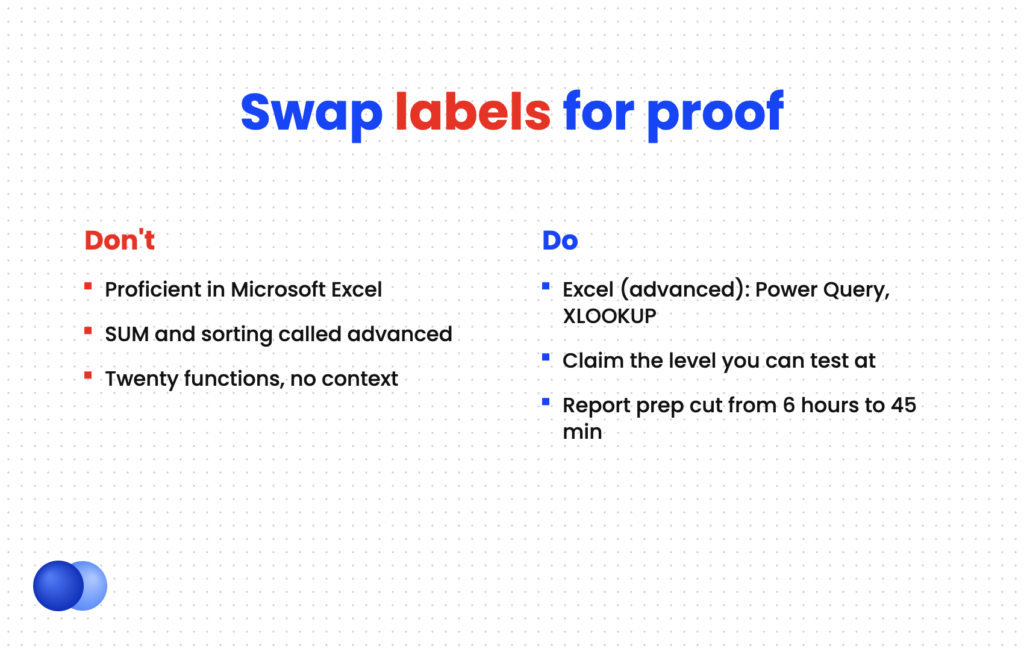
Write "Excel (advanced): Power Query, pivot tables, XLOOKUP"
Write "Proficient in Microsoft Excel" with no detail do: Claim the level you could pass a live test at dont: Call SUM, sorting and formatting "advanced" do: Prove your top Excel feature with a measurable bullet dont: List twenty functions with no context anywhere do: Mirror the posting's terms, such as "financial modeling" dont: Pad the list with features you have never used
Excel work also shows soft traits. Clean, error-checked models signal attention to detail, and turning raw data into findings signals analytical skills.
When you are ready to write, the Rezoom AI resume builder can turn your Excel experience into tailored bullets that match a specific posting.
Frequently asked questions
What Excel skills should I put on my resume?
Name the specific features you can use confidently and that the job mentions, such as XLOOKUP, pivot tables, conditional formatting, Power Query or macros. Add your level in front.
What counts as advanced Excel on a resume?
Advanced usually means Power Query, dynamic array functions, dashboards and scenario tools. Pivot tables and VLOOKUP are generally considered intermediate.
Is "proficient in Excel" good enough for a resume?
No. It is too vague to help you stand out. Replace it with a level and named features, then back it up with one bullet.
Do employers test Excel skills?
Many analyst, finance, accounting and administrative employers do, often with a timed task. Claim only what you could complete without help.
Should I list Excel separately from Microsoft Office?
Yes, if the role depends on spreadsheets. Give Excel its own line with features, and keep Word and PowerPoint on a general Office line.
Is an Excel certification worth it?
It is useful when you lack work examples or are changing careers. The Microsoft Excel Associate (MO-210) and Expert (MO-211) exams are the official options.



Comments