
Summary
A Canva resume can pass an applicant tracking system only if its text stays as real, selectable text in a simple top-to-bottom order. Columns, text boxes, icons, skill bars and a flattened PDF are what break it. Export as PDF Standard with Flatten PDF turned off, then copy all the text into a plain editor. If it comes out scrambled or missing, rebuild the content in a one-column document for online applications and keep the Canva design for networking.
A Canva resume is ATS friendly only when its words stay as real, selectable text in a logical top-to-bottom order. Most Canva templates fail that test because they place every line in a separate text box, often across two columns, with icons and skill bars that a parser cannot read.
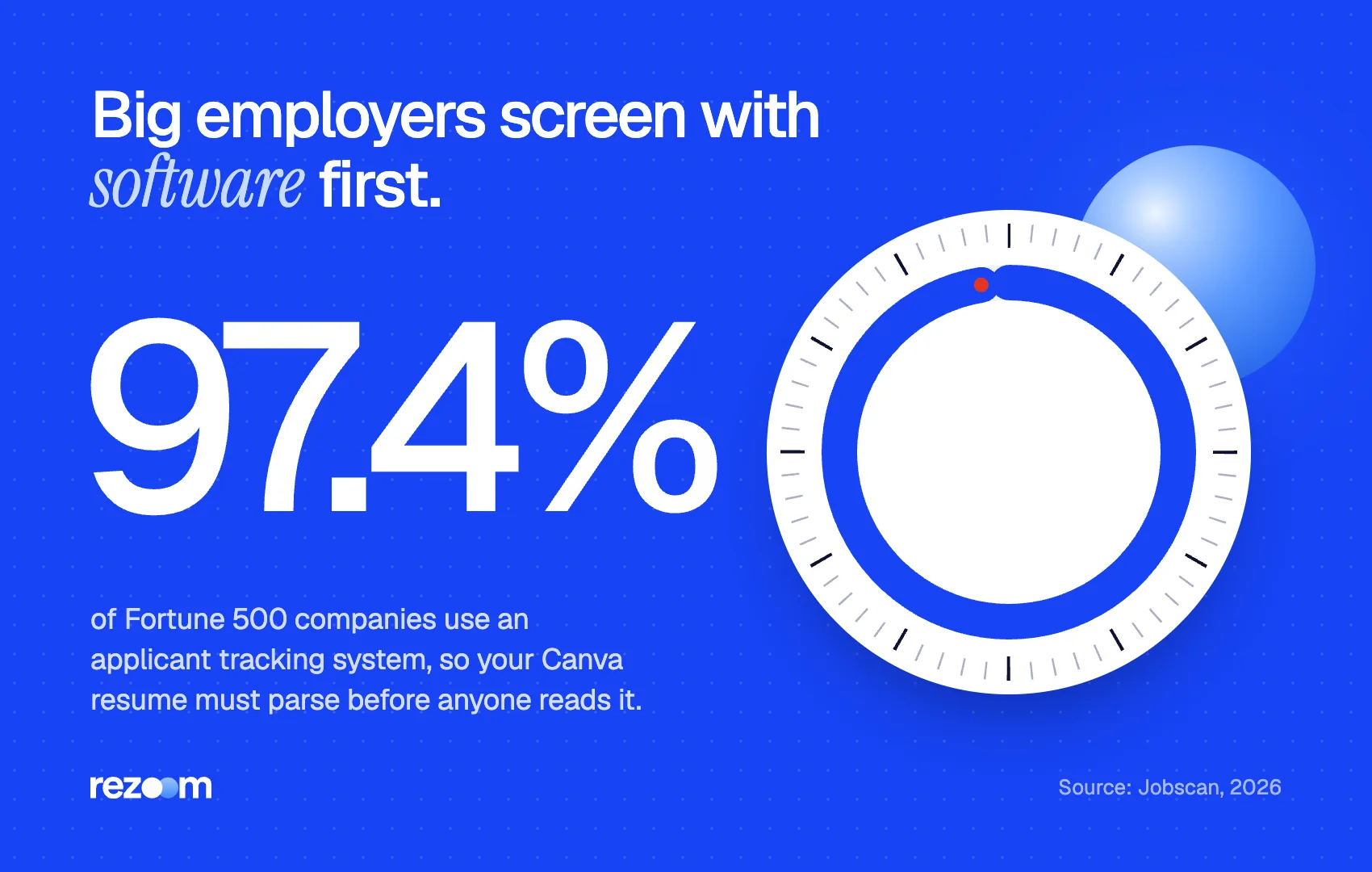
That matters because nearly every large employer screens with software. Jobscan found that 97.4% of Fortune 500 companies use an applicant tracking system in 2026.
This guide shows what an ATS actually reads in a Canva file, the export settings that make or break it, a two-minute test you can run today, and how to fix a resume that fails.
Are Canva resumes ATS friendly?
Some are, most are not. A Canva resume passes an ATS when it uses one column, real text layers, standard headings and a text-based PDF. It fails when content sits in many floating text boxes, side columns, icons, charts or a flattened PDF, because the parser reads text out of order or not at all.
Canva is a design tool, not a document editor. As a career coach writing for The Muse puts it, "every bit of text on a Canva resume template is placed using text boxes". An ATS has to guess the reading order of those boxes.
Indeed's ATS guide makes the same point about layout: systems may not interpret text boxes, columns, headers or images, which disrupts the linear flow of a resume. When that flow breaks, your job title can land under the wrong employer, or your skills section can vanish.
The stakes are high because the screen is near universal at big companies. With 97.4% of Fortune 500 employers using an ATS, a resume that parses badly is a resume most large employers never see in full.
So the honest answer is not "never use Canva." It is "use Canva only in ways the parser can follow."
What parts of a Canva resume can an ATS read?
An ATS reads text that exists as live, selectable characters. It cannot read words inside images, icons, skill bars, star ratings, charts or a photo. It often misreads multi-column layouts, floating text boxes, tables, and content in headers or footers. Plain headings and bullets in one column read reliably.
Think of a Canva design as layers. Some layers carry text the parser can extract. Others are pictures that only look like text.
| Canva element | What the ATS gets | Safe for online applications? |
|---|---|---|
| Text layer in one column | The words, in order | Yes |
| Text layer in a side column | Words, often in the wrong order | Risky |
| Many small floating text boxes | Fragments in unpredictable order | Risky |
| Skill bars, dots or star ratings | Nothing (the level is a shape) | No |
| Icons for phone, email, location | Nothing, or stray symbols | No, write labels as text |
| Text placed inside an image or graphic | Nothing | No |
| Headshot photo | Nothing, and it uses space | No (see photo on resume) |
| Any text after Flatten PDF is on | Nothing, the page is an image | No |
Two items deserve extra attention. First, skill bars: "Python" might read fine, but the bar showing your level carries no information for a parser. Second, contact icons: if your phone icon replaces the word "Phone," the ATS may still find the number, but it loses the context.
For a deeper look at how parsing works step by step, read how does ATS work. Column layouts get their own breakdown in our guide to the two-column resume and ATS.
Which Canva export settings keep a resume readable?
Download as PDF Standard, and leave Flatten PDF turned off in Advanced Settings. Canva says flattening converts the file into a static image, which removes the text an ATS needs. Skip JPG and PNG entirely. Canva cannot export a normal design as DOCX, so use PDF unless the posting demands Word.
This is the section most guides skip, and it decides whether a good layout survives.
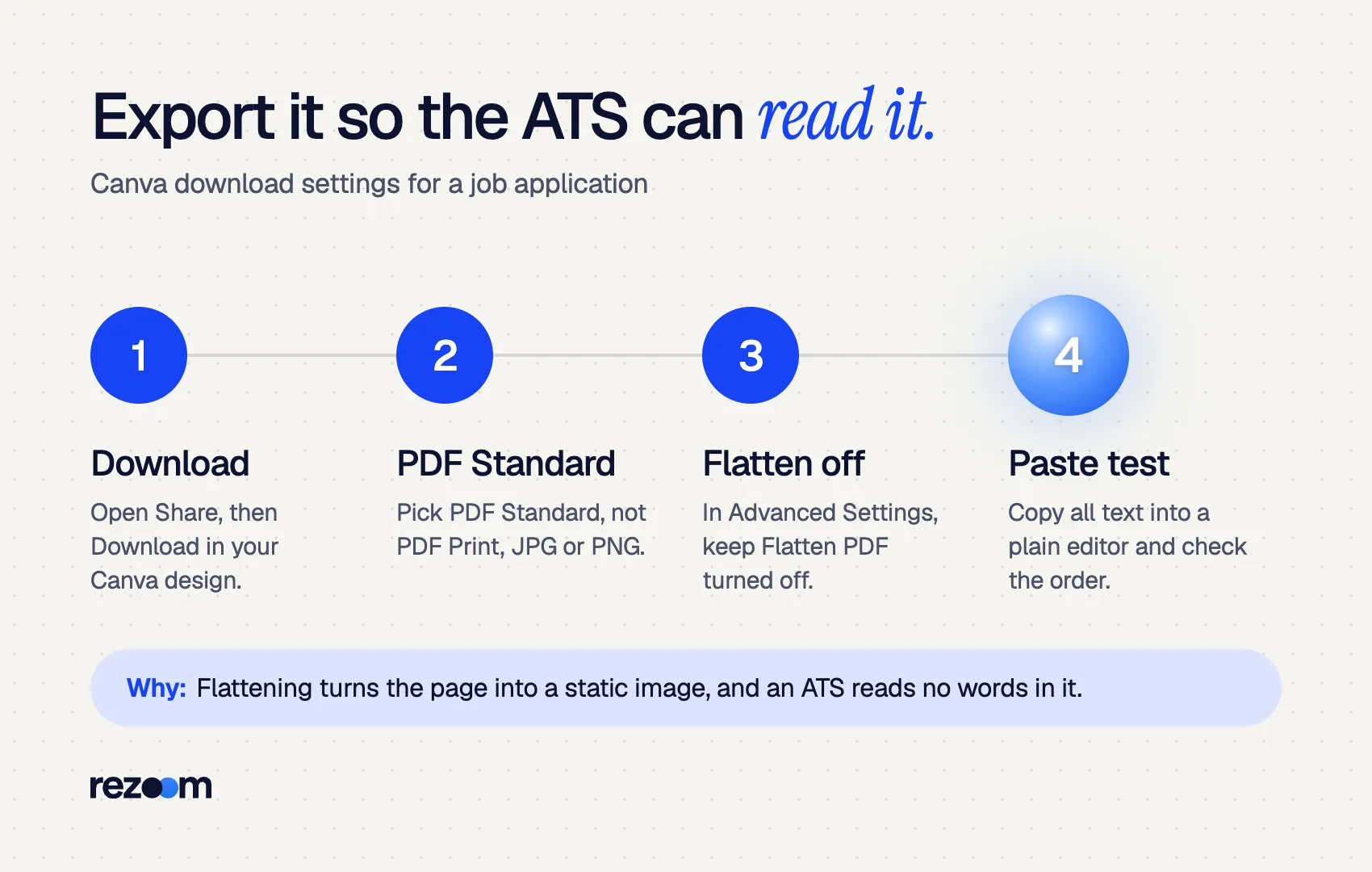
Canva offers several download types. According to Canva's file type help page, PDF Standard is "for illustrations, text, and graphics" at 96 dpi, while PDF Print is 300 dpi "with bleed, crop marks, and color profile." For a resume read on screen and by software, PDF Standard is the right choice. Crop marks add nothing for a recruiter.
The setting that silently ruins a Canva resume is Flatten PDF. Canva's own flattening help page says it converts the design "into a static image." To an ATS, an image of a resume is a blank page. Your resume can look perfect and still contain zero readable words.
Word format is not an easy escape either. Canva states that DOCX download is "for Canva Docs only" and not supported for other design types. Resume templates are designs, so they export as PDF, JPG, PNG and similar formats.
Share > Download
File type: PDF Standard
Advanced settings: Flatten PDF = OFF
Pages: All pages
File name: Jordan-Lee-Resume-Marketing-Manager.pdf
Name the file with your name and the role, as covered in our guide to resume file names. If a posting asks for Word, read should I send my resume as PDF or Word before converting anything.
How do you test if your Canva resume passes ATS?
Open your exported PDF, select all text, and paste it into a plain text editor. If every word appears in the right order, with job titles next to their employers and dates, the parser has a fair chance. If text is missing, jumbled or nothing selects at all, the file will not parse well.
You do not need special software for the first check. It takes about two minutes.
- Select test. Open the PDF and try to highlight a single word. If you can only draw a box around the whole page, the file is an image. Re-export with Flatten PDF off.
- Paste test. Press Ctrl+A (Cmd+A on Mac), copy, and paste into Notepad, TextEdit in plain text mode, or a blank email.
- Order check. Read the pasted text top to bottom. Does each job title sit next to its employer and dates? Does the sidebar dump into the middle of your experience?
- Gap check. Search the pasted text for your phone number, email, every skill and every heading. Anything missing came from an icon, image or graphic.
- Scanner check. Upload the PDF to an ATS checker and compare the parsed fields with your resume.
SKILLS EXPERIENCE Jordan Lee
Marketing Manager Photoshop 2021 – Present
SEO Brightway Health Figma
Grew email list from 18,000 to 41,000
Content Strategy Denver, CO
That jumble is what happens when a sidebar and a main column get read line by line across the page. A recruiter searching for "content strategy" might still find you. A parser trying to match dates to employers will not.
The Rezoom ATS resume checker shows how your file parses and which keywords from a job posting it finds, so you can fix gaps before you apply. That matters because Jobscan reports 99.7% of recruiters use keyword filters in their ATS.
Run the test on the file you send, not the design
Every re-download from Canva can change the result if a setting flips. Test the exact PDF you will upload, after naming it. If you edit one word in Canva later, export and test again. It takes two minutes and removes the guesswork.
How do you fix a Canva resume that fails ATS?
Move to one column, merge small text boxes into one text box per section, replace icons with text labels, turn skill bars into a plain skills list, delete the photo, and use standard headings. Export as PDF Standard with Flatten PDF off and retest. If it still fails, rebuild the content in a document editor.
Start with the cheapest fixes and retest after each round.
- Collapse to one column. Move the sidebar content (skills, contact, education) into the main column, in this order: contact, summary, experience, skills, education.
- Merge text boxes. Put each section's text into one text box. One box per section gives the parser a clear sequence.
- Write labels as words. Replace icons with "Email:", "Phone:" and "LinkedIn:".
- Turn graphics into text. "Python (advanced)" beats a four-dot rating every time.
- Use standard headings. "Work Experience," "Skills" and "Education" are what parsers expect. Creative headings like "Where I've Been" can confuse them.
- Keep fonts simple. A clean sans serif at a readable size parses and prints well. See best fonts for resume and resume font size.
- Keep color light. A colored name or heading line is fine. Our guide to color on a resume covers the safe limits.
Use one column and one text box per section do: Export as PDF Standard with Flatten PDF off do: Paste-test the exact file you plan to upload
Show skill levels with bars, dots or stars dont: Put contact details only in icons or a header graphic dont: Upload a JPG or PNG of your Canva resume to a job portal
If you need more than four of these fixes, a rebuild is usually faster. Copy your text into a clean document, using our ATS friendly resume template, or follow the sibling guides on how to make a resume in Google Docs and how to make a resume in Word.
When should you still use a Canva resume?
Use a Canva resume when a person, not a portal, reads it first: networking emails, career fairs, in-person handoffs, interviews you already have, and creative roles that expect visual polish. For online applications, send a simple one-column version with the same content, so both versions tell the same story.
The University of Georgia Career Center notes that creative resumes suit fields like graphic design, advertising and interior design, and recommends keeping both versions. That is the practical split:
- Portal application: one-column, text-based resume.
- Email to a hiring manager you know: the Canva version can work, ideally with the plain version attached too.
- Interview day: bring printed copies of the designed version.
- Design or marketing roles: pair the designed resume with a portfolio link. Our guide to portfolio vs resume explains how the two work together.
If your Canva design leans heavily on charts and icons, it is closer to an infographic resume, and the same two-version rule applies even more strongly.
Frequently asked questions
Can ATS read a Canva resume PDF?
Yes, if the PDF contains selectable text in a simple one-column order. It cannot read a flattened PDF, a JPG or PNG export, or text inside icons and graphics.
Does Canva have ATS-friendly resume templates?
Some templates are simpler than others, but no template guarantees parsing. Choose a one-column layout with no skill bars, icons or photo, then run the paste test on your export.
Should I download my Canva resume as PDF Standard or PDF Print?
Use PDF Standard. PDF Print adds bleed and crop marks meant for a print shop, which a recruiter does not need.
What does Flatten PDF do to a resume?
Canva says flattening turns the design into a static image. That removes the selectable text, so an ATS reads nothing. Keep it off for job applications.
Can I export a Canva resume as a Word document?
Not from a regular Canva design. Canva supports DOCX downloads only for Canva Docs, so resume templates export as PDF or image files.
Do recruiters dislike Canva resumes?
Recruiters mainly care about readable content. A clean design helps a human reader, but heavy graphics can slow them down and break the ATS that comes first.
Comments