
Summary
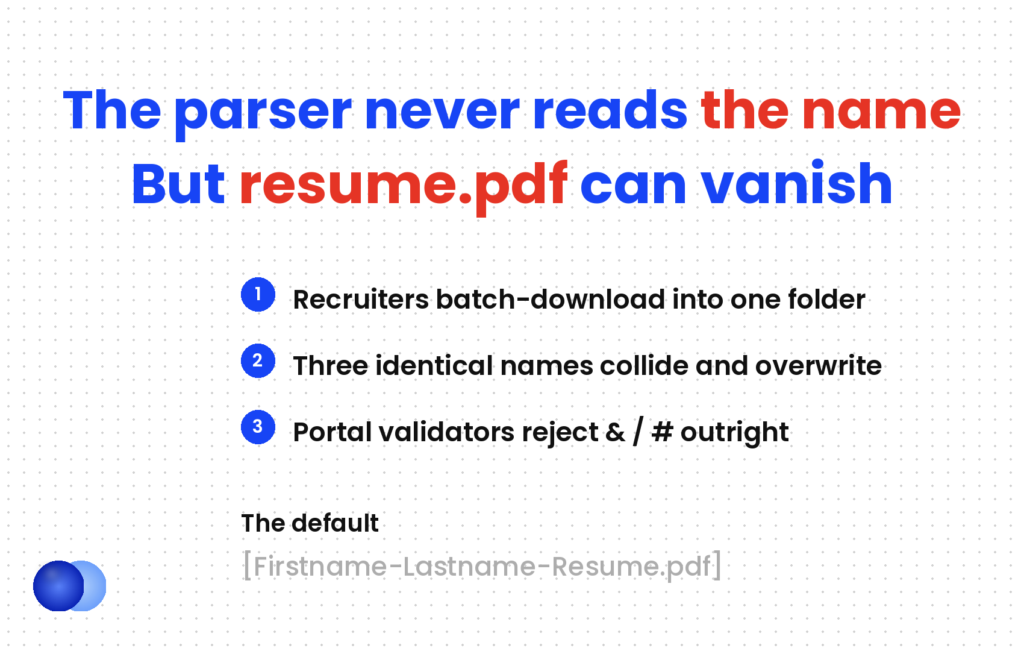
A resume file name has no effect on ATS parsing or scoring — the parser reads the document, not the label. It matters for a mechanical reason instead: recruiters download batches of applications into one folder, and a file called resume.pdf gets overwritten by the next candidate's resume.pdf. Use Firstname-Lastname-Resume.pdf and keep it consistent.
Plenty of advice claims applicant tracking systems read your resume file name as metadata and factor it into scoring. They do not.
The parser opens the document and reads what is inside. A file called Document1.pdf scores exactly the same as one called Sarah-Johnson-Resume.pdf, because the label is not an input.
So why spend two minutes on it? Because of something more concrete than a score: a resume file name like resume.pdf collides with everyone else's and disappears.
Does the resume file name affect your ATS score?
No. Applicant tracking systems parse the document's contents, not its label, so naming has no effect on matching or ranking. Its value is entirely in the human workflow — how your file gets stored, found and handled after upload.
In practice, worth being precise about, because the overstated version sends people optimising the wrong thing.
Parsers extract fields — employers, titles, dates, skills — and rank on vocabulary overlap with the posting. How an ATS works covers what actually filters candidates, and a file name appears nowhere in it.
What the file name does affect is everything that happens around the parse: whether an upload validator accepts it, whether it survives a batch download, and what a recruiter sees in a list of forty candidates.
What is the actual risk?
Being overwritten. Recruiters routinely download several candidates' files into one folder at once. Two files both called resume.pdf collide, and one replaces the other — which means an application can vanish for a reason that has nothing to do with its content.
This argument makes the topic worth two minutes, and it rarely appears anywhere.
A recruiter reviewing a shortlist downloads five attachments into a downloads folder. Three carry the name resume.pdf. The operating system either overwrites, or produces resume (1).pdf and resume (2).pdf — at which point nobody knows whose is whose without opening each one.
Two secondary failures are also real:
Portal validators. Some application portals block special characters — &, /, #, % — and reject the upload outright. The message is usually unhelpful.
Spaces in links. A space encodes as %20 in a URL, which can break direct links in some systems and email workflows.
None of these is common. All of them are free to avoid.
What should you call it?
`Firstname-Lastname-Resume.pdf` as the default. Add the role when a recruiter is handling several openings: `Marcus-Chen-Software-Engineer-Resume.pdf`. Hyphens or underscores, never spaces, under about 40 characters.
| Situation | File name |
|---|---|
| Standard application | Sarah-Johnson-Resume.pdf |
| Specific role, recruiter with several openings | Marcus-Chen-Product-Designer-Resume.pdf |
| Long job title | Abbreviate: Customer-Success-Mgr |
| Cover letter alongside | Sarah-Johnson-Cover-Letter.pdf |
| Portal requests DOCX | Same name, .docx |
Four rules govern a resume file name:
Full name first. It identifies you and it sorts alphabetically in a folder, which is how recruiters scan.
Hyphens or underscores, not spaces. Pick one and use it everywhere.
Under 40 characters. Long names truncate in some interfaces, and the useful part is at the front.
No version noise. final, v3, latest, updated — all of it tells a recruiter something about your process that you did not mean to share.
Keep the role text identical across both files
Recruiters usually download the resume and cover letter together. If your resume says Customer-Success-Mgr and your cover letter says Customer-Success-Manager, the two files sort apart in an alphabetical folder listing and stop reading as a pair. Same name format, same abbreviations, same separator — it costs nothing and it keeps your application together on someone else's screen.
Should you include the date?
No, unless the posting asks. A year in the file name looks fine in January and dated by November, and a file called Resume-2025 reviewed in 2026 suggests you have not updated it. The document's content already signals recency.
The reasoning is simple, and the mistake is common.
A file named Sarah-Johnson-Resume-2026.pdf is accurate on the day you make it. Six months later it reads as an old version, and a recruiter revisiting a candidate pool sees a date rather than a name.
The same applies to anything that implies a version history. Your file should look like the only resume you have, because from the reader's side it is.
resume.pdf— collides with every other candidate's fileResume_FINAL_v3(2).pdf— narrates a process nobody asked aboutMy Resume!!.pdf— spaces plus special characters, which some portals rejectSarah Johnson CV 2024 updated.pdf— dated, spaced, and four words too longSarah-Johnson-Resume.pdf— identifies, sorts, survivesOnly the last one does all three jobs. It also takes the least time to write.
Pick one convention and use it for the whole search. If a recruiter is comparing notes across two applications from you, consistent naming reads as organised — and it means your files sit together in their folder.
Put the company name in the file. It creates a real risk of sending Sarah-Johnson-Resume-Acme.pdf to Brightpath, which is a much worse error than a generic name.
Does the file name matter for the cover letter too?
Yes, and for the same reasons. Name it to match — same format, same separator, same role abbreviation. Recruiters download both together, and matched names keep the pair legible in a folder.
Here it is — two documents, one convention:
` Sarah-Johnson-Resume.pdf Sarah-Johnson-Cover-Letter.pdf `
That is the whole system. If you are including a reference sheet, it joins the same pattern — Sarah-Johnson-References.pdf, which the resume reference page covers in more detail.
For email applications specifically, the file name works alongside the subject line, and both should identify you the same way. An email cover letter covers the subject format, where you have roughly 47 characters before a phone truncates it. The body of that message has its own limits, which what to write in the email when you send a resume sets out.
File names don't affect ATS parsing or scoring — the parser reads the document content, not the file name.
What should you check before uploading?
That the file opens, that the name has no special characters, that the extension matches what the posting asked for, and that the upload preview shows the right document. Most naming failures surface at the portal rather than afterwards.
Finally, five seconds each:
1. Open it. Confirm it is the version you meant to send, not last month's.
2. Check the characters. Letters, numbers, hyphens or underscores only.
3. Match the extension. PDF unless the posting asks for DOCX — whether to send a resume as PDF or Word covers when each applies.
4. Upload from local storage. Uploading directly from a cloud drive occasionally attaches a link or a stale copy rather than the file.
5. Check the preview. If the portal shows a preview, confirm it is your document before submitting.
That last step catches more than naming problems. If the preview looks wrong, the parse is wrong — which is a much bigger issue than a label, and one an AI resume checker will diagnose before you ever hit upload.
Frequently asked questions
How should I name my resume file?
`Firstname-Lastname-Resume.pdf`. Add the job title when a recruiter is managing several openings — `Marcus-Chen-Product-Designer-Resume.pdf`.
Does the resume file name affect ATS scoring?
No. Applicant tracking systems parse the document's contents rather than its label. The file name matters for the human workflow around the parse, not for matching or ranking.
Why does the file name matter at all?
Because recruiters download batches of applications into one folder, and two files called resume.pdf collide. One can overwrite the other, or both become resume (1) and resume (2) with nobody knowing whose is whose.
Should I use spaces in a resume file name?
No. A space encodes as %20 in URLs, which can break direct links in some systems. Use hyphens or underscores and keep the choice consistent.
Should I include the year in my resume file name?
No, unless the posting asks. A year looks current for a few months and dated afterwards, and a recruiter revisiting a candidate pool sees a date rather than a name.
Should I include the company name?
No. It creates a genuine risk of sending a file named for one company to another, which is a far worse error than a generic file name.
How long should a resume file name be?
Under about 40 characters. Long names truncate in some interfaces, and the useful information sits at the front.
Should my cover letter file name match?
Yes — same format, same separator, same role abbreviation. Recruiters download both together, and matched names keep the pair legible in a folder listing.



Comments