
Summary
LinkedIn Talent Solutions found 67% of recruiters first encounter application emails on a mobile device, where roughly 47 characters of a subject line survive before truncation. That single constraint decides the subject format, the 150-to-250-word body length, and the body-versus-attachment question — and it explains why an email with nothing but an attachment gets skipped.
One number decides most of what goes into an email cover letter.
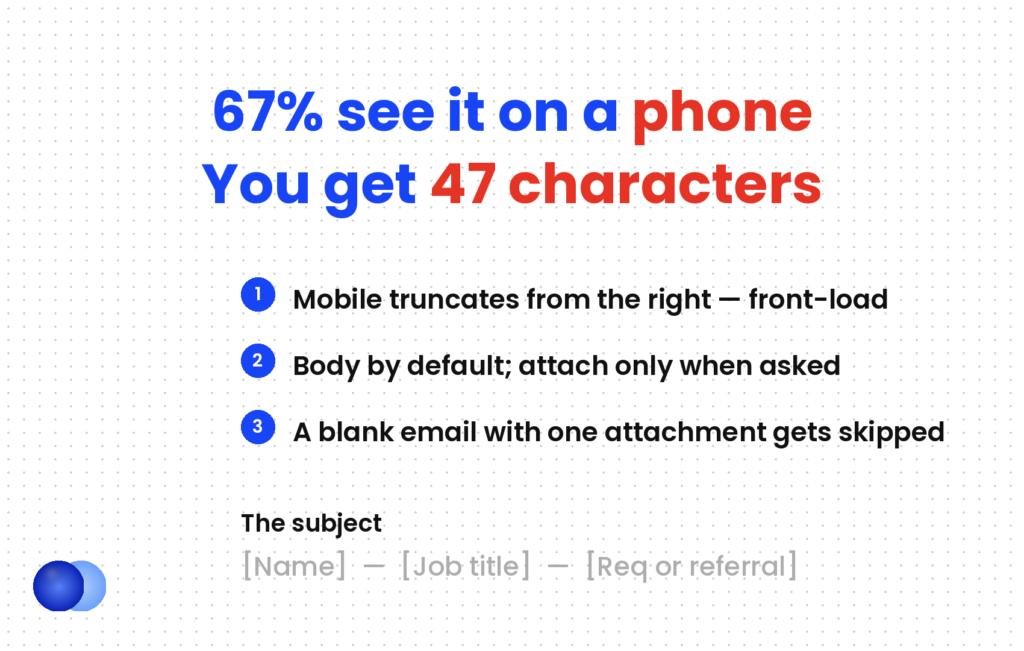
67% of recruiters first encounter application emails on a mobile device, according to LinkedIn Talent Solutions. On a phone, roughly 47 characters of your subject line are visible before it truncates.
That constraint is the reason the rules for an emailed letter differ from an attached one — and most guides conflate the two. Here is what changes.
Should the letter go in the body or as an attachment?
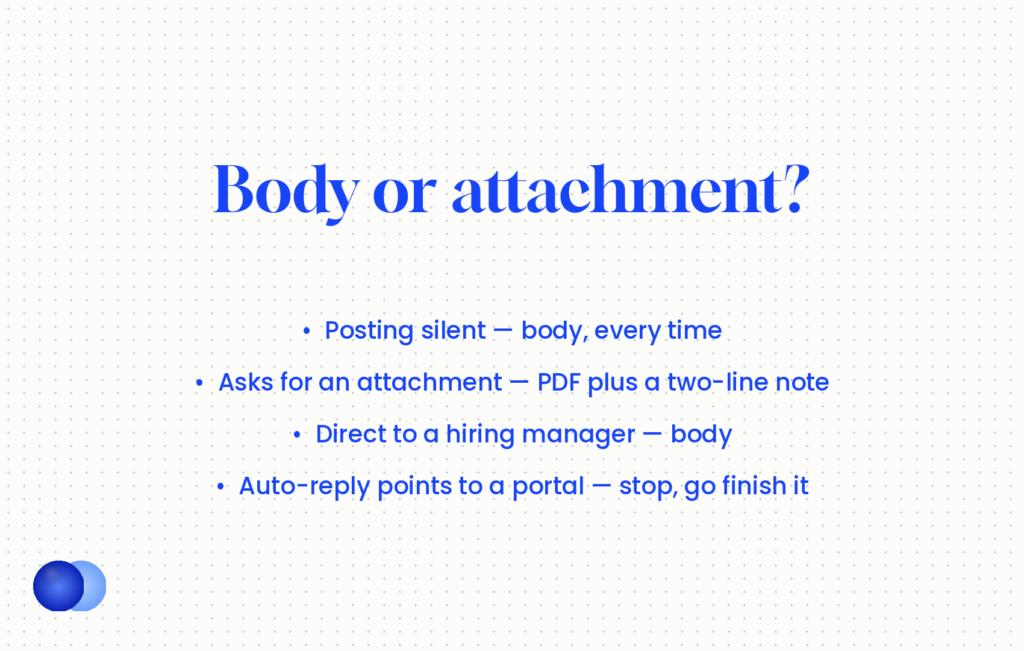
In the body by default. Body copy removes a click and gets read on a phone without a download. Attach a formal PDF only when the posting explicitly asks for a cover letter attachment, and in that case put a two-sentence note in the body as well.
| Situation | What to do |
|---|---|
| Posting says nothing about format | Letter in the body. This is the correct default |
| Posting asks for a "cover letter attachment" | Attach the PDF, plus a two-sentence body note |
| Posting says "attach resume", no mention of a letter | Short body letter, attach the resume only |
| Emailing a hiring manager or referral directly | Body, always |
| ATS portal with an email-style field | Treat it as the body, 150–250 words |
| ATS portal with an "attach cover letter" upload | The formal letter as a file |
Notably, the most common mistake is the one this table exists to prevent: attaching a cover letter and sending a blank email. A recruiter opens your message, sees nothing but a paperclip, and has to decide whether the click is worth it. Many decide it is not.
If instructions are unclear or contradictory, do not invent a requirement. A short body letter and the attachments they actually asked for is always a defensible reading.
What should the subject line say?
Your name, the job title, and a reference number or referral if you have one — front-loaded, under 60 characters total and ideally under 47. Mobile clients truncate from the right, so whatever matters least goes last.
Here is the format that survives truncation:
` Jordan Avelar — Senior Payroll Specialist Jordan Avelar — Payroll Specialist (Req 4471) Senior Marketing Manager — referred by Jane Smith `
Three rules behind those:
Front-load. Truncation cuts from the right, so the job title and your name go first and the reference number last.
Count the characters. Under 47 is safe on almost every phone. Under 60 is the outer limit.
Follow the posting. If it specifies a subject format — a job ID, a particular phrase — use that exactly. An instruction in the posting overrides every convention here.
What to avoid: "Job Application", "Resume", "Following up", "My application". Each is indistinguishable from thirty other emails in the same inbox.
Send yourself a test email first
Send the email to your own address and open it on your phone. You will immediately see three things a desktop preview hides: where the subject line truncates, whether the first paragraph fits on one screen without scrolling, and whether your signature block has collapsed into a wall of text. Thirty seconds, and it catches the failures that matter most for the 67% of recruiters reading on mobile.
How long should an email cover letter be?
150 to 250 words — shorter than the 250 to 400 of an attached letter. People read emails faster than documents, and a wall of text in an inbox triggers the instinct to read it later, which usually means never.
An email cover letter compresses in response to the medium rather than to taste.
Two short paragraphs and a close. That is the whole structure. No header block, no date, no employer address — the email client supplies all of that.
Two to four sentences per paragraph. Dense blocks are harder to read on a phone than on a page, and short paragraphs create the visual breaks that make an email scannable.
One screen, no scrolling. If your reader has to scroll before reaching anything specific, you have written past the format. Short cover letter examples covers how to cut without going vague, which is the risk at this length.
Subject: Sam Rivera — Senior Data Analyst
Hi Priya,
Your posting mentions the warehouse migration slipping twice. I ran that sequence at Wexford in the wrong order, spent six weeks unpicking it, and would start by measuring which reports actually break before touching the schema.
Six years in operations reporting — SQL, Tableau, and a monthly close I took from twelve days to five across four regional teams. My resume is attached with the detail.
I'd welcome a short call about how you're approaching the sequencing. Available any afternoon this week.
Best, Sam Rivera +44 7700 900123 · linkedin.com/in/samrivera
178 words. No header block, no date, no employer address. The subject line runs 34 characters.
What are the mechanics?
Attach clean PDFs with proper file names, send from a professional address, keep formatting plain, and check the attachment is actually there. Strip fancy formatting — coloured text, unusual fonts and background images render unpredictably across clients.
Six things go wrong when sending an email cover letter, and all are preventable:
1. File names. Firstname-Lastname-Resume.pdf, not resume final v3.pdf. Both documents, both named properly.
2. Sender address. Firstname.lastname at a mainstream provider. An address from 2009 is a free signal you can remove.
3. Plain formatting. No coloured text, no unusual fonts, no background images. Email clients render inconsistently, and the safe version looks the same everywhere.
4. A real signature. Name, phone, LinkedIn. Two or three lines, not a marketing block.
5. Check the attachment. Say "my resume is attached", then confirm it is. This failure is common enough to be a cliché and still happens.
6. Match the promise. If your email says "two deployed API projects", the resume must show them. The email is a claim and the attachment has to keep it.
Stop emailing if an auto-reply points you to a Greenhouse or Workday link. Your email alone may not create a candidate record, and finishing the portal flow is what actually registers you as an applicant.
Paste your full attached letter into the body as well. Duplication reads as a mail-merge, and the body version should be the shorter one written for the medium.
What about tone?
Between a formal business letter and a casual message. A letter opening "I am writing to express my keen interest in the esteemed position" reads as stiff in an inbox; one opening "Hey!" reads as unprofessional. Aim for a confident, direct note that sounds like a competent person writing.
An email cover letter sits in a different register, and both failure modes are common.
Too formal. Postal-letter conventions in an email body feel borrowed. Drop the address block, drop "Dear Sir or Madam", and write the way you would to a colleague you respect but do not know.
Too casual. "Hey there!" and exclamation marks belong in a different kind of message. Confidence reads as professional; informality reads as unserious.
The greeting still matters — who to address a cover letter to covers the choice, and it applies identically here. "Hi Priya" is right in an email where "Dear Ms. Rao" would be right in an attachment.
A body cover letter that fits in one screen without scrolling gets read. An attachment that requires a download often does not.
Finally, everything above is about the container. What goes inside it is the same argument as any other cover letter — how to write a cover letter covers the evidence, and the resume it accompanies faces a different reader entirely, which an AI resume checker will tell you about before you send anything.
Frequently asked questions
Should a cover letter go in the email body or as an attachment?
In the body by default. It removes a click and gets read on a phone. Attach a formal PDF only when the posting explicitly asks for a cover letter attachment, and include a two-sentence body note as well.
What is the best subject line for an email cover letter?
Your name and the job title, front-loaded and under 47 characters where possible — "Jordan Avelar — Senior Payroll Specialist". Add a reference number or referral at the end if you have one.
How long should an email cover letter be?
150 to 250 words, shorter than the 250 to 400 of an attached letter. People read emails faster than documents, and a long email triggers the instinct to read it later.
Why does the subject line character count matter?
Because 67% of recruiters first see application emails on a mobile device, where roughly 47 characters are visible before truncation. Mobile clients cut from the right, so front-load.
Do I still need a header and date in an email cover letter?
No. Drop the header block, the date and the employer address — the email client supplies all of that. Start with the greeting.
What should I not do when emailing a cover letter?
Do not send a blank email with only an attachment, do not paste the full attached letter into the body as well, and do not use coloured text or unusual fonts that render unpredictably.
What if I get an auto-reply pointing to an application portal?
Stop emailing and complete the portal flow. Your email alone may not create a candidate record, and the portal is where the requisition and scorecards live.
How formal should an email cover letter be?
Between a business letter and a casual message. "Hi Priya" is right where "Dear Ms. Rao" would be right in an attachment, and postal-letter conventions read as borrowed in an inbox.
Comments