

Summary
A plain text resume is a .txt version of your resume with no fonts, bullets, bold, tables, or columns. You still need one when an online form asks you to paste your resume into a text box, or when an employer wants your resume in the body of an email instead of as an attachment. To make one, save a copy as plain text, replace bullets with asterisks or hyphens, turn headings into capital letters, and proofread the result line by line.
A plain text resume is a stripped-down .txt version of your resume, with no fonts, bullets, bold, tables, or columns. You need one when a job site asks you to paste your resume into a text box, or when an employer wants it in the body of an email rather than as an attachment.
It is not your main resume. It is a backup copy that survives any system without turning into a mess of symbols and broken lines.
This guide covers when a plain text version still matters, how to convert yours in five steps, which keyboard characters replace formatting, and where the often-quoted 65-character line rule actually comes from.
What is a plain text resume?
A plain text resume, also called an ASCII or text-only resume, contains only standard keyboard characters saved in a .txt file. It has no bullets, bold, italics, tables, columns, or graphics. Because there is no formatting to lose, it looks the same when pasted into a web form, an email, or an older ATS.
"ASCII" refers to the basic character set every computer reads: letters, numbers, and keyboard punctuation. A plain text resume uses only those characters.
That means anything decorative disappears. Alberta's government career site, alis, puts the risk plainly: when you submit "through text-based forms on a website, your formatting might be lost." The plain text version is how you control what is left.
Think of it as a third file alongside your designed resume. Your PDF or Word file is for uploads and humans; the .txt file is for text boxes. Our guide on PDF or Word covers when to use the first two.
When do you still need a plain text resume?
You still need a plain text resume in three situations: an online application that asks you to paste your resume into a text field, an employer who asks for no attachments so the resume goes in the email body, and older or custom applicant tracking systems that strip formatting. Most modern uploads accept PDF or Word.
Most applications today accept an uploaded file. Still, three cases come up often enough to keep a .txt copy ready.
1. Paste fields in online forms. Many company career sites offer a "paste resume" or "enter manually" box next to the upload button. Some smaller or government systems offer only the box. Seattle Central College's career center names copying and pasting into online application forms as a core use.
2. Email bodies with no attachments. Some employers and recruiters don't open attachments. Seattle Central lists this case too: when "the employer does not want you to send an attachment." Then the resume goes below your message. See our guide to the email to send a resume for the message itself.
3. Systems that strip formatting. Applicant tracking systems are nearly universal at large employers; Jobscan's 2025 report found that 98.4% of Fortune 500 companies use one. Most parse PDF and Word well, but older or custom setups may reduce your file to raw text. Oklahoma State University's ATS guide lists plain text (.txt) as one safe submission option. To see what happens to your file after upload, read how ATS works.
| Situation | What to send | Plain text needed? |
|---|---|---|
| Upload button accepts PDF or .docx | Your formatted resume | No |
| Form has only a paste box | Plain text resume | Yes |
| Form has upload and paste box | Upload the file; paste text only if required | Sometimes |
| Employer says "no attachments" | Plain text in the email body | Yes |
| Job fair or interview | Printed formatted resume | No |
How do you convert a resume to plain text?
Save a copy of your resume as a .txt file, reopen it in a text editor, and fix what broke. Replace lost bullets with asterisks or hyphens, turn headings into capital letters, move column content into single lines, and spell out links. Finally, paste it into an email to yourself to check how it displays.
Work from a finished, proofread resume. Then follow these five steps.
Step 1: Save a copy as plain text. In Word, choose File > Save As and pick "Plain Text (.txt)" as the file type. In Google Docs, choose File > Download > Plain text (.txt). On a Mac, paste into TextEdit and choose Format > Make Plain Text. Seattle Central advises giving the file a new name so you don't overwrite your formatted version.
Step 2: Open it in a plain text editor. Use Notepad on Windows or TextEdit in plain text mode on a Mac. This shows you exactly what an employer's form will receive.
Step 3: Fix the damage. Oklahoma State's guide says to "review the file to make sure there are no glitches or odd translations of special characters." Look for question marks or boxes where bullets, smart quotes, and dashes used to be.
Step 4: Rebuild structure with keyboard characters. Turn section headings into capitals, swap bullets for asterisks or hyphens, and add a blank line between sections. Use the space bar for any indent; Seattle Central says "Don't use the tab at all."
Step 5: Test it. Paste the text into an email to yourself and into a blank web form if you can. Check that every line reads in the right order and nothing from a column ended up in the wrong place.
Convert the targeted version, not the master
Make your plain text copy from the version you tailored for that job, not from your long master resume. A paste box gets the same keyword screening as an upload, so it should carry the same targeted resume wording.
What replaces bullets and bold in a plain text resume?
In a plain text resume, asterisks or hyphens replace bullets, capital letters replace bold headings, rows of equals signs or hyphens replace divider lines, and spaces replace tabs. Straight quotes replace curly ones, two hyphens replace an em dash, and full URLs replace hyperlinked text. Everything else stays as ordinary words.
The career centers agree on the core swaps. Seattle Central recommends asterisks or dashes for bullets and capitals for headers. alis says to use asterisks rather than bullets and align text to the left margin. Resumes For Dummies, via Dummies.com, adds plus signs as a bullet option and capital letters in place of boldface.
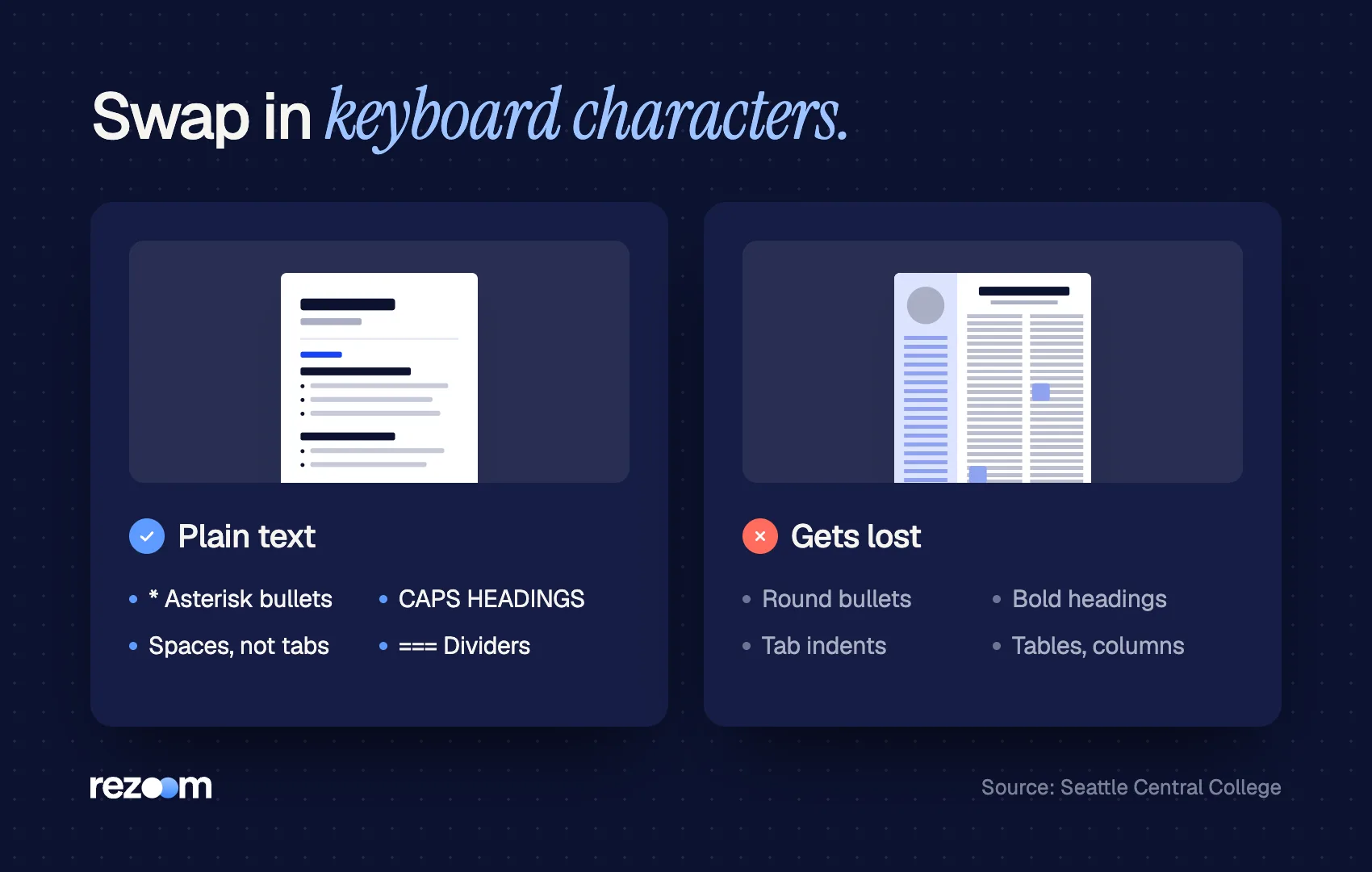
| Formatted element | Plain text substitute |
|---|---|
| Round bullet (•) | Asterisk (*) or hyphen (-) |
| Bold section heading | ALL CAPS heading |
| Horizontal divider line | Row of = or – characters |
| Tab indent | Two or three spaces |
| Curly quotes and apostrophes | Straight quotes (" and ') |
| Em dash (—) | Two hyphens (–) |
| Two-column skills table | One comma-separated line |
| Hyperlinked text | Full URL written out |
PROFESSIONAL EXPERIENCE ==============================
SENIOR ACCOUNTANT Ridgeline Logistics, Denver, CO | 2021 -- Present
Closed monthly books 3 days faster by automating 14 reconciliations Managed $2.4M in accounts payable across 6 regional offices * Trained 4 new staff accountants on NetSuite workflows
SKILLS ------------------------------ NetSuite, Excel (pivot tables, XLOOKUP), GAAP, accounts payable, month-end close, audit preparation
Start every line at the left margin do: Use ALL CAPS for section headings only do: Write out links in full, such as linkedin.com/in/samcarter do: Keep one blank line between sections
Use tabs, tables, or text boxes dont: Leave curly quotes or em dashes from a word processor dont: Put contact details in a header or footer dont: Write whole bullets in capitals
Should you limit a plain text resume to 65 characters per line?
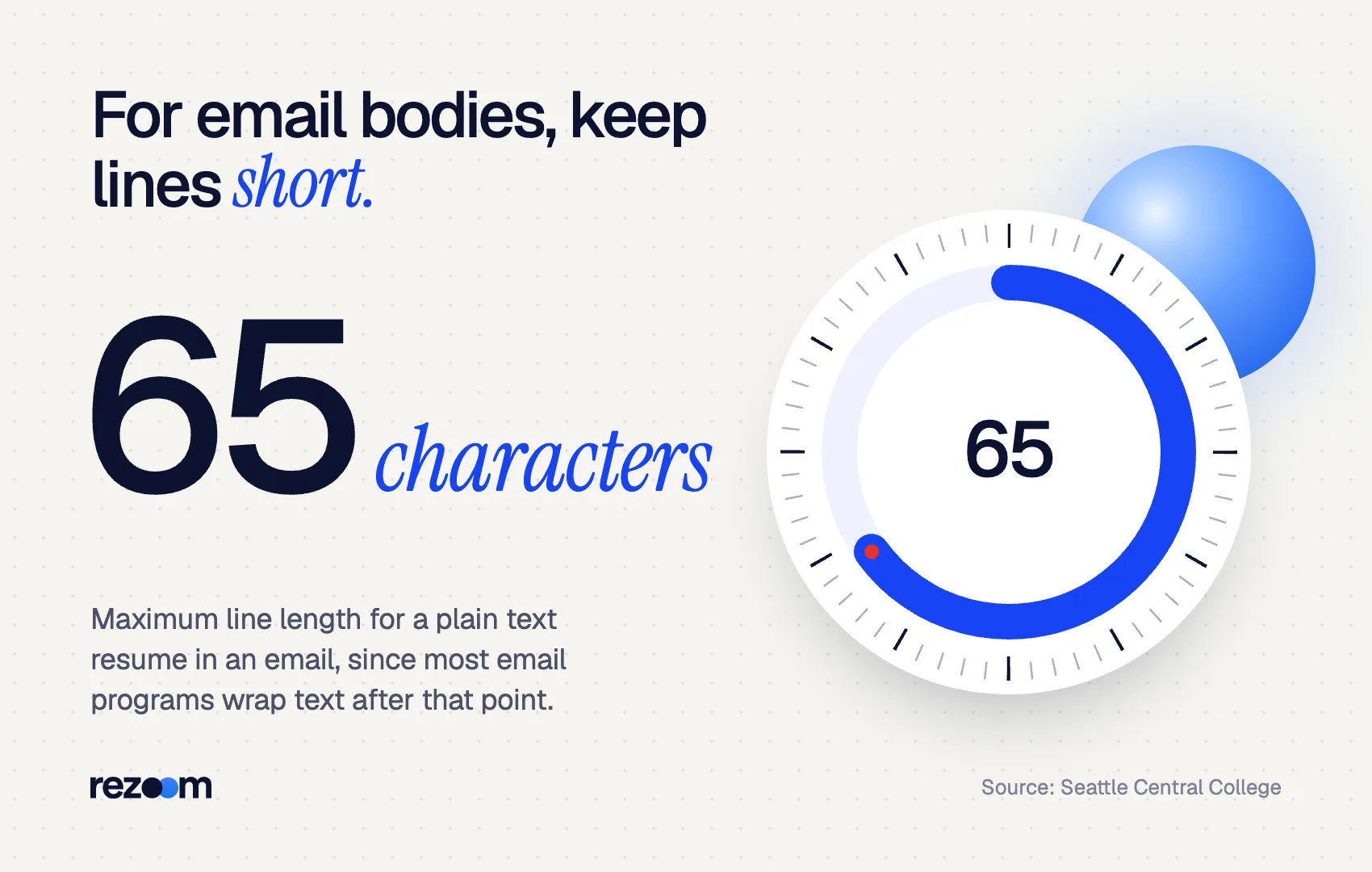
Only when the plain text resume goes into an email body. Career sources recommend about 65 characters per line because many email programs wrap text after that point, which can break your layout. For web-form paste boxes, the form wraps lines itself, so hard line breaks every 65 characters are not necessary.
The 65-character rule is real, but it was written for email. Seattle Central's guide says to "limit each line in your e-resume to 65 characters, since most e-mail programs wrap text around after that point." It suggests a 12-point font with 1.4-inch left and right margins to get there.
Resumes For Dummies gives the same number: set the right margin at 6.5 inches and end each line after 65 characters with the Enter key.
Use this decision rule:
- Pasting into an email body: keep lines at 65 characters or fewer, with hard returns.
- Pasting into a web form: let lines run and use a hard return only at the end of each bullet or paragraph. Fixed breaks can leave odd half-lines in a wide text box.
SAM CARTER Denver, CO | (555) 123-4567 | [email protected] linkedin.com/in/samcarter
SUMMARY Senior accountant with 7 years of experience in month-end close, accounts payable, and NetSuite. Cut close time by 3 days through reconciliation automation.
How do you check a plain text resume before you send it?
Before you send a plain text resume, open it in a text editor and look for stray symbols, check that contact details sit at the top, confirm every heading is in capitals, and send a test email to yourself. Then compare it line by line with your formatted resume to make sure nothing disappeared.
Run this quick check every time you paste:
- Symbols: no question marks, boxes, or "â€" strings where punctuation used to be.
- Contact block: name, phone, email, city, and LinkedIn URL in the first four lines.
- Order: columns and sidebars now appear as single lines in the right section.
- Keywords: the same job-ad terms as your formatted version.
- Length: nothing cut off by a character limit in the form field.
If the form shows a preview, read it before submitting. And when you save the .txt file, name it the same way as your main resume; our resume file name guide shows the pattern. To check that your formatted version also parses cleanly, run it through the Rezoom ATS resume checker.
Frequently asked questions
Is a plain text resume the same as an ASCII resume?
Yes. ASCII resume, text-only resume, and plain text resume all describe a .txt file using only standard keyboard characters, with no formatting.
Do employers still ask for plain text resumes?
Some do, mainly through paste-only application forms and employers who don't accept email attachments. Most online applications accept PDF or Word uploads.
Can I upload a .txt file instead of a PDF?
You can if the system accepts it, but a well-formatted PDF or Word file reads better for the human reviewer. Use .txt when the employer asks for it or the form offers only a paste box.
Should a plain text resume be one page?
Page length doesn't apply to text, since there are no pages. Keep the same content as your formatted resume, trimmed only if the form has a character limit.
How do I show bullet points in a plain text resume?
Use an asterisk or a hyphen followed by a space at the start of each line. *Resumes For Dummies* also suggests plus signs.
Should I attach a plain text resume to an email?
No. When an employer wants plain text, paste it into the body of the email below a short message. Attach your formatted file only if they allow attachments.



Comments