

Summary
You can make a complete, professional resume on your phone with Google Docs, Microsoft Word, Apple Pages or an AI resume builder. Start from a simple one-column template, write one section per session, and export the finished file as a PDF. Save the PDF to Files or Google Drive so you can attach it to job applications straight from your phone. Check the PDF on screen before you send it.
You can make a resume on your phone in under an hour: pick one app, start from a one-column template, fill in one section at a time, then export a PDF and save it where your browser can find it. Google Docs, Microsoft Word and Apple Pages all work on iPhone, and Docs and Word work on Android.
That matters because phones are now the main job-search device for many people. Pew Research Center reports that 91% of U.S. adults own a smartphone and 16% rely on it for internet access with no home broadband.
This guide covers which app to choose, the exact export steps for iPhone and Android, how to attach the file to an application, and the formatting mistakes that only show up on a small screen.
Can you make a good resume on your phone?
Yes. A phone has everything a resume needs: a word processor, templates, PDF export and a file picker for uploads. The limits are typing speed and screen size, not quality. Write in short sessions, use a plain one-column layout, and check the exported PDF before sending it.
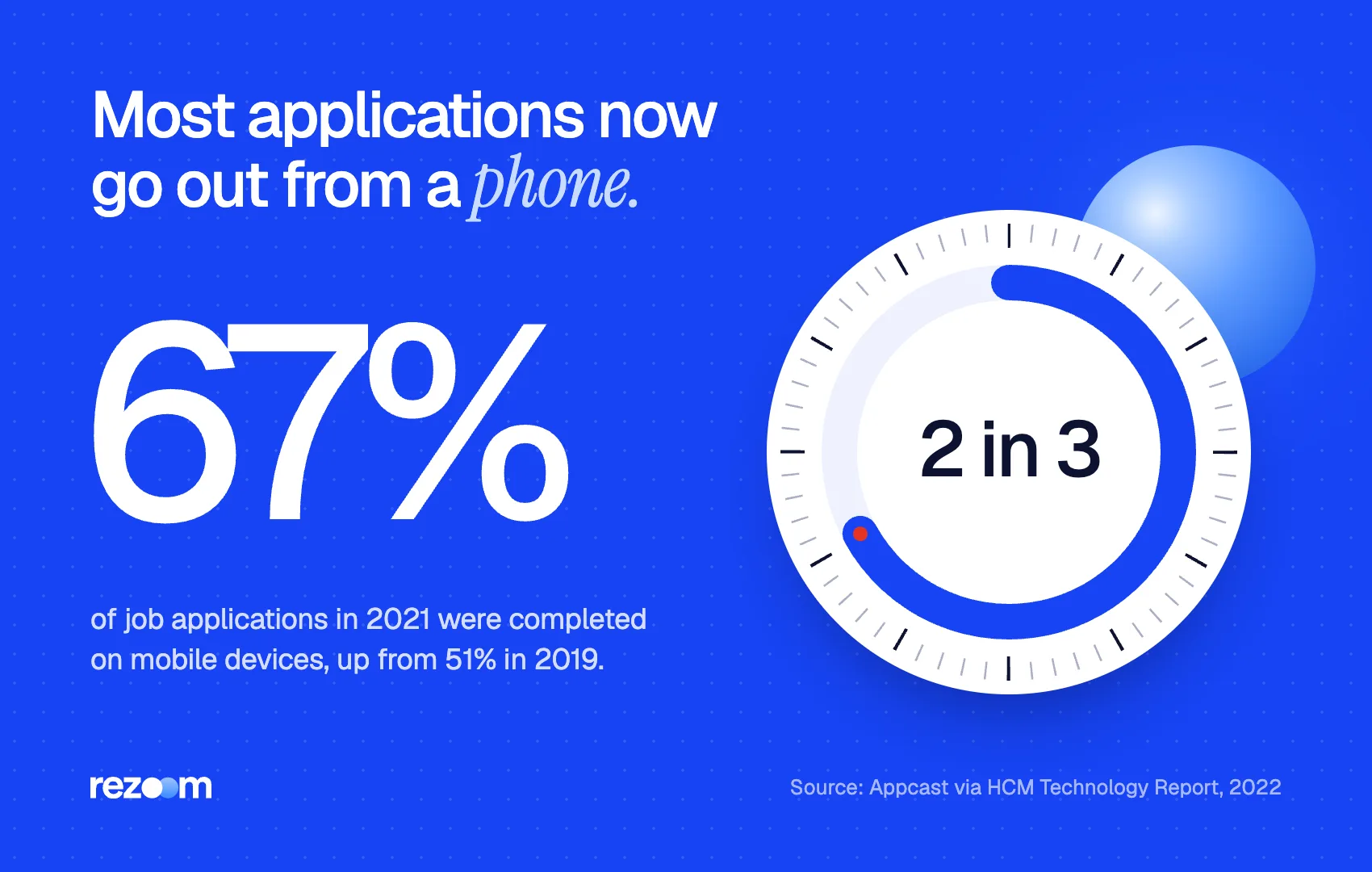
Applying from a phone is already normal. Appcast data reported by HCM Technology Report found that 67% of job applications in 2021 were completed on mobile devices, up from 51% in 2019. In gig work the share reached 86%, and in hospitality and warehousing it was 77%.
Making the document itself is the harder part. Pew found that 38% of smartphone job seekers had trouble entering a large amount of text, and 37% had trouble submitting files. Both problems have simple fixes, covered below.
So two in three applications already go out from a phone. A resume on your phone is not a compromise, as long as the file you send is clean.
Which app should you use to make a resume on your phone?
Use Google Docs if your files live in Google Drive, Microsoft Word if employers or schools send you Word files, and Apple Pages only for iPhone-to-iPhone work. If typing is the bottleneck, an AI resume builder drafts the bullets for you, so you edit instead of type. All four export PDFs.
Pick the app based on where your files live and how much you want to type. Every option below is free to start.
| App | iPhone | Android | PDF export path | Best for |
|---|---|---|---|---|
| Google Docs | Yes | Yes | Share & export, then Send a copy as PDF | Files you also edit on a laptop |
| Microsoft Word | Yes | Yes | File, Print, Save as PDF | Matching Word templates from school or work |
| Apple Pages | Yes | No | More, Export and Send, PDF | Quick iPhone-only edits |
| AI resume builder | Yes (browser) | Yes (browser) | Download as PDF | Drafting fast with less typing |
A plain template matters more than the app. Start from a simple layout like our Google Docs resume template or Word resume template. Fancy columns, icons and text boxes break easily when you edit with a thumb.
For a deeper walkthrough of each desktop-class app, see our sibling guides on how to make a resume in Google Docs and how to make a resume in Word.
How to make a resume on your phone, step by step
Gather your dates and details first, then open a one-column template and replace the sample text section by section: contact line, summary, experience, education, skills. Write three to five bullets per job with a number in each. Finish by exporting a PDF and reading it on screen.
Typing a full resume in one sitting is what makes phone resumes painful. Split it into four short sessions instead.
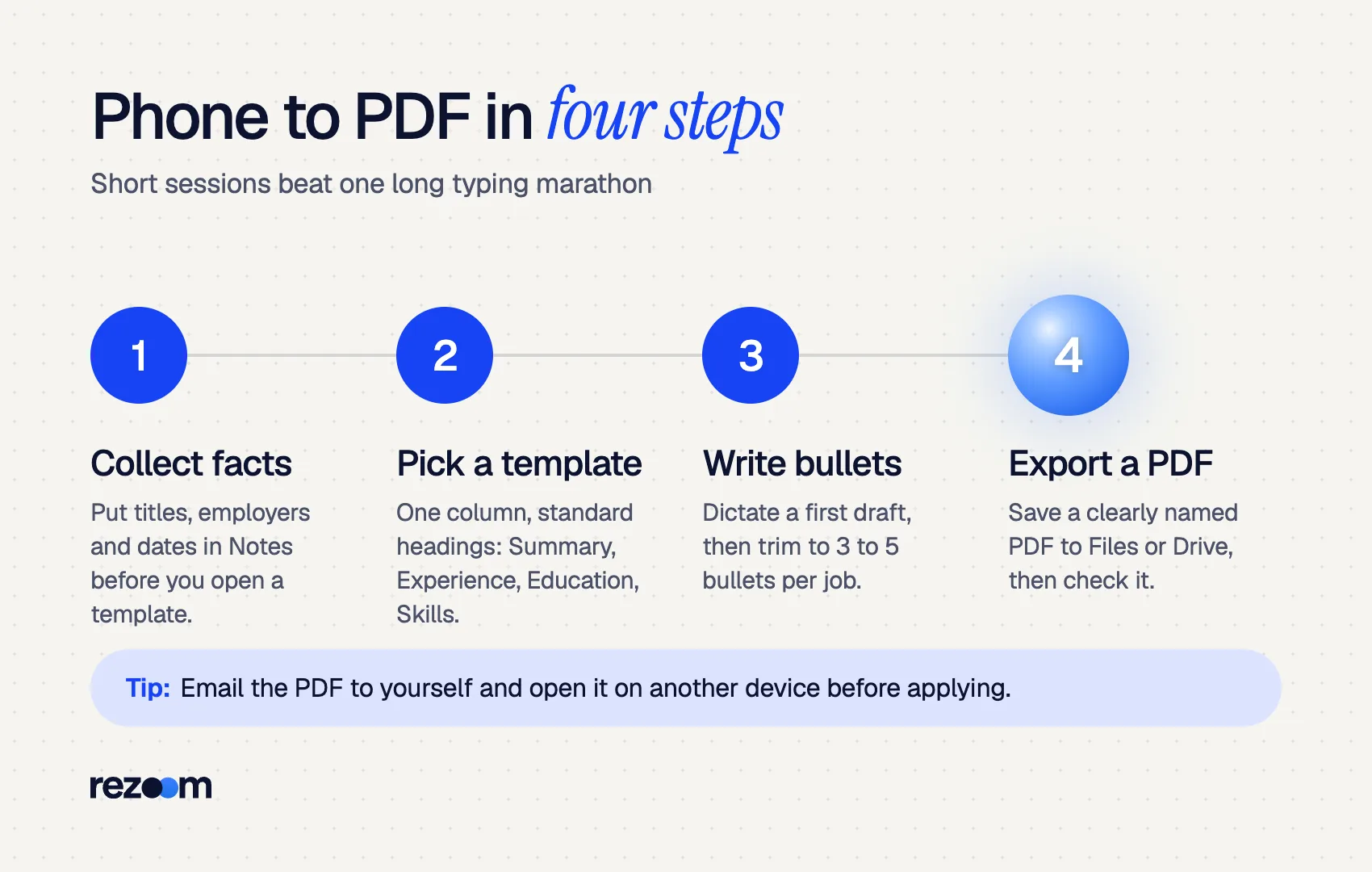
- Collect your facts. Put job titles, employers, cities and month-and-year dates in your Notes app first. Copying from notes is faster than recalling while formatting.
- Pick a template and fill the top. Choose a one-column layout with standard headings: Summary, Experience, Education, Skills. Add your name, city and state, phone, email and a LinkedIn link. Skip a full street address.
- Write bullets. Use dictation for the first draft, then fix words by hand. Aim for three to five bullets per job; our guide on how many bullet points per job explains the trade-offs. Add education and skills in the same session.
- Export a PDF. Save it with a clear file name and check it before you apply anywhere.
Jordan Lee
Phoenix, AZ | (602) 555-0148 | [email protected] | linkedin.com/in/jordanlee
Short, specific bullets also read better on the recruiter's side. Most will open your file on a laptop, but some will glance at it on their own phone first.
Shift Supervisor | Desert Sun Coffee | Phoenix, AZ | Mar 2023 – Present
- Led a team of 6 baristas across morning shifts serving 400+ customers a day
- Cut average drive-through wait from 4 minutes to under 3 by reorganizing stations
- Trained 9 new hires on POS, food safety and opening procedures
If you are writing your first resume, our guide on how to make a resume for your first job shows what to include when you have little work history.
How do you save a resume on your phone as a PDF?
On iPhone, Pages uses More, then Export and Send, then PDF; Word and Docs use their share or print menus. On Android, Word uses File, Print, Save as PDF, and Google Docs sends a copy as PDF. Save the file to Files or Google Drive with a clear name like Jordan-Lee-Resume.pdf.
A PDF keeps your layout fixed on every device. Our guide on whether to send a resume as PDF or Word covers the rare cases where a posting asks for .docx instead.
On iPhone:
- Pages: Apple's guide says to tap the More button, choose Export and Send, then PDF, and pick where to send or save it.
- Word: Use the File menu, then Export or Print, and choose PDF.
- Google Docs: Tap the three-dot menu, then Share & export, then Send a copy, and choose PDF. Save it to Files.
On Android:
- Word: Microsoft's instructions are to open the File menu, tap Print, then Save as PDF, choose a location and tap Save.
- Google Docs: Tap the three-dot menu, then Share & export, then Send a copy as PDF. Google's help also lists a Download option in the same menu for saving a copy to your phone.
Name the file for the recruiter, not for you
Rename the PDF to First-Last-Resume.pdf before you save it. "Resume final v3 (2).pdf" lands in a recruiter's downloads folder next to dozens of others. A clean name also makes the file easy to find in your phone's file picker when an application form asks for it.
How do you attach a resume on your phone to a job application?
Tap the upload button on the application, and your phone opens its file picker. On iPhone choose Browse in Files; on Android choose Files or Drive. Select the PDF you saved earlier. For email applications, attach the PDF in your mail app and write a short message in the body.
Pew found that 37% of smartphone job seekers had problems submitting files or documents. Nearly all of these come from saving the file somewhere the browser cannot reach.
Fix it once with this habit:
- iPhone: Save the PDF to "On My iPhone" or iCloud Drive in the Files app. Upload pickers on job sites show both.
- Android: Save it to Downloads or Google Drive. Both appear when a site asks you to choose a file.
- Job board profiles: Upload the PDF once to your profile so mobile "easy apply" buttons can reuse it. Our guide on how to upload a resume to LinkedIn shows the steps there.
- Email: Attach the PDF and keep the message to three or four lines. See our template for an email to send a resume.
After you apply, check the preview if the form shows one. Some systems parse your PDF into fields; if the fields look scrambled, your layout is too complex.
What mistakes ruin a resume on your phone?
The usual problems are invisible on a small screen: text boxes that break in the PDF, tiny fonts, typos from autocorrect, broken links and leftover template text. Zoom the exported PDF to full page, read it line by line, and send it to yourself before sending it to an employer.
Small screens hide layout errors you would spot on a laptop. Autocorrect also changes names, company titles and tool names without asking.
Use a one-column template with standard section headings do: Turn off autocorrect suggestions while typing proper nouns, or check each one do: Zoom out to see the full page before exporting do: Email the PDF to yourself and open it on another device
Use text boxes, icons or multi-column layouts you cannot see fully on screen dont: Send a screenshot or photo of your resume instead of a PDF dont: Leave placeholder text like "Company Name" from the template
Format choices still matter for software. A simple layout reads cleanly in applicant tracking systems; see our ATS-friendly resume template and the notes on two-column resumes and ATS. Keep the font at a readable size as well; our guide to resume font size gives exact numbers.
Is an AI resume builder faster than typing a resume on your phone?
Usually, yes. Typing is the slowest part of making a resume on a phone. An AI resume builder asks for your job titles and a few facts, drafts the bullets, and lets you edit in the browser. You still check every line for accuracy before downloading the PDF.
Pew found that 23% of smartphone job seekers had already used their phone to create a resume or cover letter, back when phone editors were far weaker. Today the bottleneck is still text entry, not the tools.
The Rezoom AI resume builder runs in your phone's browser. You add your roles, it drafts bullets matched to the job you want, and you download a clean PDF ready to attach. Edit anything that is not exactly true, and add real numbers where the draft is general.

Frequently asked questions
Can I make a resume on my phone for free?
Yes. Google Docs, Microsoft Word and Apple Pages all let you create and export a resume as a PDF at no cost. You only need a free Google, Microsoft or Apple account.
What is the best free app to make a resume on Android?
Google Docs is the simplest choice on Android because it saves to Google Drive automatically and exports PDFs. Microsoft Word works well too if you prefer Word templates.
How do I make a resume on my iPhone without Pages?
Install Google Docs or Microsoft Word from the App Store, start from a resume template, and export a PDF to the Files app. A browser-based resume builder also works without installing anything.
Should I send my resume as a PDF from my phone?
Yes, unless the posting asks for a Word file. A PDF keeps your layout identical on every device and cannot be changed by accident.
Why does my resume look different after I upload it from my phone?
The site may be parsing your PDF into form fields. Tables, text boxes and columns often parse badly, so a plain one-column layout gives the cleanest result.
Can I edit a resume on my phone that I made on a computer?
Yes, if it is saved in Google Drive, OneDrive or iCloud. Open it in the matching app, make the edit, and export a fresh PDF.



Comments