

Summary
Google Docs ships five resume templates in its gallery: Swiss, Serif, Coral, Spearmint and Modern Writer. Four use a single column; Serif splits the body into two columns and needs converting before you apply. The larger risk sits after the design choice: fonts that Word does not recognise, a contact block in the page header, and a share link a recruiter cannot open. Export a text-based PDF or .docx and attach the file, never the link.
A Google Docs resume template costs nothing, lives in a browser, and takes about ten minutes to fill in. Google ships five, and most guides list them, add thirty third-party designs, and stop.
The five built-ins deserve a closer look than that, because they are not equal. Four use a single column and one does not. The odd one out, Serif, looks the most polished in the gallery thumbnail, which is exactly why people pick it.
The bigger problem sits after the design choice. Google Docs has three mechanics that quietly damage a finished resume: a font that changes when the file opens in Word, contact details placed in the page header, and a share link sent in place of a file. This guide covers the ten options worth using and the export steps that keep each one intact.
Which Google Docs resume template options does Google actually ship?
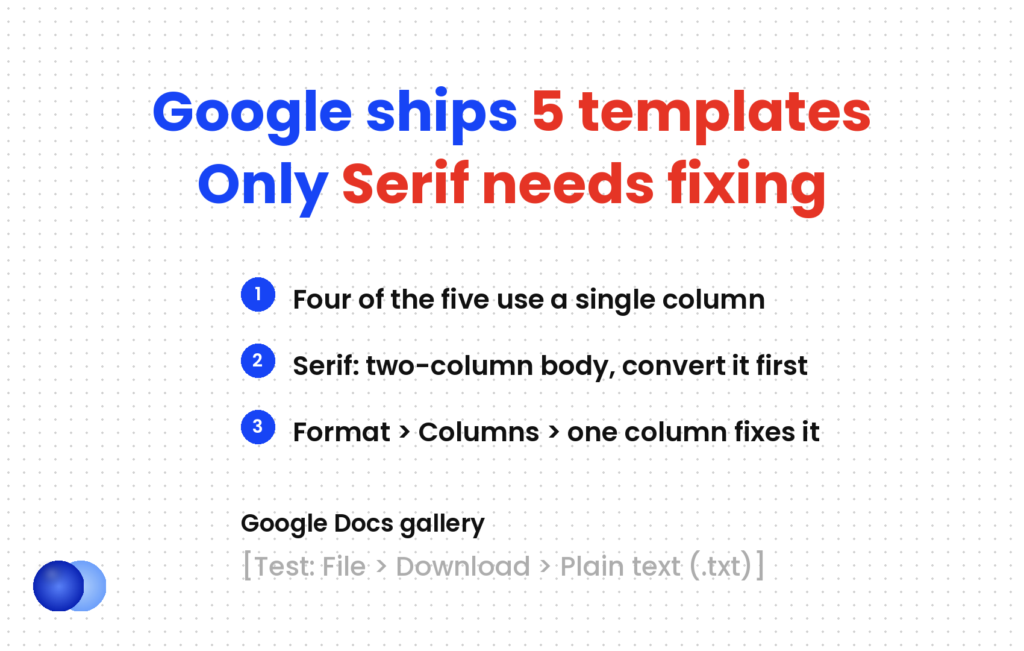
Five, in the Template gallery under Resumes: Swiss, Serif, Coral, Spearmint and Modern Writer. Swiss, Coral, Spearmint and Modern Writer use a single column. Serif splits its body into two columns, which risks interleaved text when a parser reads it. Convert Serif before you apply.
Open Google Docs, choose Template gallery at the top of the home screen, and scroll to the Resumes row. Every template there is free, with no watermark.
| Template | Layout | Parsing verdict | Watch for |
|---|---|---|---|
| Swiss | Single column, line dividers, orange accent | Safe as shipped | Short descriptions; swap them for bullets |
| Spearmint | Single column, bold green headings | Safe as shipped | Plain design, so content carries it |
| Coral | Single column, coral accents | Safe as shipped | Decorative fonts; check them after export |
| Modern Writer | Single column, Source Code font, pink accents | Safe once checked | Monospace font reads as informal in some fields |
| Serif | Two-column body, blue accents | Convert first | Sidebar text can merge into the main column |
The verdicts follow one rule. Single column parses; two columns scramble extraction in every file format. Vendor tests keep landing on the same split: Mirrai's analysis cites a BeamJobs sample of 200 resumes in which single-column layouts parsed correctly 93% of the time against 86% for two-column ones. Treat that as one small sample, but the direction matches what every parser test shows, and the ATS parsing mechanics explain why: a parser reads text in stream order, and a sidebar interrupts the stream.
Rezi's review describes Modern Writer as using "Source Code font". Accent colour, font family and heading weight are text formatting, and a parser ignores all three.
Is a Google Docs resume template ATS-friendly?
Four of the five are, as shipped, provided you type into the template rather than rebuild its structure. Serif needs one change. The larger variable is not the template but what you add to it: a photo, a text box, a table for skills, or contact details moved into the header.
A Google Docs resume template exports as real text, not as an image, so a parser can read every word. That puts it ahead of a résumé designed in Canva or a graphics tool and exported as a flattened picture. Image-based PDFs fail completely; text-based PDFs parse fine. Google Docs produces the second kind.
The failures people blame on the template usually come from edits:
Skills in a table. A three-column grid of skills looks tidy and reads in the wrong order. Use a single line separated by commas or vertical bars.
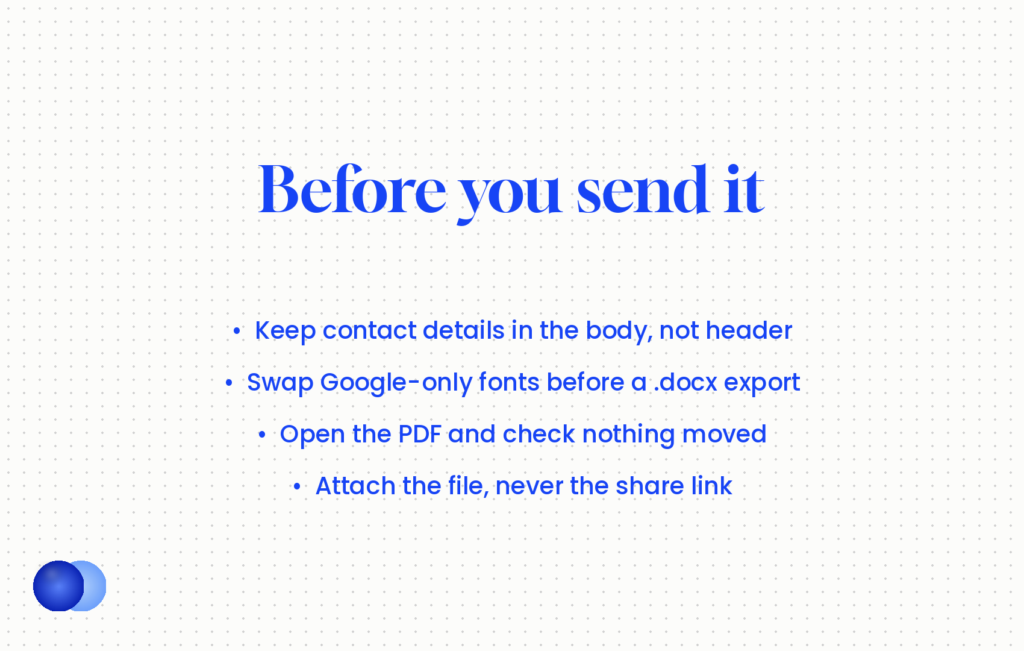
Contact details in the header. Resume Optimizer Pro warns that "a parser that skips headers captures a resume with no name, no email, and no phone number." Google Docs makes this mistake easy, because double-clicking the top of the page opens the header area. Check that your name, email and phone sit in the body.
Text boxes and drawings. Insert → Drawing creates an embedded image. Anything you type inside it disappears for a parser.
Year-only dates. Write Mar 2021 – Jun 2024, not 2021–2024. Year-only ranges fail on at least three of eight major parsers.
Parsing errors cost you fields, not a secret auto-rejection.
How do you fix the Serif template?
Click inside the two-column section, open Format, then Columns, and choose the single-column preset. Then move the sidebar content, usually skills and awards, into the main flow below your experience. Check the result with a plain-text export before you apply.
Resume Optimizer Pro's fix is three clicks: "select the two-column region, open Format → Columns, and choose the single-column option." The sidebar text drops into the main column; drag skills below experience.
If Format → Columns shows one column already and the page still looks split, the layout comes from a table. Open Format → Table → Table properties to confirm, then copy the text out, delete the table and paste the text back as plain paragraphs.
Test any template with a .txt export
Google Docs can export a plain-text copy: File → Download → Plain text (.txt). Open that file and read it top to bottom. It strips formatting in roughly the way a parser does, so if your job titles sit beside the wrong dates, or your skills appear in the middle of a bullet, a parser will likely see the same mess. The test takes thirty seconds and catches columns and tables before any employer does.
What are the other five free Google Docs resume template options?
Five layouts you build from a blank document in about twenty minutes: Classic Chronological, Hybrid Skills-First, Compact One-Page, Technical and Graduate. Each is single column, uses built-in heading styles, and exports cleanly. They cost nothing and avoid the look of a gallery template that thousands of other applicants share.
Mirrai points out that millions of people use the same five built-ins. A blank document with Google's heading styles avoids the familiar look. Here are five structures, each a free Google Docs resume template in all but name.
Options 6 to 8: the general-purpose layouts
6. Classic Chronological. Name and contact line, a two-line summary, Experience in reverse order, Education, Skills. Use Heading 1 for your name and Heading 2 for section titles. Best for a steady history in one field.
7. Hybrid Skills-First. A short skills section of four to six named capabilities, each with one proof line, followed by a normal dated work history. This suits career changers and anyone returning after a break. Choose it over a functional layout every time: functional resumes parse at 70–85% and recruiters read them as concealment, a trap covered in resume format types.
8. Compact One-Page. The Classic layout at 11pt body text with 0.75-inch margins and 4pt spacing after paragraphs. Set margins in File → Page setup. If it still runs over, cut a bullet rather than drop to 9pt; the floor is 10pt and 0.5-inch margins, and resume margins explains why shrinking backfires.
Options 9 and 10: the specialised layouts
9. Technical. Classic structure plus a Projects section above Education, with the tools named in each bullet. Keep a single skills line grouped by type ("Languages: Python, SQL, Go"). Skip skill bars and star ratings; Docs renders them as drawings.
10. Graduate. Education first, then projects, internships and part-time work, then skills. One page suits this audience, which does not contradict the two-page preference for experienced candidates.
For each of these, aim for under 600 words. TalentWorks found resumes above that length drew 43% fewer hires across 6,000 applications. If you have a longer career, two pages is fine, but page one must stand alone.
As shipped: Priya's resume uses Serif with Skills and Languages in the right-hand column. Her plain-text export reads "Senior Analyst, Northwind Ltd Python, SQL, Tableau Mar 2021 – Jun 2024 Led the monthly forecast…", with the skills stuck inside her job title line.
Converted: She applies Format → Columns → one column, moves Skills below Experience and re-exports. The .txt now reads "Senior Analyst, Northwind Ltd · Mar 2021 – Jun 2024", then her bullets, then "Skills: Python, SQL, Tableau". Same fonts, same blue accents, same page count, and every field lands where a parser expects it.
Should you download a Google Docs resume as PDF or Word?
Either works if the content is single column and text-based, so follow the posting first. File type is the small variable; layout is the large one. Download .docx when a portal asks for Word, and PDF when you email a person or the posting allows it. Check fonts in both.
Google Docs offers both under File → Download. Its PDF contains real, selectable text; highlight a line in any viewer to confirm. The PDF or Word question has its own full article; for Google Docs specifically, three mechanics matter.
Fonts travel with the PDF, not with the .docx. A PDF carries its fonts inside the file. A .docx only names them, and the reader's copy of Word substitutes anything it lacks. On a Microsoft support thread about Google Drive downloads, one answer notes the download "should preserve the format of your file except you are using a font not recognised by Word." Several gallery templates use Google Fonts that most Windows machines do not have, so line breaks shift and a one-page resume can spill onto two.
Safe font choice solves it. If a portal wants .docx, switch the whole document to Arial, Calibri, Georgia or Cambria before downloading. Font family does not affect parsing; it affects what the human sees after Word swaps it.
Check the PDF for drift. Mirrai reports that PDF export can shift margins and change bullet styles, and suggests File → Print → Save as PDF as an alternative route. Whichever route you use, open the exported file and compare it page by page with the document.
If you also keep a Word version, the sibling guide to the Word resume template covers styles and compatibility on that side.
Rename the downloaded file to something like Priya-Shah-Resume.pdf, since Google Docs names it after the document title and it will sit in a recruiter's downloads folder beside dozens of others.
Download a .docx that still uses a Google-only font and assume the recruiter sees what you saw in the browser.
Why should you never send a Google Docs resume template as a link?
Because the recipient often cannot open it, an ATS cannot parse it, and a live document can change after you send it. Google Drive sharing defaults to Restricted, so most links land on a request-access screen. Always attach an exported PDF or .docx instead.
Permissions. Google's sharing help page describes the Restricted setting plainly: "Only people with access can open the file." Unless you switch General access to "Anyone with the link", a recruiter clicks and meets a request-access screen. Mantras2Success notes that recruiters rarely ask for access; they move to the next candidate.
Parsing. An application portal stores files, not URLs. Paste a link into a cover letter field and no parser will ever fetch the document behind it.
Firewalls and filters. Mantras2Success adds that company firewalls may block external document sites, and an unfamiliar link can look like phishing.
A live document keeps changing. If you edit the source for your next application, the link now shows a different resume from the one the first employer assessed. With "Anyone with the link" switched on, your phone number and email also sit in a publicly reachable file.
You sometimes don't give permissions to download the resume, and recruiters typically won't request access.
The fix is simple. Export, attach, and keep a copy of the exact file you sent, dated, in a folder per application.
What can a Google Docs resume template not do?
It cannot tailor your content to a posting, tell you which keywords a role needs, or check whether a portal parsed it correctly. It handles layout well and costs nothing. Everything that decides a callback still depends on what you write in it.
What a template cannot supply is tailoring. Conversion runs at 2–3% for generic applications against 7–9% for tailored ones, and the gap comes from content matched to each posting, not from design. If rewriting bullets per application in Docs grows tedious, the Rezoom resume builder keeps a single-column, parser-safe layout fixed while you adjust the wording. For a wider comparison of layouts across tools, the free resume templates hub collects the options that pass the same tests.
The honest limit: no Google Docs resume template, however clean, fixes weak evidence. It makes good content readable. It cannot make thin content persuasive.
Frequently asked questions
Does Google Docs have free resume templates?
Yes. The Template gallery includes five under Resumes: Swiss, Serif, Coral, Spearmint and Modern Writer, all free with a Google account.
Which Google Docs resume template is best for ATS?
Swiss and Spearmint are the safest as shipped, because both use a single column with standard headings. Serif needs converting to a single column first.
Is the Serif template bad?
Not as a design, but its two-column body can merge sidebar text into your experience when a parser reads it. Format → Columns → one column fixes it in under a minute.
Should I put my contact details in the header?
No. Some parsers skip headers and footers entirely, which can leave your application with no name or email attached. Keep contact details in the first lines of the body.
Should I download my Google Docs resume as PDF or Word?
Follow the posting first. Otherwise either works for a single-column, text-based resume. If you choose .docx, switch to a common font such as Arial or Calibri so Word does not substitute it.
Can I send my resume as a Google Docs link?
Avoid it. Default sharing blocks the recipient and portals cannot parse a link. Attach an exported file instead.
How do I check that my Google Docs resume will parse?
Use File → Download → Plain text (.txt) and read the result. If headings, dates and job titles appear in a sensible order, a parser will most likely read them the same way.
Can I use a smaller font to fit a Google Docs template on one page?
Keep body text at 11pt and never below 10pt, with margins no smaller than 0.5 inches. Cut content before you shrink the layout.
Comments