Resume Format for Freshers: Best Examples & Writing Tips
Resume format for freshers: the one-page layout to use, fresher resume examples for IT, marketing and teaching, and what to write in about me and designation.
On this pageWhat Is the Best Resume Format for Freshers?
- What Is the Best Resume Format for Freshers?
- Why Format Matters for Freshers
- Best Resume Format Examples for Freshers
- What to Write in the About Me Section of a Fresher Resume
- Common Mistakes to Avoid
- How to Choose the Right Resume Format for Freshers
- Free Resume Format for Freshers
- Pro Tips for Building a Fresher Resume
- Ready to Build Your Resume?
- FAQ
- Sources
Use a one-page reverse-chronological layout with education at the top. Follow it with a two-line profile, projects or internships, and skills. Write the about me lines last so they match the page, and put your target role under your name as your designation. Copy a finished fresher example, then tailor the top lines to each job.
The best resume format for freshers is reverse-chronological, with education at the top. Fit it on one page: header, a two-line profile, education, projects or internships, then skills. Switch to a combination layout only when your projects say more than your dates.
If you have never written one before, start with the steps for building a resume for your first job, then come back here to pick the layout and copy the examples.
Career centers agree on the basics. Harvard tells students to list entries in reverse chronological order, most recent first3. UNC says to keep it to one page and put education at the top2 if you are a student or recent graduate.
For finished layouts by job, browse our resume examples. If you are still studying or have just finished, the college student resume examples and the internship resume examples show the same format filled in.
What Is the Best Resume Format for Freshers?
For most freshers, reverse-chronological is the best format. Put education first, then internships or projects, then skills. If you have no jobs but strong projects, a combination layout works too. Keep it to one page so the reader sees all of it.
The resume format for fresh graduates should highlight education, internships, projects, and transferable skills. Since most freshers lack full-time work experience, the layout must shift focus to strengths and potential. The opening block carries the most weight here: these resume summary examples for freshers show how to fill it when you have no full-time experience yet. Before you settle on a layout, compare the main resume format types to see which one suits a short work history. Inside that education block, decide whether to include your GPA before you lock the layout. To see finished layouts, browse these resume templates for students and freshers.
The three most common formats are:
- Reverse-chronological resume – Most popular, shows education and experience in order.
- Functional resume – Focuses on skills rather than dates.
- Combination resume – Mix of both, great for freshers with projects or internships.
Why Format Matters for Freshers
Format decides what a recruiter sees first. The first look is short, so a clean layout with clear headings puts your degree, projects and skills in view. If the layout is busy, good content gets missed.
In a 2018 Ladders eye-tracking study, recruiters skimmed each resume for an average of 7.4 seconds1 on the first pass. Using the right fresher resume format makes sure your strengths stand out in that time. The line that sits above that layout does the first bit of persuading, so borrow from these resume headline examples for freshers before you settle on wording.
Best Resume Format Examples for Freshers
Each example below uses the same order: header, a short profile, education, projects and skills. Only the content changes by field. So pick the one closest to your degree, then swap in your own courses, tools and results.
According to Indeed’s fresher resume samples, here are some examples tailored for different career paths:
IT Fresher Resume Format
- Header: Name, contact details, LinkedIn profile.
- Resume Summary: “B.Sc. Computer Science graduate skilled in Python, web development, and database management.”
- Projects: E-commerce website, mobile app prototype.
- Skills: Coding, teamwork, problem-solving.
Tailored to the job post, checked against ATS.
Marketing Fresher Resume Format
- Summary: “BBA Marketing fresher with internship experience in digital campaigns and social media analytics.”
- Education: BBA in Marketing.
- Projects: Social media campaign for a local business.
- Skills: Content creation, data analysis, creativity.
Tailored to the job post, checked against ATS.
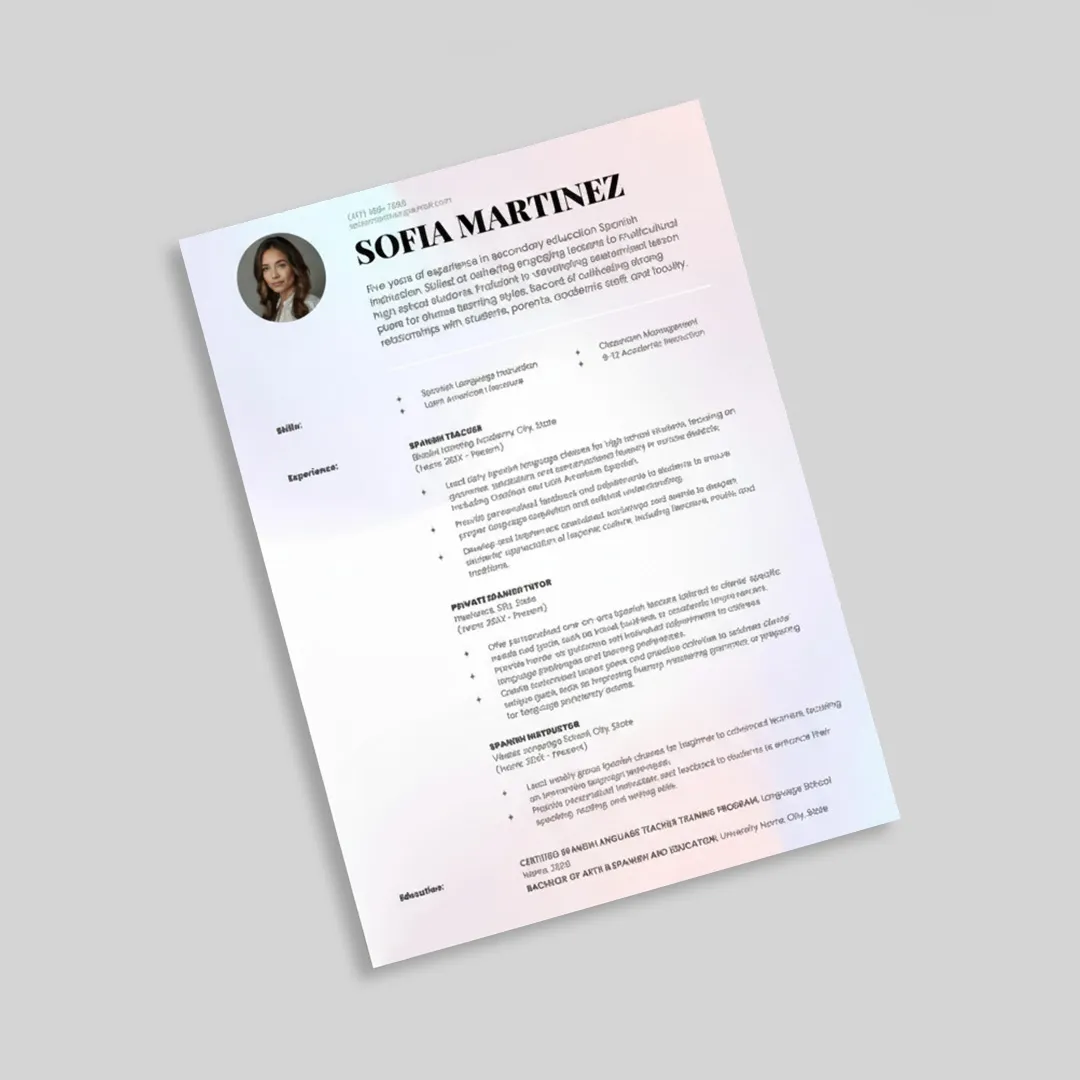
Teacher Fresher Resume Format
- Summary: “Passionate B.Ed. graduate with training in classroom management and child psychology.”
- Education: Bachelor of Education (B.Ed.).
- Projects: Student teaching internship.
- Skills: Lesson planning, communication, adaptability.
Tailored to the job post, checked against ATS.
What to Write in the About Me Section of a Fresher Resume
Write two or three lines that name your degree, one or two skills you have used, and the role you want. Skip vague traits. A fresher about me works best when every claim points to a project, course or internship on the page.
The about me section of a fresher resume is also called the profile, the introduction or the career objective. It is two or three sentences at the top of the page. Name your degree, one or two skills you have actually used, and the role you are applying for.
Write it last, once the rest of the resume exists. That way it summarises the page instead of promising something the page cannot back up. Be specific: “Computer science graduate with two Python automation internships, seeking a junior backend role” works far better than “hard-working fresher seeking a challenging position”. With no internships yet, put a class project or a measurable coursework result in that slot. Our guide on writing an about me section for a resume takes the same paragraph apart line by line, and how to write a resume objective covers the shorter objective version.
How do you write an introduction for a fresher resume?
Use one formula: degree, then your best skill or project, then the role you want. Keep it to two lines and leave out "I". If you have an internship, name it, because it is the best proof you have.
B.Tech graduate in computer science with a Python internship and two web projects, seeking a junior developer role. B.Com graduate trained in Tally and GST filing, looking for an accounts assistant role. BBA marketing fresher who ran the college fest Instagram page, applying for a social media executive role.
What designation should a fresher write on a resume?
Write the job title you are applying for, such as "Junior Data Analyst" or "Graduate Engineer Trainee", under your name. Never claim a title you have not held. If a form asks for your current designation, write "Fresher" or "Student".
Until you hold a job title, the role you target is your designation. The same role should lead your letter, as these cover letter examples for students show. This college graduate cover letter example opens with it in the first line.
College graduate cover letter example
See how a fresher names the target role in the first line of the letter.
Free ATS score, the text the software extracts and your missing keywords. No sign-up.
Common Mistakes to Avoid
The biggest mistakes are a busy template that ATS software cannot read, a long summary with no focus, and missing projects or internships. Each one hides the proof a fresher needs. So keep the design plain and the content specific.
When you pick a layout for your first resume, avoid these:
- Using a design-heavy template that confuses ATS systems.
- Writing a long summary with no focus.
- Forgetting to list internships or academic projects.
- One of the most common errors in a fresher resume format is leaving out relevant skills.
How to Choose the Right Resume Format for Freshers
Choose by what you have. If you have internships, use reverse-chronological. If you have skills and projects but no jobs, lead with a projects section in a combination layout. In both cases, keep education near the top.
- If you have internship experience → use a reverse-chronological format.
- If you have skills but no experience → use a functional format.
- If you have projects + some experience → use a combination format.
Always keep your resume one page as a fresher.
Free Resume Format for Freshers
Start from a finished example, not a blank page. Copy its section order, then replace every line with your own degree, projects and skills. Keep the file simple so it reads well in an ATS.
You don’t need to start from scratch. Copy the layout of this college graduate resume example, which follows the fresher order above. If you finished your degree a while ago, these entry-level resume examples fit better.
College graduate resume example
A one-page fresher layout with education, projects and skills in the right order.
Tailored to the job post, checked against ATS.
Pro Tips for Building a Fresher Resume
Start each bullet with an action verb, add a number when you can, and tailor the page to each job. Then check that fonts, margins and spacing match across sections before you send it.
- Use action verbs like “developed, analyzed, implemented, delivered.”
- Customize the format for each job application.
- Keep margins, font size, and spacing consistent.
- Test your resume with tools like Rezoom Resume Builder to ensure ATS optimization.
These tips help any resume format examples for freshers stand out.
A resume summary for freshers in 2 to 3 lines: what to include, simple templates, and ready examples for graduates with little or no work experience.
Ready to Build Your Resume?
Pick the reverse-chronological layout, fill it with your degree, projects and skills, and keep it to one page. Then tailor the top lines to each job before you apply.
The right resume format for freshers helps you present yourself as a strong candidate. To get a first draft fast, try an AI resume generator and then edit every line in your own words.
👉 Use Rezoom to create a professional fresher resume in minutes. Choose your preferred format, add your details, and download instantly.
Frequently asked questions
Which resume format is best for a fresher?
Reverse-chronological is generally preferred, but functional works for those with no experience.
Should I include GPA in my fresher resume?
Yes, if it’s strong or relevant to the job.
Can I use the same resume format for all jobs?
Not recommended. Always tailor your resume format for fresh graduates to the position.
How long should a fresher resume be?
One page is ideal.
What should I write in the about me section of a fresher resume?
Two lines that name your degree, your strongest skill or project, and the role you want. For example: "B.Com graduate trained in Tally and GST filing, looking for an accounts assistant role."
What designation should a fresher write on a resume?
Write the job title you are applying for, such as "Junior Data Analyst". On a form that asks for your current designation, write "Fresher" or "Student".
Should a fresher resume have a profile summary?
Yes, a short one. Two lines at the top help a recruiter place you fast: your degree, your best skill or project, and the role you want.
Sources
We opened and read each page below. The small numbers in the text point here. Pages that carry no publication date show n.d.
- HR Dive (reporting Ladders eye-tracking study)2018
Recruiters spend an average of 7.4 seconds on an initial resume scan…
- UNC Career Center2026
One page unless extensive relevant experience; education at top for students; GPA…
- Harvard FAS Mignone Center for Career Successn.d.
List entries in reverse chronological order and keep formatting consistent
Ali is a full-stack developer who leads engineering at Rezoom, from the way Rezoom reads your PDF to the editor you write in. He writes practical, example-led guides on resumes, job interviews and the job search, with the steps in the order you’ll need them.
Hdshy, A. (2026, October 28). Resume Format for Freshers: Best Examples & Writing Tips. Rezoom. https://rezoom.io/resume-format-for-freshers/