LinkedIn on Resume: Should You Add It?
Should you put LinkedIn on resume headers? See when to add it, where to place the URL, how to format it, and the mistakes that make recruiters pause.
On this page1. Why Recruiters Check LinkedIn on Resume First
- 1. Why Recruiters Check LinkedIn on Resume First
- 2. Pros & Cons of Adding LinkedIn on Resume
- 3. Is Your Profile Resume‑Ready? (2‑Minute Audit)
- 4. How to Format & Place Your LinkedIn URL
- 5. Industry & Career‑Stage Playbooks
- 6. LinkedIn vs. Other Links
- 7. Common Mistakes to Avoid in 2025
- 8. Step‑by‑Step: Optimize Before You Include
- 9. Key Takeaways
- 10. Why Rezoom.io Is Your Fast Track
- FAQ
Yes, add LinkedIn on resume headers when your profile is complete and matches your resume. Put the custom URL in your contact line, next to your email and phone. If the profile is thin or outdated, fix it first.
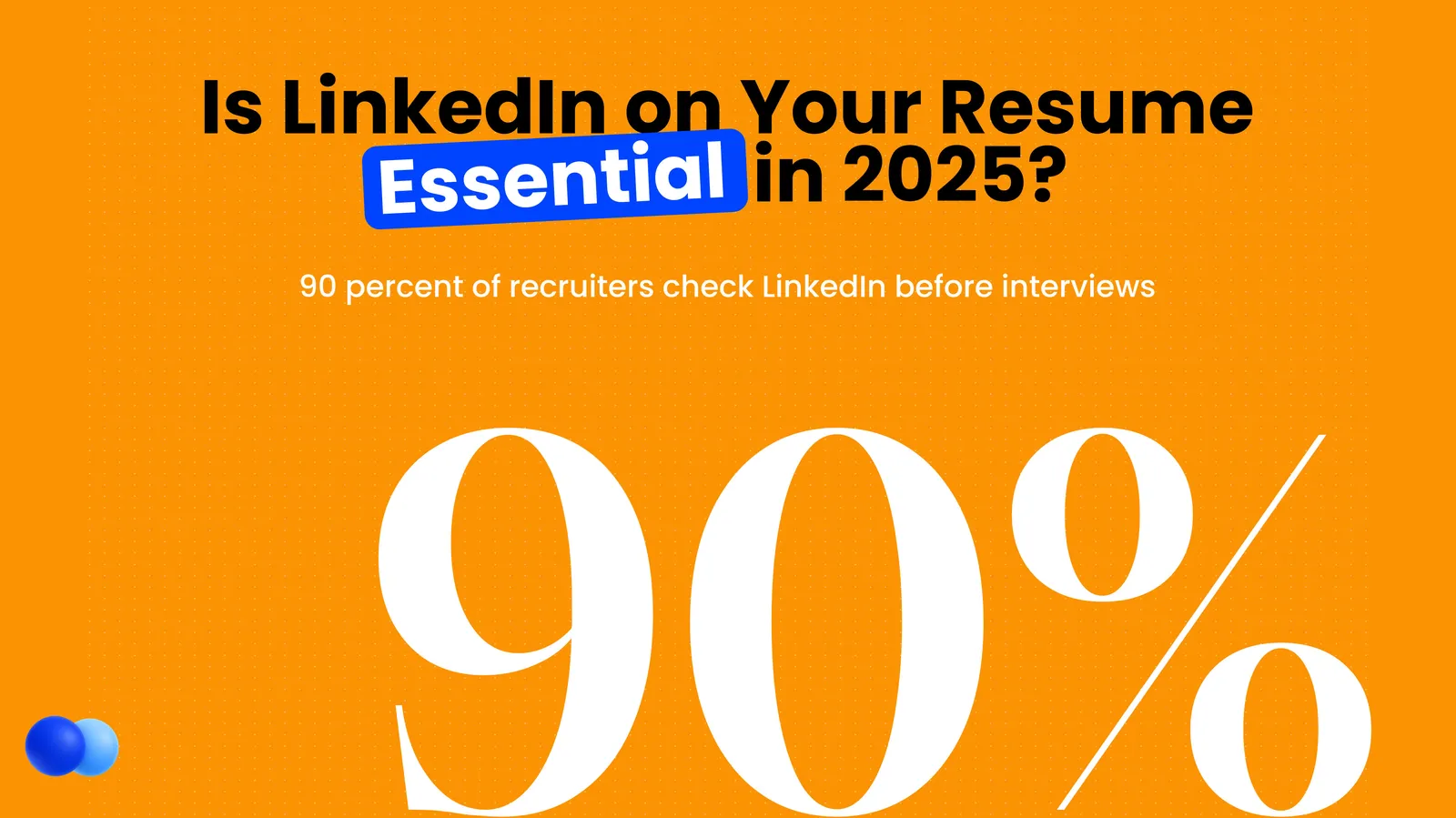
LinkedIn and résumés used to live in parallel universes. Today they’re a power couple. Over 90 % of recruiters use LinkedIn on resume checks before scheduling interviews, and 94 % call it their #1 social recruiting tool. Yet many candidates still struggle to decide if and how to include that little blue link.
This comprehensive playbook unpacks exactly when, where, and how to showcase your LinkedIn on your resume plus industry‑specific advice, a profile audit checklist, SEO fixes, real recruiter quotes, case studies, and answers to burning FAQs. Whether you’re a college grad, staff‑level pro, or C‑suite leader, you’ll know the smartest way to leverage your profile in 2025’s job market. It also pays to work the link in the other direction and learn how to add your resume to your LinkedIn profile.
If most of your history already lives on LinkedIn, you can convert your LinkedIn profile to a resume instead of retyping it. That still leaves the prior question of whether a resume is still necessary once your profile is complete. Whether to switch on the LinkedIn Open to Work badge while you search is a separate call. Your profile name should also match your resume header, especially if you are using a nickname instead of your legal name.
1. Why Recruiters Check LinkedIn on Resume First
Recruiters check LinkedIn because it gives them context fast. In one click they can confirm your dates and titles, read recommendations and spot mutual connections. So a complete profile that matches your resume saves them time and builds trust.
Recruiters have one commodity in short supply: time. A LinkedIn profile offers context—career arc, recommendations, and mutual connections with a single click. According to LinkedIn Talent Solutions, 77 % of talent acquisition teams rely on LinkedIn every single day. By the time your PDF résumé lands in their inbox, most will already have your profile open in another tab. What they scan there first is the skills section recruiters search against.
1.1 What Recruiters Look For
- Consistency – Dates, titles, and employers matching your resume.
- Depth – Embedded media, project summaries, certifications.
- Social Proof – Recommendations and endorsements acting like mini‑references.
- Mutual Connections – Helpful for informal back‑channel checks.
- Culture Signal – Posts or articles that reflect your thought leadership and values.
A senior recruiter at Google told us:> “If the LinkedIn on resume link is missing or broken, we still look you up, but it slows us down and raises minor suspicion. When the link is right there, we click, skim, and move on—it’s frictionless.”
2. Pros & Cons of Adding LinkedIn on Resume
The main pro is fast validation: a recruiter can confirm your history and see work that does not fit on the page. The main con is risk. An outdated or thin profile can expose gaps, so add the link only when the profile is ready.
| Pros | Cons | |
|---|---|---|
| Instant validation | Verifies dates, roles, certifications | A half‑baked profile can expose gaps |
| Extra space | Showcase projects, media, publications that don’t fit on PDF | Duplicate info bores readers |
| Networking boost | Hiring manager might connect or follow your content | Reveals more personal data |
| ATS & CRM sync | Many systems autopull your profile when email + URL match | Inconsistent details trigger red flags |
| Personal brand | Lets you demonstrate personality and thought leadership | Requires ongoing upkeep |
Include LinkedIn on resume only when your profile is polished, consistent, and adds value. Otherwise, fix it first or leave it off.
2.1 Mini Case Study: Two Marketing Managers
- Emily pasted her LinkedIn on resume, but her headline still read “Open to opportunities” six months after she started a new job. A hiring manager at HubSpot noticed the mismatch and passed.
- Jordan included a fully updated profile with campaign videos embedded. The recruiter clicked through and watched a 30‑second reel; Jordan landed an interview the same day.
Moral? Details matter.
3. Is Your Profile Resume‑Ready? (2‑Minute Audit)
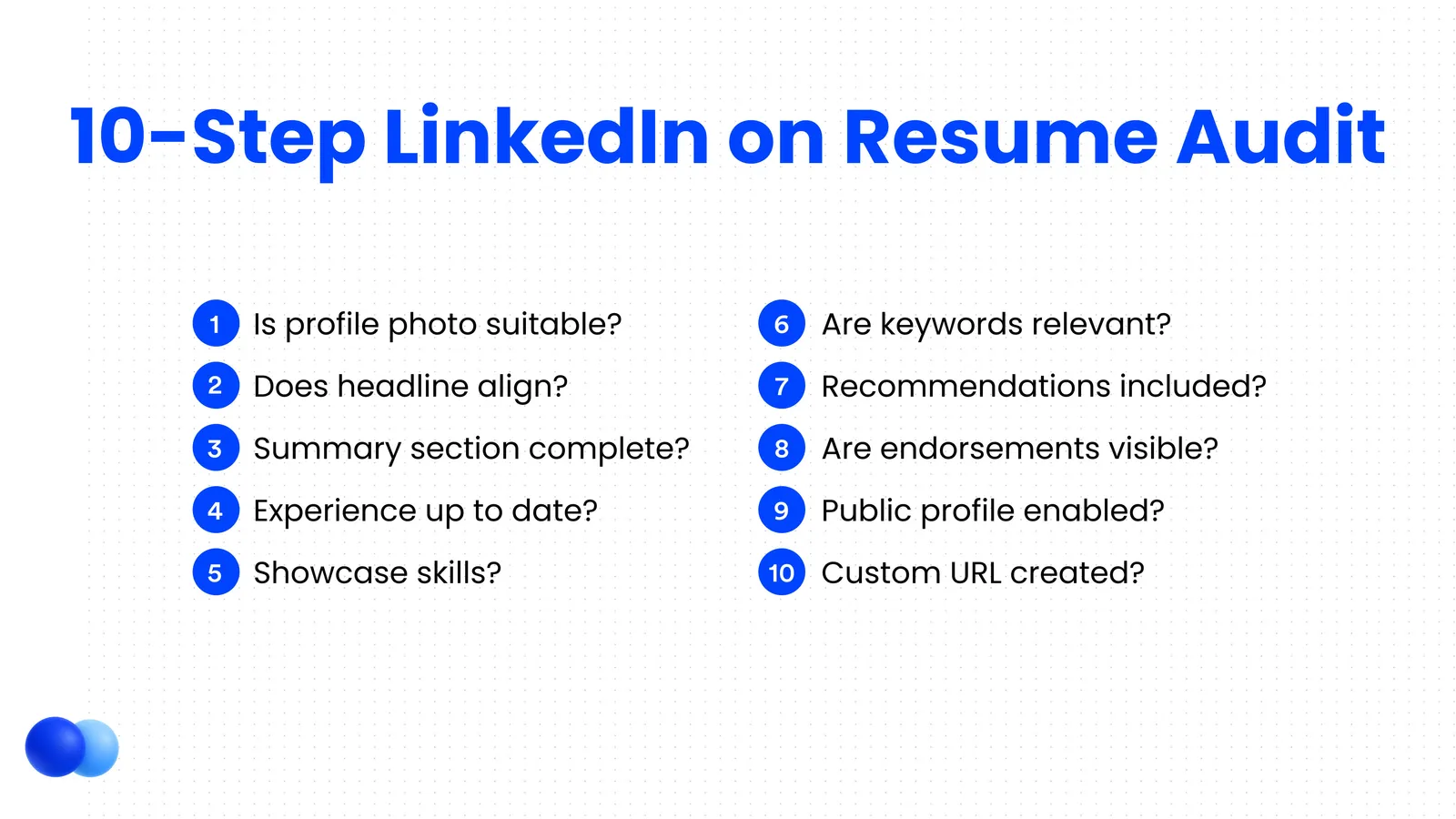
Your profile is ready when it has a custom URL, a clear photo, a keyword-rich headline and experience that matches your resume. Run the checklist below. If you score 8 out of 10 or higher, add the link.
Run this checklist before you paste the link:
- Custom URL – linkedin.com/in/your‑name
- Professional photo – Clear, neutral background
- Keyword‑rich headline – 220‑char value prop, not just job title
- Compelling “About” story – 2–3 paragraphs, first person, 300–400 words
- Experience mirroring resume – Same titles, months/years, quantifiable achievements
- Top 10 skills – Endorsed; delete irrelevant ones
- Two recommendations – Boss + peer preferred
- Featured media – Slides, GitHub, press quotes
- Certifications – PMP, CFA, AWS, etc., with expiry dates
- Recent activity – Industry‑relevant likes/posts within 60 days
Score 8/10 or higher? Your profile is ready.
4. How to Format & Place Your LinkedIn URL
Put the URL in your contact line, next to your email and phone. Use the short custom form, linkedin.com/in/your-name, without the https or www part. In digital files, make it a live link in the same color as your body text.
JANE DOE | UX Designer San Francisco, CA | jane.doe@email.com | 555‑123‑4567 | linkedin.com/in/jane‑doe
4.1 Formatting Tips to Feature LinkedIn on Your Resume
- Drop “https://www.” for a cleaner look—ATS still parses it.
- Hyperlink in digital files; match font color to body text.
- On printed résumés, add a small LinkedIn icon or QR code, not both.
- Keep the URL on one line to prevent PDF wrapping.
4.2 LinkedIn QR Codes on Your Resume: Trend or Fad?
QR codes resurged during the pandemic. At job fairs they can be handy, but they’re still optional. If you add one, test print quality and ensure it points directly to your custom URL. For the printed URL itself, learn how to add a hyperlink to your resume so it stays clickable in the PDF. You can also add the URL to your contact line when you draft in the Rezoom AI resume builder.
Free ATS score, the text the software extracts and your missing keywords. No sign-up.
5. Industry & Career‑Stage Playbooks
Every career stage gains from the link, but for different reasons. Students use it to show projects and endorsements. Mid-career professionals use it to show their full history, and executives use it for personal branding. Then adjust the profile to your industry.
5.1 Entry‑Level / Students: How to Put LinkedIn on Your Resume
Including LinkedIn on a resume compensates for limited job history by showcasing coursework, projects, and professor recommendations.
What to Add to Profile
- Capstone projects with 2‑sentence summaries
- Volunteer roles showing soft skills
- Endorsements from classmates or mentors
- Skill badges (Excel, Python) from LinkedIn Learning
Pro tip: Pin your best project links in the Featured section so recruiters see tangible work immediately.
5.2 Mid‑Career Professionals: Optimizing LinkedIn on Your Resume
Your LinkedIn should extend your two‑page résumé:
- Early roles you trimmed off
- Promotions and expanded responsibilities
- Complete certification history
- 3–4 recommendations from managers and clients
If a 7‑year professional doesn’t include LinkedIn on resume, I still look them up. If I see nothing or outdated info, I worry they’re disengaged from the professional community.” – Senior TA Partner, Salesforce
5.3 Executives & Senior Leaders: Leveraging LinkedIn on Your Resume
At this level LinkedIn is personal branding real estate. Use:
- A board‑ready headshot
- Banner image reflecting your industry or mission
- Long‑form posts or LinkedIn Articles showing thought leadership
- Speaking engagements, media mentions, and board memberships in Featured
Executives often worry about confidentiality. Solution: avoid the “#OpenToWork” ring and keep job search posts private, but still include LinkedIn on resume to control the narrative.
5.4 Technology Roles: Showcasing LinkedIn on Your Resume
Pair LinkedIn with GitHub. Keep skills and project links consistent across both.
| Section | What recruiters want |
|---|---|
| About | Short value prop + tech stack |
| Featured | GitHub repos, demo videos, hackathon wins |
| Skills | Ordered by proficiency; pin top 3 (e.g., React, AWS, Docker) |
5.5 Finance & Accounting: Including LinkedIn on Your Resume
Client‑facing credibility is huge. Display CPA, CFA, or FINRA licenses identically on LinkedIn and résumé. Include metrics (e.g., “Managed $40 M portfolio”) in both places.
5.6 Creative & Marketing Fields: Aligning LinkedIn on Your Resume
Your portfolio sells the work; LinkedIn sells you. Embed campaign videos, press clippings, and awards. Use a colorful banner to echo your personal style while keeping the profile text professional. To see how marketers place the link, browse these marketing resume examples, and for a design role, these UX designer resume samples show a full page.
UX designer resume example
A full UX designer resume to see where the LinkedIn and portfolio links sit in the header.
A UX designer added a short Loom walkthrough of a recent redesign to Featured. A recruiter watched it, grasped her design thinking, and fast‑tracked her to final interview.
5.7 Academia & Research: When to Include LinkedIn on Your Resume
Academic CVs come first, but LinkedIn on resume can highlight industry partnerships, patents, or grants.
- List ORCID ID in Contact Info as well.
- Showcase conferences under Experience with media attachments (slides, posters).
- Use Publications section to import DOI‑linked citations.
6. LinkedIn vs. Other Links
Use the link that best proves your core skill. Engineers often lead with GitHub, designers with a portfolio and researchers with Google Scholar. If no niche link is stronger, LinkedIn is the default.
| Role | Must‑Have Link | Nice‑to‑Have |
|---|---|---|
| Software Engineer | GitHub | LinkedIn, personal blog |
| Product Designer | Portfolio | LinkedIn, Dribbble |
| Finance Analyst | CFA Society page | |
| Research Scientist | Google Scholar | |
| Journalist | Portfolio of clips | LinkedIn, Twitter |
When space is tight, choose the link that proves your core competency first; LinkedIn is the default if no stronger niche link exists.
7. Common Mistakes to Avoid in 2025
The most common mistakes are broken URLs, dates that do not match your resume, a missing photo and public posts you would not want an employer to read. Test the link in every version before you send it.
- Broken URLs – Test every résumé version.
- No profile photo – Recruiters may suspect a fake account.
- Mismatched dates – Auto‑rejection risk.
- Political rants in Activity – Visible to employers.
- Keyword stuffing – Looks spammy, hurts readability.
- Duplicate bullets – Add context or metrics instead.
- Ignoring ATS formatting – Fancy icons can break parsing.
- Openly job‑hunting signals – Fine if public, risky if you need stealth.
8. Step‑by‑Step: Optimize Before You Include
Update your headline, rewrite your About section, add skills and recommendations, and clean up your activity. Then set a custom URL and check your visibility settings. Only then paste the link on your resume.
- Refresh headline – Add role + speciality + impact.
- Rewrite About – 3‑part formula: Who I am → What I do best → Proof.
- Bulk‑import skills – Aim for 30, then pin top 3.
- Request recommendations – Give one to get one.
- Add rich media – Slides, demos, whitepapers.
- Clean up Activity – Remove off‑brand likes.
- Check public visibility settings – Let search engines index your headline.
- Tweak URL – linkedin.com/in/first‑lastname.
- Spell‑check.
- Then—and only then—paste the link on your résumé.
9. Key Takeaways
Add LinkedIn on resume headers when your profile is polished and matches your resume. Keep the URL short and in the contact line. Then tailor the profile to your career stage and industry.
- LinkedIn on resume boosts recruiter trust when done right.
- Place it in the contact block; keep formatting clean.
- Tailor profile depth to career stage and industry.
- Avoid pitfalls like inconsistent dates or unprofessional activity.
How to upload resume on LinkedIn: add it privately with Easy Apply or publicly to your Featured section, plus how to update, replace or delete an old resume.
10. Why Rezoom.io Is Your Fast Track
Rezoom gives you resume templates and examples, so you can build a clean, ATS-friendly resume that matches your LinkedIn profile.
Crafting a modern résumé or optimizing LinkedIn shouldn’t feel like a second job. Rezoom.io offers AI‑powered templates, real‑time keyword guidance, and recruiter‑tested design blocks—so you can:
- Build an ATS‑friendly resume in minutes.
- Get instant feedback on LinkedIn keyword gaps.
- Publish portfolio pieces or LinkedIn updates straight from your dashboard.
- Practice interview questions tailored to the jobs you apply for.
Whether you’re aiming for your first internship or your next C‑suite seat, Rezoom.io is the quickest way to showcase your story and land more interviews. Create your free account today and let your career momentum rezoom.
Frequently asked questions
Should I put LinkedIn on my resume?
Yes, if it’s complete, consistent, and adds new value. A neglected profile can hurt more than help.
Where do you put LinkedIn on a resume?
In the contact header, right after email or phone. Keep it on one line.
How do I add a LinkedIn URL?
Use the custom URL format (linkedin.com/in/yourname), hyperlink it in the PDF, and test it.
Is a LinkedIn QR code a good idea?
It’s optional. For printed resumes at job fairs, a small QR can be handy. For digital files, the hyperlink suffices.
Can LinkedIn replace a resume?
No. Recruiters still need a concise, ATS-friendly document. LinkedIn complements, not replaces, the résumé.
What if my profile isn’t finished?
Either polish it quickly or omit the link for now. Better no link than a bad one.
Mohammad has spent more than ten years designing consumer products and leads product at Rezoom, deciding what gets built and what gets left out. His guides cover the whole job search, from resume sections and cover letters to interview answers and career moves.
Goodi, M. (2026, October 27). LinkedIn on Resume: Should You Add It?. Rezoom. https://rezoom.io/linkedin-on-your-resume/