Job Application Tracker: Ten Columns, One Question
A job application tracker is a measuring instrument, not a filing cabinet. Ten columns, one question, and the one number that decides everything.

On this pageWhat should a job application tracker do?
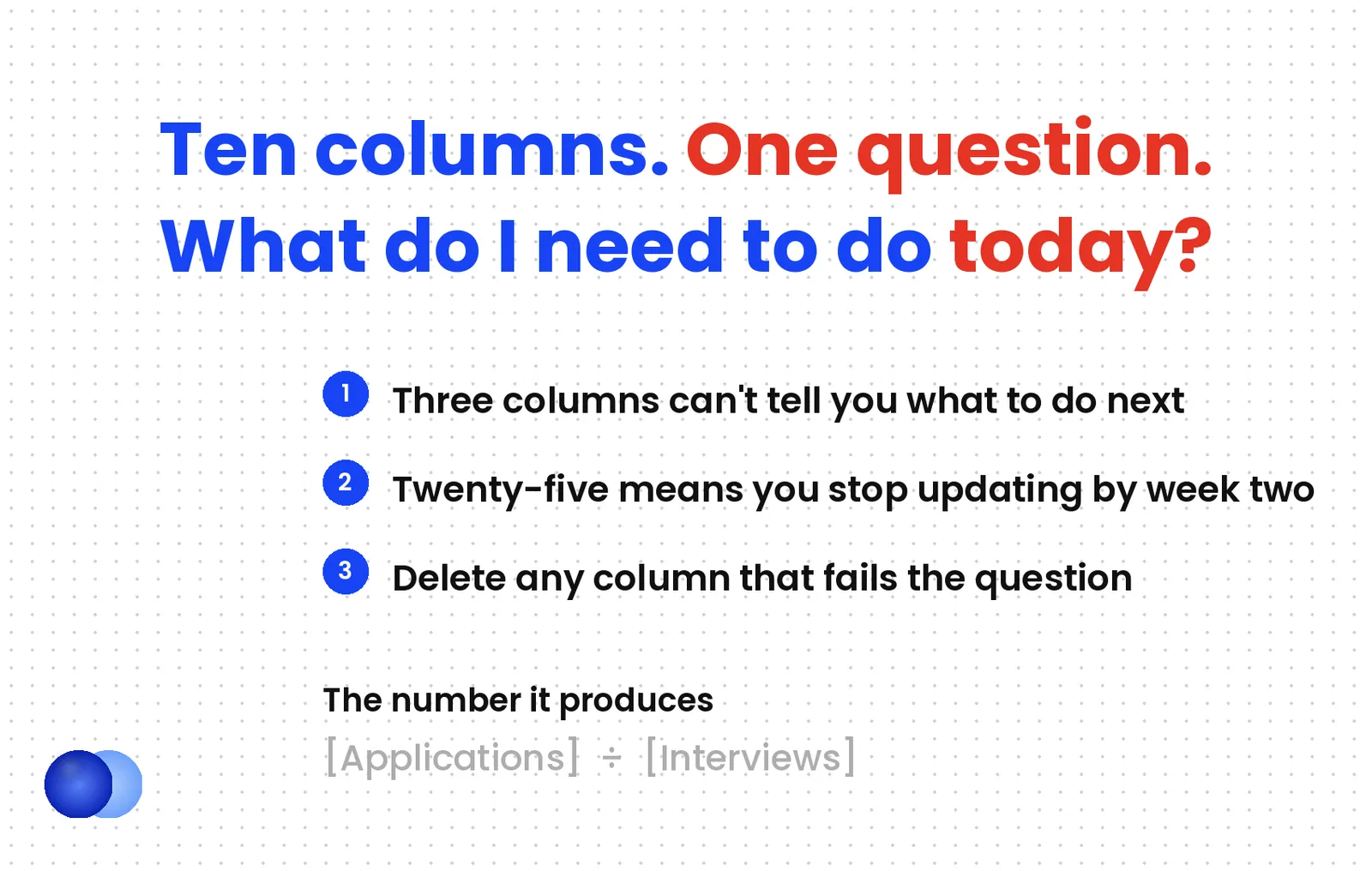
A job application tracker exists to answer one question — what do I need to do today — and to produce one number, your application-to-interview rate. Ten columns cover both. Trackers fail in two symmetrical ways: three columns cannot tell you what to do next, and twenty-five columns create enough overhead that you stop updating within a week.
Most tracker advice is about organisation. Keep your applications in one place, stay on top of follow-ups, do not lose the job link.
All true, and all secondary. A job application tracker earns its keep by producing one number you cannot get any other way: your application-to-interview rate. That number decides how many applications you should send, whether your resume is the problem, and when to stop optimising and start applying.
Without it, every piece of job search advice is guesswork applied to somebody else's data.
What should a job application tracker do?
Answer one question — what do I need to do today — and produce your conversion rate. Every column should serve one of those two jobs. A column that does neither is overhead, and overhead is why most trackers stop getting updated in week two.
A job application tracker has two functions, and the test for every field is whether it serves one of them.
Daily direction. Which applications need a follow-up today, which ones sit waiting, which ones you can close. Answered by status, next action, and next action date. Timing that follow-up is its own decision, and how to follow up on a job application sets out when to send it and what to say.
Measurement. How many applications produce how many interviews, and whether that changes when you change something. Answered by date applied, status, and resume version.
Everything else is optional, and optional fields are where trackers die.
What are the ten columns?
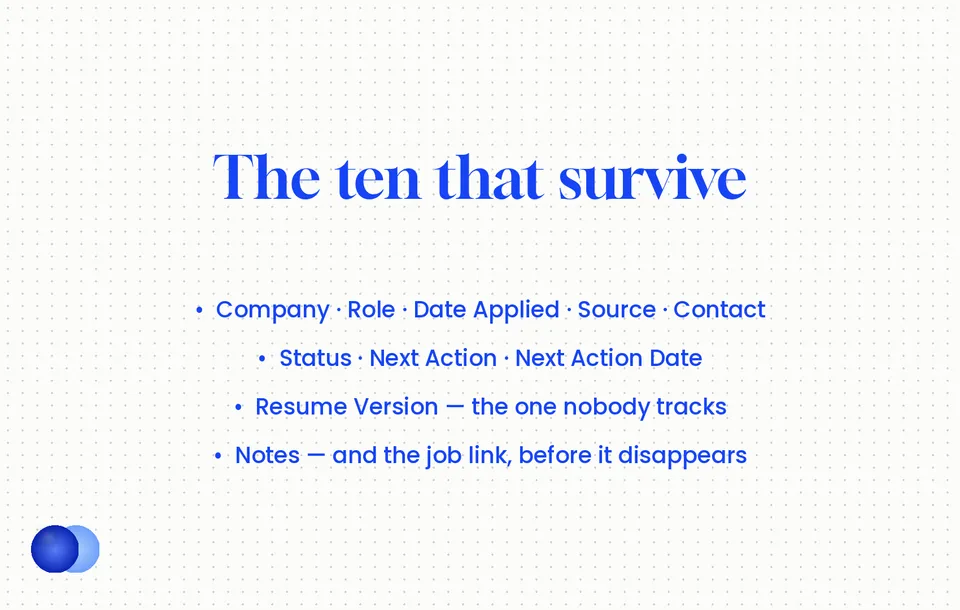
Company, Role, Date Applied, Source, Contact, Status, Next Action, Next Action Date, Resume Version, and Notes. Ten fields give you enough context to act on every application without creating busywork.
| Column | What goes in it | Why it earns a place |
|---|---|---|
| Company | Exact name | Obvious, and you will forget |
| Role | The exact title from the posting | Not your shorthand — you will need the wording later |
| Date Applied | The date | Everything about timing derives from this |
| Source | Board, referral, direct, recruiter | Tells you which channel actually converts |
| Contact | Recruiter or hiring manager name | You cannot follow up with a portal |
| Status | From a fixed dropdown | The spine of the whole sheet |
| Next Action | "Follow up", "Prep for screen", "Waiting" | Turns the sheet into a to-do list |
| Next Action Date | The date | The one field you sort by |
| Resume Version | Which file you sent | Lets you compare versions against outcomes |
| Notes | Anything | Interview names, salary range, why you liked it |
The two people skip
Two of those are less obvious and worth defending.
Source3 tells you within a month whether your referrals convert five times better than your board applications, which changes where you spend your hours.
Resume Version is the one almost nobody tracks. If you cannot tell which file produced which outcome, you cannot tell whether last week's rewrite helped — and you will keep changing things without knowing whether the changes work.
Postings disappear. Requisitions close, aggregators drop listings, and companies remove pages — often before you interview. Two weeks later you will want the exact wording of a requirement so you can prepare an answer to it, and it will be gone. Paste the URL, and for roles you care about, paste the posting text itself into Notes. It takes ten seconds and it is the field people most often wish they had.
What statuses should you use?
Statuses that match real recruiter steps and trigger a clear next action. "In progress" is the failure mode — it can mean anything, so it means nothing. Use Applied, Follow-up sent, Screen scheduled, Interviewing, Offer, Rejected, Closed.
Vague statuses are the most common reason a job application tracker stops being useful.
Set them as a dropdown2 — in Google Sheets, Data → Data validation; in Excel, Data → Data Validation — so you cannot invent new ones on a tired Tuesday and end up with four spellings of the same state.
| Status | What it means | Next action it implies |
|---|---|---|
| Applied | Submitted, nothing since | Follow up at day 7–10 |
| Follow-up sent | One message sent | Wait one week, then close |
| Screen scheduled | Call booked | Prepare |
| Interviewing | Active process | Prep, then thank-you note |
| Offer | Live offer | Negotiate |
| Rejected | Explicit no | Close it |
| Closed | Silent for 3+ weeks | Close it |
Importantly, "Closed" and "Rejected" stay separate. Most applications end in the first, and keeping them distinct is what lets you count your real response rate rather than only counting explicit rejections. Application status meanings covers why the employer's portal label is not a reliable input here — use your own. If that response rate stays near zero across dozens of applications, it is worth reviewing the common reasons a job search stalls. Keep the rejected rows as well: if you later apply again after being rejected, the tracker shows which resume the company already has on file.
How do you make it tell you what to do?
Sort by Next Action Date and colour-code it. Red for overdue, yellow for today, green for this week. That single piece of conditional formatting turns a list of rows into a priority queue you can read in five seconds.
Making a job application tracker actionable takes one setup step worth five minutes.
Sort by Next Action Date, ascending.1 Not by company, not by date applied. The thing you need is what is due, and sorting by anything else hides it.
Colour-code that column. Conditional formatting: red if the date has passed, yellow if it is today, green if it is within a week. Now the sheet answers "what do I need to do today" without you reading it.
Set Next Action Date every time you touch a row. This is the discipline that makes the whole thing work. A row with no next action date disappears, and disappeared rows are how you forget applications.
Wexford Group | Senior Data Analyst | 3 Mar | LinkedIn | Priya Rao | Applied | Follow up | 12 Mar | v3-analytics | Posting mentions warehouse migration — reference it Nine days after applying, this row turns red and tells you exactly what to send and to whom. The resume version means that if this one converts and three others do not, you know which file was in play.
Free ATS score, the text the software extracts and your missing keywords. No sign-up.
What number should you be watching?
Applications divided by interviews. Above roughly 8% means your targeting works and volume is your lever. Below 5% means the resume or the targeting is the constraint, and sending more will produce more silence rather than more interviews.
Above all, this is why the tracker exists, and it takes one formula.
Count your applications and your first-round interviews over the last twenty entries. That ratio is the only personalised number in your entire job search, and it settles the question every article about volume argues over — how many jobs you should apply to is a division problem once you have it.
Two other ratios worth watching once you have volume:
Source conversion. Which channel produces interviews. Usually referrals by a wide margin, and usually not the one you spend most time on.
Interview-to-offer. If you interview often and convert rarely, the constraint sits in the interview rather than the resume — and the STAR method is where that gets fixed rather than in more applications.
Do
- Spend ten minutes building it and then leave the structure alone. A simple sheet you actually update beats a sophisticated one you abandon.
Don’t
- Spend an afternoon on linked databases, formulas and automations. Perfecting the system is a form of procrastination that feels productive, and thirty minutes of setup is thirty minutes not spent applying.
When does a spreadsheet stop working?
Around ten to fifteen live applications, or when you notice you have not updated it in three days. Past that, manual entry becomes the bottleneck and rows go stale — at which point either simplify the sheet or move to something that captures automatically.
Finally, two honest limits.
Volume. A spreadsheet handles a focused search comfortably. Once you have fifteen or twenty live applications with different next actions, manual updating starts slipping, and a tracker that is three days stale is worse than none because you trust it.
Discipline. The failure is almost never the tool. It is that updating feels like admin at exactly the moment applying has worn you out. Updating one row immediately after you submit — before you close the tab — is the habit that prevents it, because it never accumulates.
If you find yourself avoiding it, the fix is usually to delete columns rather than to switch tools.
The sweet spot is a tracker that answers one question: "What do I need to do today?" If a column doesn't help you decide your next move, delete it.
InsideTrack, job search tracker guidance 2026
Copy this to start
Paste the header row into a blank sheet, add a status dropdown, colour the Next Action Date column, and sort by it. That is the whole build, and it takes under ten minutes.
Copy this line into row 1 of a blank Google Sheet or Excel file:
` Company,Role,Date Applied,Source,Contact,Status,Next Action,Next Action Date,Resume Version,Notes `
Then three steps:
1. Select the Status column, add data validation with the seven statuses above.
2. Select the Next Action Date column, add conditional formatting — red for past dates, yellow for today, green within seven days.
3. Sort by Next Action Date, and freeze row 1 so the headers stay visible.
That is it. Ten columns, one dropdown, one colour rule. Everything else you might add — salary range, company size, application ID — belongs in Notes until the day you genuinely miss it.
The point of the whole thing is not the sheet. It is that after twenty rows you will know your conversion rate, and that number tells you which problem you actually have — whether to fix the resume with an free ATS resume checker, or to stop optimising and simply send more.
Frequently asked questions
What should a job application tracker include?
Ten columns: Company, Role, Date Applied, Source, Contact, Status, Next Action, Next Action Date, Resume Version and Notes. Each should either tell you what to do today or feed your conversion rate.
How many columns is too many?
Past about a dozen, updating becomes overhead and the sheet goes stale within a week. Three columns is too few to act on. Ten is the range that survives a real search.
What statuses should I use?
Applied, Follow-up sent, Screen scheduled, Interviewing, Offer, Rejected and Closed. Set them as a dropdown, and keep Closed separate from Rejected so you can measure your true response rate.
Should I track which resume version I sent?
Yes, and almost nobody does. Without it you cannot tell whether last week's rewrite helped, which means you keep changing things without knowing whether the changes work.
What is a good application-to-interview rate?
Above 8% means your targeting works and volume is your lever. Below 5% means the resume or the targeting is the constraint, and more applications will produce more silence.
Should I use a spreadsheet or an app?
A spreadsheet handles a focused search of ten to fifteen live applications well. Past that, manual entry starts slipping and a stale tracker is worse than none because you still trust it.
Why should I save the job posting link?
Postings disappear, often before you interview. Two weeks later you will want the exact wording of a requirement, and it will be gone. Paste the URL, and the posting text for roles you care about.
How often should I update it?
Immediately after each application, before you close the tab. Updating in batches is what lets it go stale, and a three-day-old tracker is one you cannot trust.
Sources
We opened and read each page below. The small numbers in the text point here. Pages that carry no publication date show n.d.
- InsideTrack2026
Ten-column minimum set; 25 columns creates overhead that stops updates while 3…
- CareerScribeAI2026
Vague statuses are the main reason trackers fail — "in progress" can…
- JobShinobi2026
Effective trackers preserve context (resume version, job link, posting snapshot, salary range,…
- ATS Resume AI2026
Trackers fail by being too thin (company plus date, useless by week…
- ApplyArc2026
A spreadsheet works as long as stage, next action, follow-up date, saved…
Mohammad has spent more than ten years designing consumer products and leads product at Rezoom, deciding what gets built and what gets left out. His guides cover the whole job search, from resume sections and cover letters to interview answers and career moves.
Goodi, M. (2026, October 24). Job Application Tracker: Ten Columns, One Question. Rezoom. https://rezoom.io/job-application-tracker/