Employment History on Job Application: How Far Back and What to List
Employment history on job application forms: how far back to go, if you must list every job, what to enter for dates and pay, and how employers verify it.

On this pageHow far back should employment history on job application forms go?
- How far back should employment history on job application forms go?
- Do you have to list every job on an application?
- Can you write "see resume" instead of filling it in?
- What do you put for dates, supervisors and pay you don't remember?
- How do you list gig, temp and self-employment work?
- How do you list a job you were fired from or a gap?
- How do employers verify your employment history?
- What should you check before you submit?
- FAQ
- Sources
Most forms want about 10 years of work, newest job first, unless they say otherwise. Unlike a resume, an application is a signed record, so list every job the form asks for, with real dates. If you forget a detail, estimate it and say so. Employers often check titles and dates through The Work Number or your old employers, so keep the form and your resume in sync.
Employment history on job application forms should cover about the last 10 years, newest job first, unless the form asks for more. List every job in that window with honest dates. Your resume can skip jobs, but a signed form should not.
That is the big gap between the two. A resume is a sales pitch, so you pick what helps. An application is a record you sign, so it needs to be complete and true.
Quick answers by situation
| Your situation | What to say/do | Example line |
|---|---|---|
| You don't know how far back to go | Use the form's window; if none, about 10 years | "Listed: 2016 to present" |
| You don't remember exact dates | Give month and year, and estimate if you must | "03/2019 (approx.) to 08/2021" |
| Your old supervisor left or the firm closed | Give the name you had and the main office line | "J. Ortiz (no longer with company)" |
| You did gig, temp or freelance work | List the agency or "Self-employed" as the employer | "Self-employed, rideshare driver" |
| You lost a job or had a gap | List it and keep the reason short and calm | "Let go after a role change" |
| The form says "see resume" is OK | Attach the resume, but still fill required fields | "See attached resume" plus dates |
How far back should employment history on job application forms go?
Go back as far as the form asks. If it gives no window, about 10 years is the common rule, which matches what many career centers advise. Federal security forms ask more: the SF-86 wants 10 full years of work and home addresses with no gaps. A resume, by contrast, usually covers 10 to 15 years.
The form itself is your first guide to employment history on job application pages. Many say "list your last three employers" or "the past 10 years." If it does, follow it to the letter.
When the form is silent, aim for about 10 years. The Cañada College career center says "unless otherwise requested, only list your employment for the last 10 years." That keeps the form short but still complete enough to check.
Resume vs. application vs. security forms
Each document has its own window. So don't copy your resume rules onto a signed form.
| Document | Typical window | Must you list every job? | Source |
|---|---|---|---|
| Resume | Last 10 to 15 years | No, only jobs that help | Enhancv |
| Standard job application | The form's window, often 10 years | Yes, within that window | Cañada College |
| SF-86 security form | 10 years, no breaks | Yes, even short and unpaid jobs | DCSA |
| Older roles on a resume | One line in "Other experience" | No | Enhancv |
Enhancv's guide3 puts the resume rule at "the last 10 to 15 years of your career." But the federal SF-86 is much stricter. The DCSA SF-86 guide1 tells you to list all work "without ANY breaks for the last 10 years." It also asks for 10 years of home addresses.
Do you have to list every job on an application?
Within the window the form asks for, yes. You sign the form to say it is true and complete, so leaving out a job can look like hiding it. You can drop short or old jobs from your resume, but on an application list each job in range, even ones that ended badly.
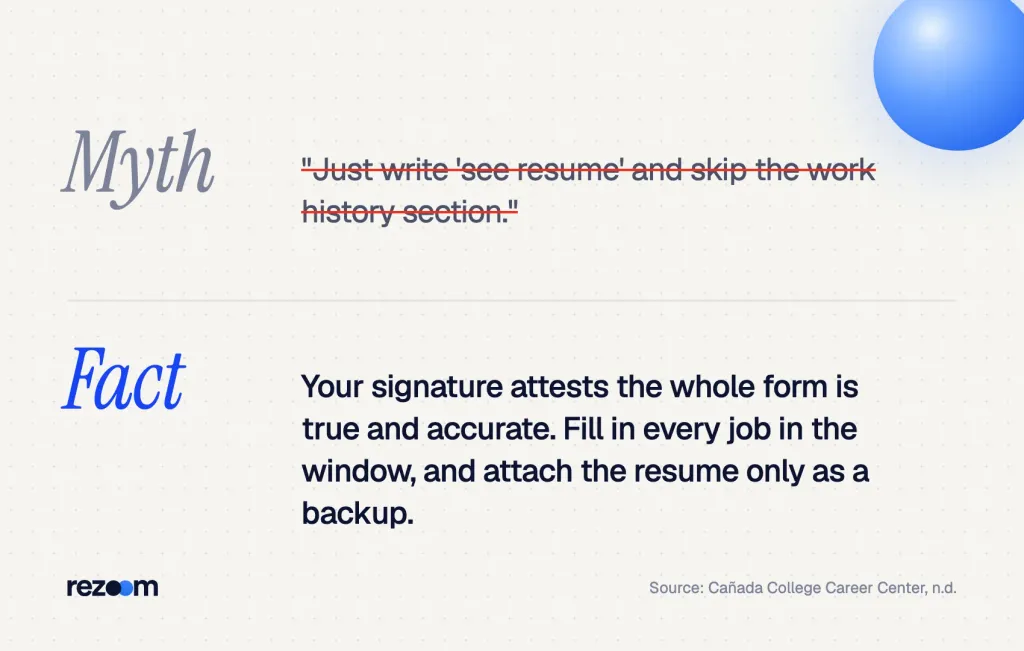
Here is the key point about employment history on job application forms. When you sign, you vouch for the whole form. The Cañada College handout puts it plainly: "By signing the form you are attesting that all information provided is truthful and accurate."
So if a job falls inside the window, list it. A missing job can turn up in a background check, and then it looks like you hid it. That can cost you the offer, or the job later.
No job is too short or insignificant to list.
DCSA SF-86 Guide, 2025
That line is for security forms. But it is a good habit for any signed application.
What you can still leave off
You still have some room. Jobs from before the window can stay off. And if the form asks only for "paid work," unpaid roles can go in a volunteer field instead.
Your resume is a different story. Our guide on how many jobs should you list on a resume shows how to trim it to the roles that sell you.
How many jobs should you list on a resume? Usually 3 to 5, rarely more than 6. See the keep-or-cut test, rules by career stage and how to shorten older jobs.
Can you write "see resume" instead of filling it in?
Only if the form says you can. Many employers want each field filled so their system can sort and search it. "See resume" in a required box can look lazy or get you screened out. If the form lets you attach a resume, attach it, but still type your dates, titles and employers.
Online forms often read your resume to fill in the fields. But the parser makes mistakes, so check every line it fills.
The East Baton Rouge Parish Library career center has filled out hundreds of online applications4. It warns: "If the work history you provide is incomplete or incorrect, that will be a major strike against you."
So treat "see resume" as a last resort. Use it only in a free-text box where the form invites it.
Recruiters often read both side by side. If your dates differ by even a few months, it looks careless. Copy your dates from one master list into both, so they always agree.
What do you put for dates, supervisors and pay you don't remember?
Give your best honest answer and mark guesses as approximate. Use month and year for dates. For a supervisor who left, give their name and the company's main line. For pay, give the hourly rate or salary you recall, or skip the field if your state bars pay history questions.
Most people forget a detail or two. That is normal. What matters is that you don't make anything up.
Rebuild your dates first
- Check your own filesLook at old W-2s, pay stubs, offer letters and your LinkedIn profile for start and end months.
- Pull your earnings recordSocial Security keeps a list of who paid you each year. An itemized statement names each employer.
- Ask the old employerHR or payroll can often confirm your start and end dates.
- Mark what you estimateWrite "approx." next to any date you can't confirm.
- Save one master listKeep it in a note so every form and resume uses the same dates.
The Social Security form SSA-70505 can get you an itemized statement with "the names and addresses of employers." It costs $61 for most uses. Yearly totals without names are free through your online Social Security account.
Supervisor name and phone
List the person who managed you, with their title. If they left, add "(no longer with company)" and give the main office or HR line. Then the employer can still reach someone.
Starting and ending pay
Some forms ask for start pay and end pay. If you know them, give them as hourly rates or yearly salary. But many states now bar employers from asking about pay history, so our guide to salary history on job application forms explains when you can leave it blank.
Employer: [Company name], [City, State]
Job title: [Your title]
Dates: [MM/YYYY] to [MM/YYYY] (approx. if not sure)
Supervisor: [Name], [Title], [Phone or "main office: 555-0100"]
Pay: Start $[rate]/hr, end $[rate]/hr (or "Prefer to discuss")
Duties: [Two or three short tasks, with one number if you have it]
Reason for leaving: [Short, true, calm reason]
Free ATS score, the text the software extracts and your missing keywords. No sign-up.
How do you list gig, temp and self-employment work?
Treat each as a real job. For temp work, list the staffing agency as the employer and name the client sites in the duties. For gig or freelance work, write "Self-employed" with your trade. Give dates, your main tasks and a client or agency contact who can confirm it.
Temp, gig and freelance work all count. If you leave them off, the form may show a gap that wasn't really there.
Employer: Northgate Staffing (example agency), Dayton, OH Job title: Production associate, placed at two plants Dates: 01/2023 to 11/2024 Supervisor: Agency recruiter, Dana Wells, 555-0142 Duties: Ran a packing line at 400 units per hour; trained 6 new temps
Our guide on how to list temp agency work on a resume shows the same idea in resume form. Plant and line jobs are a common fit, so browse our manufacturing resume examples to see how others show shifts and output.
Self-employed and gig entries
For gig work, use "Self-employed" as the employer. Then name your trade, such as "rideshare driver" or "freelance bookkeeper." If an app paid you, you can name it in the duties line.
For a close match on plant work, these production worker resume examples show how to turn line work into clear, numbered bullets.
Production worker resume example
See how to show shifts, output and safety on one page.
How do you list a job you were fired from or a gap?
List the job with true dates, and keep the reason short and neutral, such as "let go after a role change." Don't stretch dates to hide a gap. Fill it with what you did instead, like school, care for family or job search, in a short, plain line.
A firing feels like a reason to skip a job. But if it falls in the window, list it. A short, calm reason works better than a blank.
The DCSA guide is firm on this for security forms. It says not to "stretch employment dates to fill gaps of unemployment." The same rule keeps you safe on any form.
"My employer and I parted ways after a change in my role. I learned to ask for clear goals early, and I'm ready to bring that to this job."
Dates: 04/2022 to 02/2023
Employer: None (career break)
Note: "Cared for a parent full time. Took an online forklift safety course."
For more lines, see our guide to reason for leaving on job application forms. And if the break was long, here is how to explain an employment gap in an interview.
What to say if they push back
- "Why did this job end?" Keep it short: "My manager and I didn't fit. I've since found roles where I do well."
- "Why the gap?" Name it and move on: "I cared for my dad. He's fine now, and I'm ready to work full time."
- "Your dates don't match your resume." Own it: "Thanks for catching that. The form is right; I'll fix my resume."
- "Can we call this employer?" Say yes: "Sure. HR can confirm my dates and title."
Interviewer: "Your form says you were let go from Line Co. What happened?"
"I missed two shift targets after a new machine came in. I asked for training, got it, and hit target at my next job."
Interviewer: "Would they rehire you?"
"I'm not sure. But HR can confirm my dates, and my next boss can speak to my work."
Do
- List every job inside the form's window.
- Use month and year, and mark guesses "approx."
- Keep reasons for leaving short and true.
Don’t
- Stretch dates to cover a gap.
- Write "see resume" in a required box.
- Skip a job because it ended badly.
Reason for leaving on job application forms: short phrases to type, what to write if you were fired, and whether a reason for leaving belongs on your resume.
How do employers verify your employment history?
Most use a background check firm, a database like Equifax's The Work Number, or a call to your old HR team. They usually confirm your employer, job title and start and end dates. Under federal law, they must tell you and get your written OK before they order a background report.
Employers check employment history on job application forms because it is easy to fudge. At a 2017 SHRM conference, a screening expert said to start with a simple check6 of "start date, end date and job title." That is why exact dates matter.
The Work Number
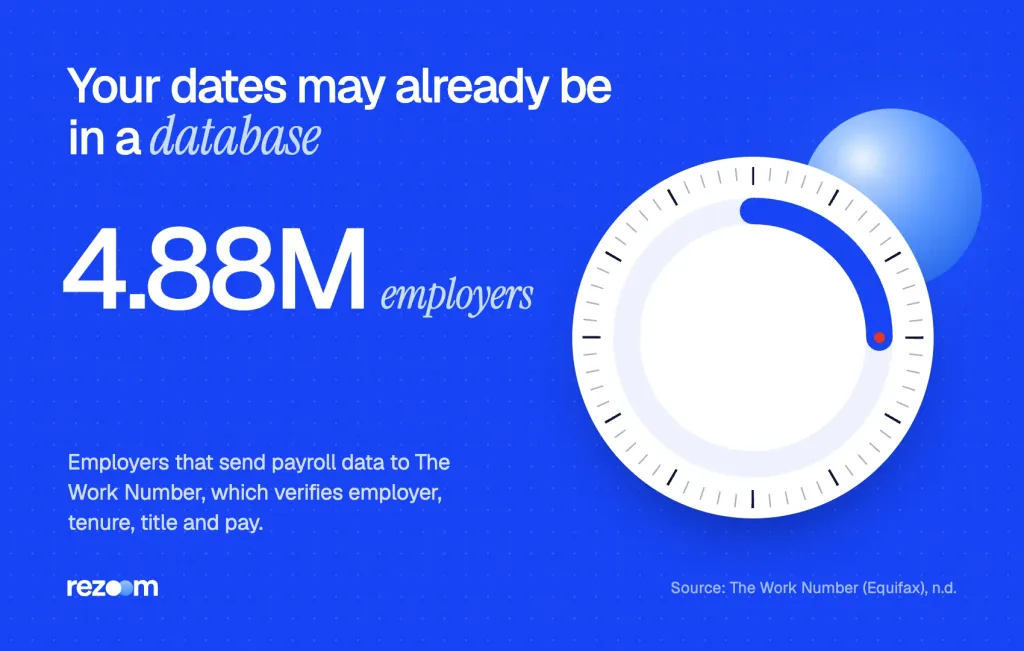
Many large firms send payroll data to The Work Number7, run by Equifax. It lists "4.88M+ employers contributing directly." The report shows your employer, tenure, job title and income.
GoodHire notes8 that a basic check covers title, dates and status. Pay data goes further and usually needs your consent. You can also get your own report free and see who looked at it in the past 24 months.
Your rights under the FCRA
Checkr's guide9 says employers must notify you and get your "written authorization" before a check. If a report leads to a no, they must follow the adverse action steps. This is general information, not legal advice.
Request your free Employment Data Report from The Work Number first. Then copy its dates and titles onto your form. If something looks wrong, you can dispute it before an employer ever sees it.
What should you check before you submit?
Before you sign, confirm the window the form asks for, check each date against your master list and make sure every job in range is there. Mark guesses as approximate. Then check that your resume and cover letter tell the same story, since recruiters often read them side by side.
A clean form and a strong resume work as a team. When the resume already has the right dates, the form takes minutes.
Rezoom's AI resume builder keeps your jobs, dates and duties in one place, so you can copy them into any form. Your letter matters too. This production worker cover letter example shows how to mention a temp stint or a short gap in one calm line.
Production worker cover letter example
A short letter that explains temp work and shift skills.
The last part of most forms asks for people who can vouch for you. Our guide to references on job application forms covers who to list.
Before you submit the form
Tailored to the job post, checked against ATS.
Frequently asked questions
How many years of employment history should I put on a job application?
Follow the form's window. If it gives none, about 10 years is common. Federal security forms like the SF-86 ask for 10 years with no breaks.
Do I have to put every job on a job application?
List every job inside the window the form asks for. Your signature says the form is true and complete, so a missing job can look like you hid it.
Is it OK to write "see resume" on a job application?
Only where the form invites it. Most employers want each field filled in, so attach your resume but still type your dates, titles and employers.
What if I can't remember my exact employment dates?
Check old W-2s, pay stubs and your Social Security earnings record. If you still can't confirm a date, give your best month and year and mark it "approx."
Can a new employer see where I worked before?
Often, yes. Many use background checks or Equifax's The Work Number to confirm your employer, title and dates, after they get your written consent.
Should I list a job I was fired from?
Yes, if it falls in the window. Keep the reason for leaving short, neutral and true, and be ready to say what you learned.
Sources
We opened and read each page below. The small numbers in the text point here. Pages that carry no publication date show n.d.
- DCSA2025
The SF-86 asks for all employment and residences for the last 10 years without breaks, and says not to stretch dates to fill gaps.
- Cañada College Career Centern.d.
Unless the form asks otherwise, list employment for the last 10 years; signing the form attests that the information is truthful and accurate.
- Enhancvn.d.
A resume should usually cover the last 10 to 15 years of your career.
- East Baton Rouge Parish Library2022
Incomplete or incorrect work history on an online application is a major strike against you.
- Social Security Administrationn.d.
An itemized statement of earnings lists periods of employment and the names and addresses of employers, for a $61 fee in most cases.
- SHRM2017
Employers checking past jobs should start by verifying start date, end date and job title.
- The Work Number (Equifax)n.d.
The Work Number has data from more than 4.88 million employers and verifies employer, tenure, job title and income.
- GoodHire2026
Employment verification confirms title, dates and status, and employees can see who requested their data in the past 24 months.
- Checkr2025
Employers must notify candidates and get written authorization before checking employment history under the FCRA.
Mohammad has spent more than ten years designing consumer products and leads product at Rezoom, deciding what gets built and what gets left out. His guides cover the whole job search, from resume sections and cover letters to interview answers and career moves.
Goodi, M. (2026, November 16). Employment History on Job Application: How Far Back and What to List. Rezoom. https://rezoom.io/employment-history-on-job-application/